Amadine

Amadine

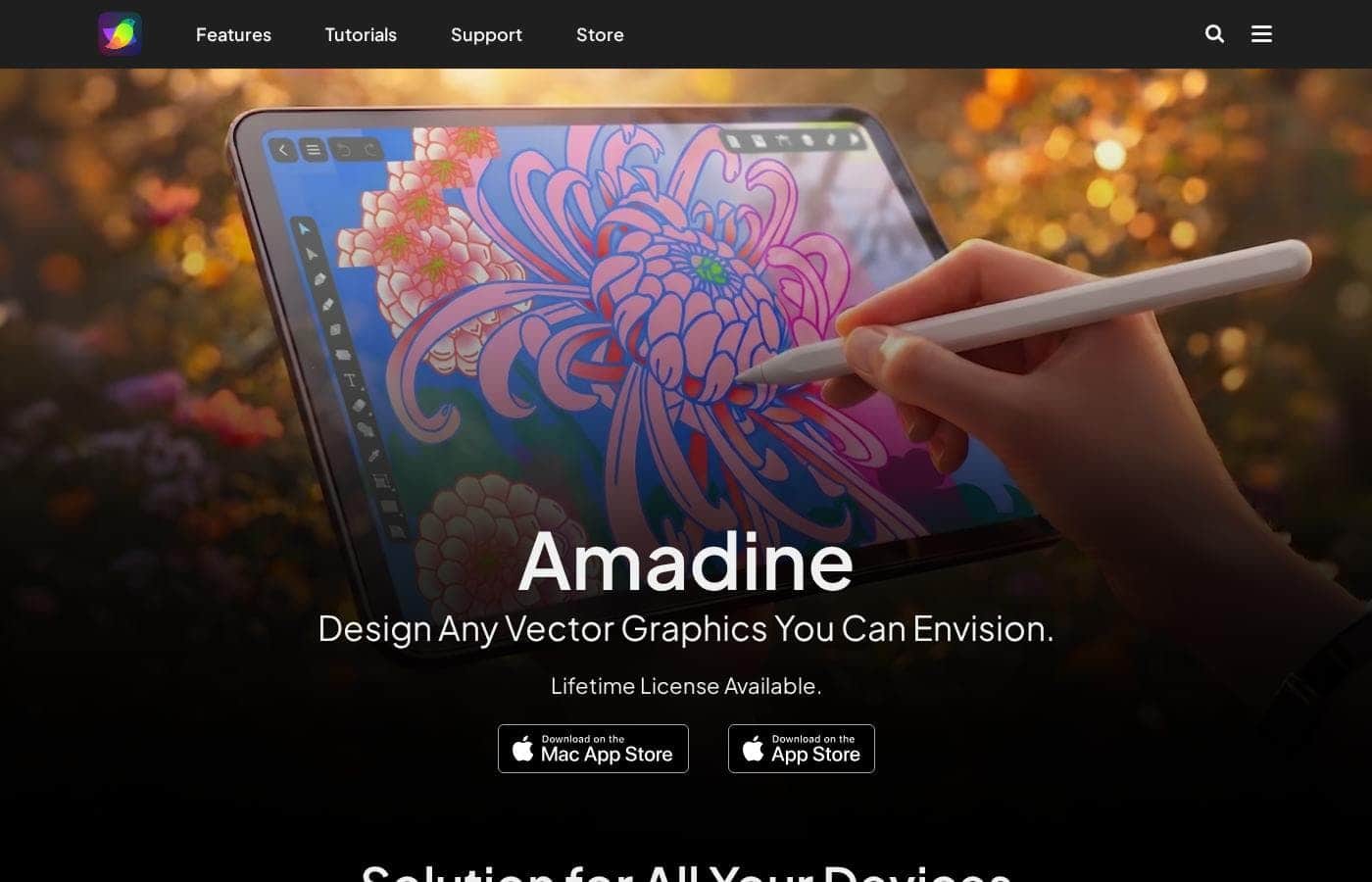
The ultimate vector graphics software for Mac, iPad and iPhone.

#3 dans Graphic Design
2 āđ€āļ§āļĨāļēāļ­āđˆāļēāļ™ Â· āļ­āļąāļ›āđ€āļ”āļ•āđāļĨāđ‰āļ§ 10/3/2025
āļ āļēāļžāļŦāļ™āđ‰āļēāļˆāļ­āļŦāļĨāļąāļāļ‚āļ­āļ‡ Amadine

At a glance

Quick overview for Amadine: rating, pricing summary, key features, and highlights.

āļĢāļĩāļ§āļīāļ§ Ciroapp

4.2
Powerful vector design for the Apple designer.

We find Amadine strikes an excellent balance between power and simplicity for users dedicated to the Apple ecosystem. Overall, we recommend this software highly for its robust feature set and unparalleled affordability through its lifetime license options.

āļ‚āđ‰āļ­āļ”āļĩ

  • Pro:Mac lifetime license offers excellent long-term value.
  • Pro:Intuitive UI dramatically simplifies the design workflow.
  • Pro:Full feature parity across all Apple devices (Mac, iPad, iPhone).
  • Pro:Includes professional tools like CMYK support and the innovative Fusion Tool.

āļ‚āđ‰āļ­āđ€āļŠāļĩāļĒ

  • Con:The software is exclusively confined to the Apple operating system ecosystem.
  • Con:iPad/iPhone usage requires subscription or a separate purchase, unlike the Mac version.
  • Con:Specific integration capabilities with non-Apple services are not clearly detailed.
āļ—āļ”āļĨāļ­āļ‡āđƒāļŠāđ‰āļŸāļĢāļĩ
Yes
āļĢāļąāļšāļ›āļĢāļ°āļāļąāļ™āļ„āļ·āļ™āđ€āļ‡āļīāļ™
Yes — 30 āļ§āļąāļ™
āļŠāđˆāļ§āļ‡: $2.99/month – $49.99 (Lifetime)Free trial, Monthly subscription, Yearly subscription, One-time payment, Lifetime deal
This section is a summary. Detailed sections about features, use cases, pricing, and reviews follow below.

āļĢāļĩāļ§āļīāļ§ Amadine āļĢāļēāļ„āļē āļŸāļĩāđ€āļˆāļ­āļĢāđŒ āļ‚āđ‰āļ­āļ”āļĩāļ‚āđ‰āļ­āđ€āļŠāļĩāļĒ

Do you often feel lost trying to master overly complex vector design programs? It's easy to get overwhelmed by the sheer volume of options. Amadine is the ideal solution, providing remarkable features within a neat and convenient UI.

It dramatically simplifies your workflow and ensures a smooth learning curve. âœĻ

Amadine āļ„āļ·āļ­āļ­āļ°āđ„āļĢ?

Amadine is a comprehensive vector graphics application designed specifically for Mac, iPad, and iPhone. It serves both seasoned design professionals and creative amateurs alike. The developers focused on precision and user needs, resulting in software that makes bringing your creative ideas to life much easier.

Its seamless balance across different Apple platforms lets you work wherever creativity strikes. ðŸ’Ą

Amadine āļ„āļļāļ“āļŠāļĄāļšāļąāļ•āļīāļŦāļĨāļąāļ

âœĻ Intuitive Interface Simplifies Design

It’s easy to feel lost when using complex vector design programs. Amadine provides the ideal solution by bundling powerful features within a neat and convenient user interface. This streamlined approach minimizes distraction and ensures a smooth learning curve for anyone starting out.

We designed the application with precision and attention to user needs. This focus on usability guarantees a swift and easy workflow for every design project. Both seasoned professionals and creative amateurs can easily pick up the program without much effort.

âœĻ Powerful Sculpting and Shaping Tools

Amadine offers essential features for creating detailed and complex vector shapes. If you need to combine objects, the Fusion Tool is an alternative to traditional boolean operations. This powerful feature merges several contours and lines to build entirely new shapes easily.

You can also perfectly polish the appearance of your resulting artwork. The Fusion Tool includes a dedicated Paint mode, which lets you choose the coloring style for your newly created shapes.

Achieving soft, natural contours is simple using the versatile Rounded Corners feature. You can apply rounding to any corner of a shape, turning sharp edges into gentle curves. Easily adjust the corner radius and smoothly tune the curvature for maximum control.

For speedy adjustments, you can also select from convenient presets. These ready-made styles include Concave arc, Straight, Rounded, or Elliptic shapes.

âœĻ True Cross-Platform Productivity

Amadine lets you bring your creative ideas to life wherever you are. This is a comprehensive application designed specifically for Mac, iPad, and iPhone. You receive full feature parity across all these platforms, meaning you don't lose capability when switching devices.

When working on the go, the iPad and iPhone versions extend your productivity. This is achieved by utilizing functionality specific to iOS, such as support for the Apple Pencil. The platform uses cutting-edge Apple technology to maximize performance.

  • Metal support
  • Apple Silicon optimization
  • iCloud Support

âœĻ Advanced Color Workflow and Management

Quickly redefine the look of your entire design using powerful color tools. The useful Recolor feature is a fast way to update your artwork. It allows you to change the entire design schema in one swift touch.

If you require more granular control, you can adjust particular colors step-by-step instead. This ensures you can fine-tune every element of your design for the perfect result.

Crucially, Amadine fully supports professional color management needs. The application utilizes both CMYK and RGB color models, allowing for accuracy whether the final output is destined for print or digital screens.

âœĻ Asset Ownership and Format Versatility

We believe you should keep full control over your creative work and assets. All files you create in Amadine are stored directly on your device or in your personal cloud storage. This approach offers peace of mind to designers who value privacy and full ownership of their files.

You have versatile options for sharing and saving your final artwork. You can save and export your vector designs using industry-standard SVG and PDF formats. Raster output is also available, allowing you to export your saved artwork to TIFF, PNG, and JPEG formats.

āļāļĢāļ“āļĩāļāļēāļĢāđƒāļŠāđ‰āļ‡āļēāļ™

ðŸŽĻ Creating Complex Illustrations Efficiently

When you design detailed illustrations, you often need to combine or subtract multiple shapes. Amadine's Fusion Tool offers a smart alternative to traditional boolean operations for this task. It lets you construct intricate geometry by easily merging several contours and lines.

This powerful feature simplifies creating organic or technical shapes without frustration. You can also utilize the Paint mode right within the Fusion Tool to define the coloring style for your newly created shapes. It's a quick way to keep your workflow moving forward.

🌈 Designing Flexible Brand Identity Packs

Creating logos and brand identity often involves constant color palette adjustments. Amadine’s Recolor feature lets you overhaul an entire design scheme instantly. You can easily switch from a cool palette to a warm one in one swift touch.

Need more precision? You can also handle particular color changes step-by-step to fine-tune specific elements. This is essential when developing comprehensive branding materials like logos and brand books, ensuring consistency across all assets.

Tip: Use the Recolor feature right before presenting a design to rapidly show client options for different company colors.

ðŸ“ą Smooth UI/UX Iconography and Mockups

Modern user interface design relies on soft, approachable shapes that feel natural to the user. You can round any corner of a vector shape in Amadine to achieve this polished look. This feature is crucial when designing user interface icons or UI elements for mockups.

You have total control over the appearance, going beyond a simple radius adjustment. You can smoothly tune the curvature or select from presets like Concave arc, Straight, Rounded, or Elliptic shapes. This makes it easy to create consistent, high-quality visuals for app designs.

✍ïļ Seamless Cross-Platform Productivity

You don't have to stay tied to your desk to do professional vector work. Amadine is a robust, fully featured application across Mac, iPadOS, and iOS. This true cross-platform capability means you can pick up where you left off, no matter the device.

If creativity strikes while you’re away from your desktop, you can use the touch interface and Apple Pencil support on your iPad to refine details. This ensures you maintain maximum productivity, getting the full power of the Mac version extended with mobile-specific features.

📰 Preparing Artwork for Professional Print Production

Print projects like posters, flyers, and brochures demand specific color handling to ensure accurate results on paper. Amadine fully supports both CMYK and RGB color models, giving you the control required for professional output.

This ensures your colors translate accurately from screen to physical media without unexpected shifts. You can finish your print-ready vectors and save them easily in high-quality formats like PDF or SVG, ready for the press.

📊 Creating Data Visualization Graphics

Data needs to be communicated clearly, whether for internal reports or public presentations. Amadine lets you create clean, precise vector graphics to visualize complex information. You can design bar graphs, pie charts, and comprehensive schemes quickly.

Creating these graphical elements in vector format ensures they remain sharp and scalable, even when incorporated into large presentations or print layouts. This functionality makes it simple for non-design professionals to communicate data effectively using polished visuals.

āļ āļēāļžāļĢāļ§āļĄāļĢāļēāļ„āļēāļ‚āļ­āļ‡ Amadine

āļŠāđˆāļ§āļ‡āļĢāļēāļ„āļē
$2.99/month – $49.99 (Lifetime)
āļ›āļĢāļ°āđ€āļ āļ—āļĢāļēāļ„āļē
Free trial, Monthly subscription, Yearly subscription, One-time payment, Lifetime deal
āļĢāļąāļšāļ›āļĢāļ°āļāļąāļ™āļ„āļ·āļ™āđ€āļ‡āļīāļ™
āđƒāļŠāđˆ — 30 āļ§āļąāļ™

Amadine offers a robust mix of perpetual licenses for Mac and flexible subscription or lifetime options for iPad/iPhone, starting at just $2.99 per month. Mac licenses are available as one-time payments of $29.99 for a single user or $49.99 for a five-seat family license.

āđāļœāļ™āđāļĨāļ°āļĢāļēāļ„āļē

Amadine for Mac

āļ•āļīāļ”āļ•āđˆāļ­āđ€āļžāļ·āđˆāļ­āļŠāļ­āļšāļ–āļēāļĄāļĢāļēāļ„āļē
  • Single user license
  • Lifetime license

Amadine for Mac: Family License

āļ•āļīāļ”āļ•āđˆāļ­āđ€āļžāļ·āđˆāļ­āļŠāļ­āļšāļ–āļēāļĄāļĢāļēāļ„āļē
  • Five seat license
  • Lifetime license
  • Save 67%

Amadine for iPad/iPhone

āļĢāļēāļĒāđ€āļ”āļ·āļ­āļ™$2.99
āļĢāļēāļĒāļ›āļĩNot explicitly stated
  • Offers in-app purchases: Monthly, Yearly, and Lifetime

Amadine costs between $2.99 per month and $49.99 lifetime with three main plans: Mac Single User at $29.99 lifetime, Mac Family License at $49.99 lifetime, and iPad/iPhone starting at $2.99 per month.

Now, here is a detailed breakdown of the specific pricing options available for each platform.

Amadine for Mac

Price: $29.99 (Lifetime license) Websites Supported: Not explicitly stated Best For: Individual users needing powerful vector graphics software on one Mac device. Refund Policy: 30-day money-back guarantee (when purchased from the official website) Other Features:

  • Single user lifetime license

This is a straightforward, one-time purchase for designers who work independently on a Mac. You get access to the ultimate vector graphics software forever for a single affordable price. Pay once and keep creating without worrying about recurring fees.

Amadine for Mac: Family License

Price: $49.99 (Lifetime license) Websites Supported: Not explicitly stated Best For: Small teams or families/households using multiple Mac devices. Refund Policy: 30-day money-back guarantee (when purchased from the official website) Other Features:

  • Five seat lifetime license
  • Save 67% compared to five individual licenses

If you have several designers, students, or family members who need the software, the Family License is a great value. You receive five lifetime seats for a cost-effective, one-time fee. This option makes it easy to share the creative power across your devices.

Amadine for iPad/iPhone

Price: Starting from $2.99/Month Websites Supported: Not explicitly stated Best For: Users who prefer working on mobile devices like the iPad or iPhone. Refund Policy: Returns are processed according to App Store Policy Other Features:

  • Offers in-app purchases: Monthly, Yearly, and Lifetime
  • Available through the Apple App Store

The mobile version is completely flexible, giving you subscription choices or a lifetime purchase through in-app options. This low starting price lets you try it out on your favorite Apple mobile device right away. ðŸ“ą

Remember, you can get a free trial to test Amadine before committing to any purchase. If you buy the Mac version directly from the official website, you are covered by a generous 30-day money-back guarantee. Amadine also offers special discounts for educational use and qualifying non-profit organizations.

āļĢāļĩāļ§āļīāļ§āļœāļđāđ‰āđƒāļŠāđ‰

Review data from external platforms is currently very limited, as no user snippets were provided for analysis from either Trustpilot or Capterra. We are therefore unable to offer a synthesis of general public sentiment regarding crucial themes such as customer support responsiveness, update reliability, or integration capabilities.

Based solely on the product’s self-description, the focus is on providing a neat and convenient UI and offering superb value through one-time lifetime payments for Mac users. While the platform claims to have advanced specialized tools like the Fusion Tool and true cross-platform functionality with feature parity, we cannot confirm user satisfaction or real-world reliability without external testimony.

Users interested in Amadine should verify recent community discussions to understand real-world workflows and support quality before purchasing. We will thoroughly update this summary once verifiable user feedback becomes available.

ðŸĪ·â€â™€ïļ

āļĒāļąāļ‡āđ„āļĄāđˆāļĄāļĩāļĢāļĩāļ§āļīāļ§

āđ€āļ‚āļĩāļĒāļ™āļĢāļĩāļ§āļīāļ§

āđ€āļ‚āļĩāļĒāļ™āļĢāļĩāļ§āļīāļ§āļŠāļģāļŦāļĢāļąāļš Amadine
0/100 āļ•āļąāļ§āļ­āļąāļāļĐāļĢ
0/2000 āļ•āļąāļ§āļ­āļąāļāļĐāļĢ

āļ—āļģāđ„āļĄāļ•āđ‰āļ­āļ‡āđƒāļŠāđ‰ Amadine?

If you value ease of use without sacrificing powerful, professional results, Amadine offers a welcome alternative tailored for the modern designer. The design process is optimized for simplicity and power. ✅

  • Intuitive Workflow: The neat and convenient user interface guarantees swift and easy operation. Users report it’s easy to pick up the program without much effort, aided by available tutorials.
  • Powerful Shaping Tools: Features like the Fusion Tool handle complex shapes by merging contours, acting as a smart alternative to traditional boolean operations. You can also perfectly fine-tune rounded corners by adjusting curvature or selecting from presets like Concave arc or Elliptic.
  • One-Touch Recolor: The useful Recolor feature allows you to change the entire design schema in one swift touch, or you can adjust particular colors step-by-step.
  • True Cross-Platform Productivity: This is a fully featured application on macOS, iPadOS, and iOS. It maintains full feature parity with the Mac version while extending productivity using features specific to your iPad or iPhone.
  • Own Your Assets: Amadine offers a lifetime license option and ensures you keep full control over your work. All your files are stored locally on your device or in your personal cloud, reassuring even the pickiest designer.
  • Modern Technology: The application utilizes cutting-edge Apple technology, including Metal, Apple Silicon, and support for the Apple Pencil. Crucially, it fully supports both CMYK and RGB color models.

Amadine is the perfect choice for anyone needing a powerful, modern, and non-overwhelming vector tool within the Apple ecosystem. Start your design journey today with a free trial and see how easy professional vector creation can be. Get started now and unlock your creative potential! ➡ïļ

āļžāļĢāđ‰āļ­āļĄāļ—āļĩāđˆāļˆāļ°āđ€āļ›āļĨāļĩāđˆāļĒāļ™āđāļ›āļĨāļ‡āļāļĢāļ°āļšāļ§āļ™āļāļēāļĢāļ—āļģāļ‡āļēāļ™āļ‚āļ­āļ‡āļ„āļļāļ“āļ”āđ‰āļ§āļĒ Amadine āļŦāļĢāļ·āļ­āļĒāļąāļ‡?

Amadine āđ€āļ„āļĢāļ·āđˆāļ­āļ‡āļĄāļ·āļ­āļ—āļēāļ‡āđ€āļĨāļ·āļ­āļ

āđ€āļ„āļĢāļ·āđˆāļ­āļ‡āļĄāļ·āļ­āļ­āļ·āđˆāļ™āđ† āđƒāļ™āļŦāļĄāļ§āļ”āļŦāļĄāļđāđˆ Graphic Design

āļ„āļģāļ–āļēāļĄāļ—āļĩāđˆāļžāļšāļšāđˆāļ­āļĒ

What file formats can I export my vector artwork in?

You can export completed vector designs as industry-standard SVG and PDF files. It also offers export options for common raster formats like TIFF, PNG, and JPEG for image use.

Where are my design files stored, and who owns my work?

You maintain full control of your creative assets. Your files are stored locally on your device or securely within your personal cloud storage, such as iCloud.

Does the Mac license cover more than one computer?

The standard Single User Mac license provides one permanent seat for one Mac device. If you need more seats, the Family License offers five lifetime seats for a household or small team.

What is the refund policy if I purchase the Mac version directly?

If you buy the Mac version from the official website, you are protected by a 30-day money-back guarantee. Purchases made through the Mac App Store must follow Apple’s standard return policy.

How are refunds processed for the iPad or iPhone versions?

All iOS and iPadOS purchases, whether monthly subscriptions or lifetime options, are processed according to the standard Apple App Store Policy. You must handle the refund request through Apple.

How can I try Amadine before committing to a purchase?

A free trial is available for Amadine for Mac so you can test all the features before buying. The iPad/iPhone app gives you flexible monthly plans starting low for easy commitment-free access.

What are the minimum operating system requirements for Amadine?

For Mac computers, you must have macOS 10.14 or a newer version installed. For mobile devices, Amadine requires iPadOS or iOS 13 and all later versions.

Does Amadine offer special discounts for students or non-profits?

Yes, discounts are offered towards qualifying students, staff members, and non-profit organizations. Bulk licenses for all Apple platforms are available using Apple School Manager.

What happens to the Mac lifetime license when a major software update is released?

Not explicitly stated on the official site. While the license is advertised as 'lifetime,' it is unclear if this guarantees access to all future major version updates without an additional fee.

Can Amadine integrate with services outside the Apple ecosystem?

Specific integrations with non-Apple services are not clearly detailed on the site. However, the output support for SVG and PDF ensures file compatibility across most major design applications.

Does Amadine provide a guaranteed customer support response time (SLA)?

Not explicitly stated on the official site. The company does provide tutorials to aid users, but official metrics regarding support response times are not publicized.

Who is the ideal user for Amadine?

It is perfect for designers, both professional and amateur, who are rooted in the Apple ecosystem. They seek a powerful vector tool that features an intuitive interface and offers excellent value through a one-time purchase.

āļžāļĢāđ‰āļ­āļĄāļ—āļ”āļĨāļ­āļ‡āđƒāļŠāđ‰ Amadine āļŦāļĢāļ·āļ­āļĒāļąāļ‡? āļ”āļđāđ€āļ§āđ‡āļšāđ„āļ‹āļ•āđŒāļ—āļēāļ‡āļāļēāļĢāļŦāļĢāļ·āļ­āļĢāļēāļ„āļē