Полный перевод скоро — детали продукта на английском, навигация локализована.
Mobicip

Обзор Mobicip

Consistent parental controls across every device your family owns.

Автор: Ciroapp Editorial Team · Обновлено 16 сент. 2026 г.

Может применяться комиссия без доплаты

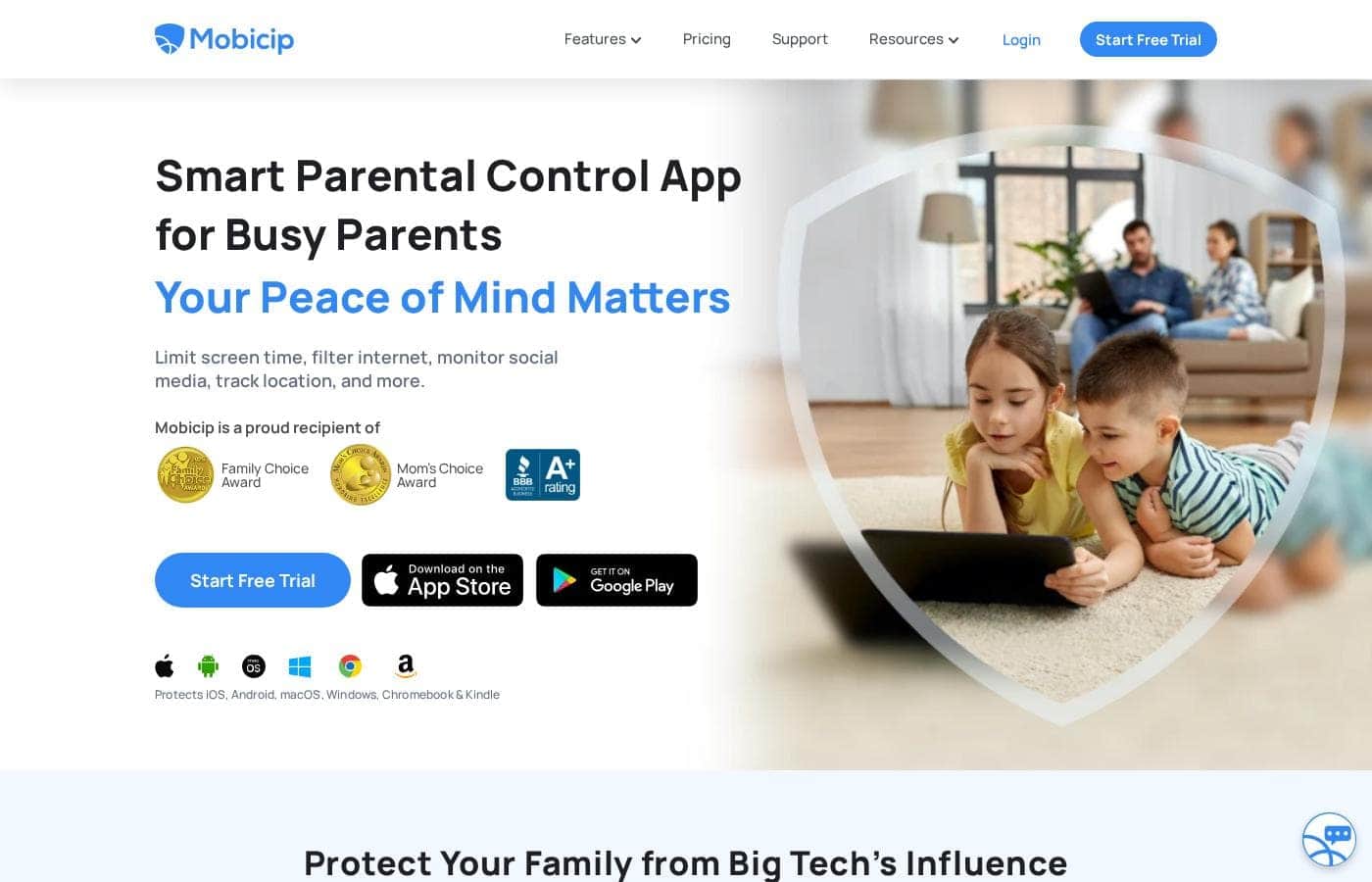
Скриншот главной страницы Mobicip

Кратко

Краткий обзор Mobicip: рейтинг, цены, ключевые функции и основные преимущества.
Страница поставщика проверена 12 окт. 2026 г.

Оценка Ciroapp

3.7/ 5

Mobicip stands out by covering six platforms — iOS, Android, macOS, Windows, Chromebook and Kindle — under one synced rule set, a rarity among parental control apps. Monitoring runs shallower on iPhones and Kindles, and exact paid plan prices aren't easy to confirm. Overall, it's a practical pick for mixed-device families who test it free before committing.

Плюсы

  • Плюсы:One of the broadest platform lineups in the category — iOS, Android, macOS, Windows, Chromebook and Kindle — under a single account
  • Плюсы:Rules stay synchronized across devices, so protections don't lapse when a child switches hardware
  • Плюсы:Detailed activity tracking gives concrete visibility into browsing and app usage instead of guesswork

Минусы

  • Минусы:Monitoring depth is limited on iOS and Kindle because Apple and Amazon restrict what third-party apps can access — expect richer data on Android and Chromebook
  • Минусы:Every protected device needs the app or profile installed, which is real setup work in multi-child households
  • Минусы:No aggregated third-party review scores from G2, Capterra or Trustpilot were available for this review, so long-term user satisfaction is hard to verify independently
Лучше всего подходит
  • Families whose children split time between Apple, Android, Windows and Amazon devices and want one rule set everywhere
  • Parents of school-age kids (roughly 6-16) who bring Chromebooks home and need after-school filtering and time limits
  • Busy dual-income households that prefer reviewing activity reports remotely to policing devices in person
Этот раздел является кратким резюме. Ниже представлены подробности о функциях, сценариях использования, ценах и отзывах.

Что такое Mobicip?

Mobicip is a smart parental control app built for families whose children split their time between very different devices — an iPhone at school, an Android phone on weekends, a Chromebook for homework. Instead of locking you into one manufacturer's ecosystem, it applies the same filtering, screen time and monitoring rules across iOS, Android, macOS, Windows, Chromebook and Kindle. That breadth, combined with a deliberately simple setup process, is what separates it from single-platform tools.

This review covers where it excels, where it falls short, and which families it fits best.

Mobicip is a cross-platform parental control application designed for busy families. It runs on iOS, Android, macOS, Windows, Chromebook and Kindle devices, letting parents manage web filtering, screen time, app rules and activity monitoring from a single account. The core idea is consistency: rather than configuring each device separately with different tools, parents define rules once and Mobicip enforces them across whatever hardware a child happens to pick up.
Стоит ли выбрать Mobicip?

Краткие советы перед сравнением тарифов или переходом на сайт.

Выбирайте, если

  • Families whose children split time between Apple, Android, Windows and Amazon devices and want one rule set everywhere
  • Parents of school-age kids (roughly 6-16) who bring Chromebooks home and need after-school filtering and time limits
  • Busy dual-income households that prefer reviewing activity reports remotely to policing devices in person
  • Families with young children on Kindle tablets who want the same protections there as on phones and laptops

Не выбирайте, если

  • Households satisfied with a single ecosystem's first-party tools like Apple Screen Time or Google Family Link — a third-party layer may be redundant
  • Parents expecting forensic-level iOS monitoring; platform restrictions cap what any third-party app can see on an iPhone
  • Businesses seeking employee device monitoring — Mobicip is built for families, not workforce management
  • Anyone unwilling to install and maintain an app on each child's device

Следующие шаги перед покупкой

  1. 1Create a Mobicip account, then install the parent app or sign in on the web to set up family profiles
  2. 2Install the matching Mobicip app or configuration profile on each child's device (iOS, Android, macOS, Windows, Chromebook or Kindle) and assign it to the right child
  3. 3Set filtering levels, screen time schedules and app rules for each child's profile
  4. 4Run it for the first week on the free plan or trial, review the activity reports, and tighten or loosen rules based on what you see
  5. 5Lock down device settings — keep the parent PIN private and restrict app uninstalling at the OS level — so protections can't be easily removed

Mobicip Ключевые функции

✨ Cross-Platform Coverage

Mobicip supports iOS, Android, macOS, Windows, Chromebook and Kindle — nearly every device a family is likely to own, including school-issued Chromebooks and Amazon kids' tablets that many competitors ignore. One account covers the whole household rather than forcing separate tools per platform.

✨ Consistent Rules Across Devices

Once you configure filtering levels, screen time schedules and app restrictions for a child, those settings apply across every device linked to their profile. A child can't escape limits by switching from their tablet to the family laptop, and parents don't maintain multiple configurations.

✨ Detailed Activity Tracking

The app keeps detailed records of what children do online, giving parents concrete visibility into browsing and app usage patterns. That means you can spot new apps, unusual activity or excessive use without standing over your child's shoulder.

✨ Web and Content Filtering

Mobicip filters internet content so inappropriate material is blocked before it loads. Filtering can be tuned per child, so a teenager gets more autonomy than a seven-year-old under the same family account.

✨ Screen Time and App Management

Parents can set device usage limits and schedules that support routines like homework-first evenings and device-free bedtimes, and block or restrict individual apps per child — useful for containing distracting games or social apps on school nights without wiping the device.

Варианты использования

💡 Mixed-Device Households

For families where one child has an Android phone, another uses an iPad and everyone shares a Windows PC, Mobicip eliminates the patchwork of platform-specific tools. Parents manage everything from one account, and rules follow the child rather than the hardware.

💡 School-Aged Kids on Chromebooks

Children doing homework on Chromebooks — whether school-issued or personal — get the same filtering and time limits as on any other device. Parents can keep school nights structured without relying on whatever basic controls the school has configured.

💡 Busy Working Parents

Parents who can't supervise every session use Mobicip's activity tracking to review what happened during the day and adjust rules remotely, catching problems through reports instead of confrontations.

💡 Young Children on Kindle Tablets

Amazon's Kindle tablets are common first devices for young kids but are poorly served by mainstream parental control tools. Mobicip's Kindle support lets families apply the same protections there as on phones and laptops.

Цены Mobicip

Цены ещё не проверены — смотрите сайт поставщика.

странице цен Mobicip

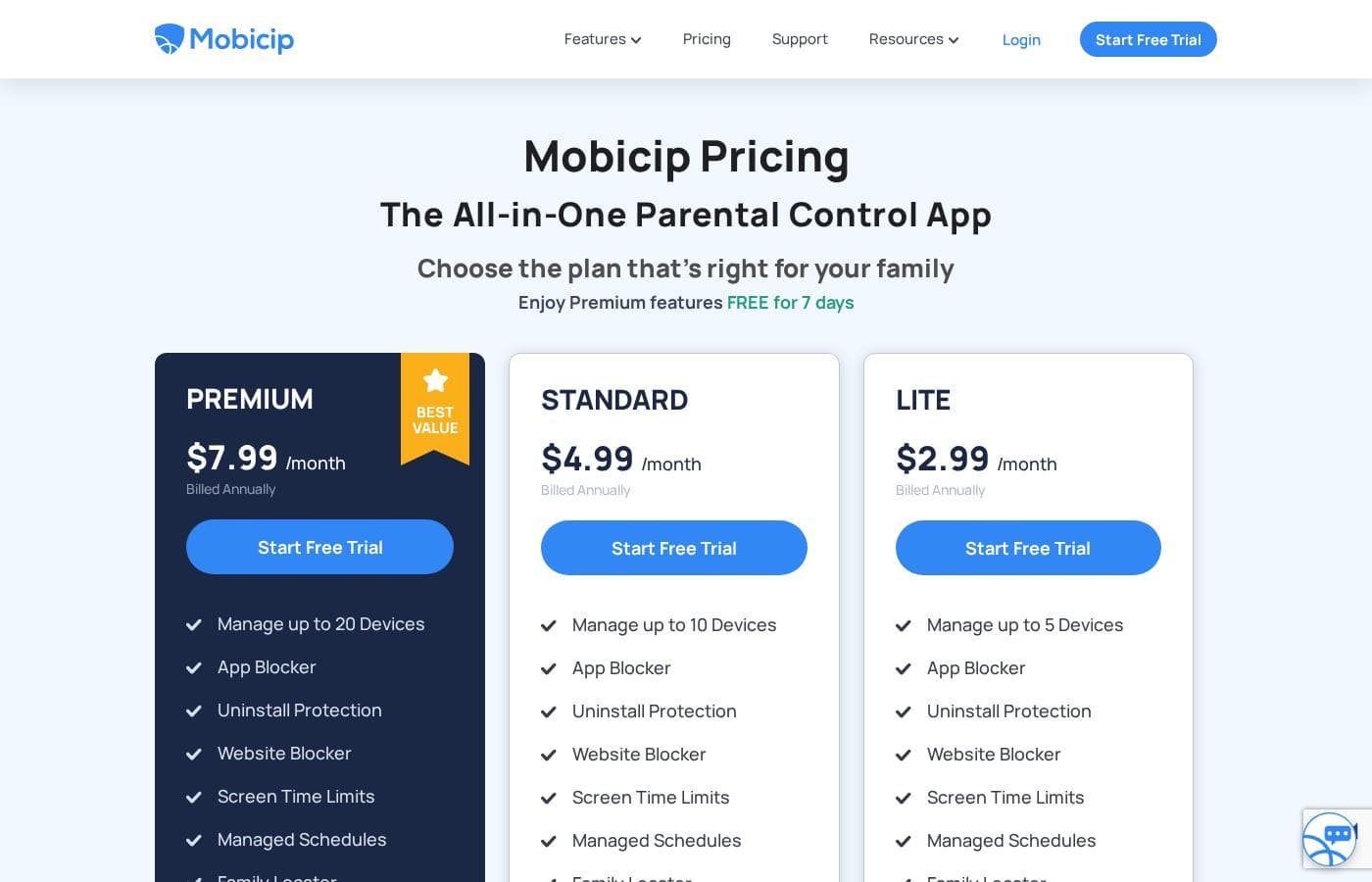
Скриншот страницы цен MobicipСкриншот страницы цен

История цен

Отслеживаем цены с 1 окт. 2026 г.. Изменений пока нет.

Типы цен: Free plan, Free trial, Monthly subscription, Usage-based pricing

Примечания к ценам

Mobicip pricing: Plans from $0/month Billing options: Free plan, Free trial, Monthly subscription, Usage-based pricing

Сообщить, когда Mobicip изменит цену

Одно письмо, когда мы заметим изменение на странице цен поставщика. Без рассылок и акций. Отписка в один клик.

Отзывы пользователей

Обзоров пока нет.

Написать обзор

Написать отзыв для Mobicip
0/100 символов
0/2000 символов

Почему использовать Mobicip?

Most parental control tools are strongest on one platform and marginal elsewhere, which creates real gaps when a family owns a mix of Apple, Google, Windows and Amazon hardware. Mobicip closes that gap by keeping settings synchronized across all supported devices, so a rule set on a Chromebook carries over to an iPhone without reconfiguration.

Add detailed activity tracking — so parents can see what children actually do online rather than guessing — and a setup flow that avoids the router-and-DNS complexity of network-level filters, and it becomes a practical choice for households that want protection to work everywhere.

Альтернативы Mobicip

Другие инструменты в категории Родительский контроль

Смотреть все инструменты Родительский контроль
Qustodio

Qustodio

Parental Control4.1/5

Родительский контроль и забота о цифровом благополучии, которым доверяют миллионы.

MMGuardian

MMGuardian

Parental Control4.1/5

Воспитывайте уверенных и безопасных детей в цифровом мире.

Canopy

Canopy

Parental Control3.9/5

AI фильтрация контента — интернет открыт, явно неприемлемое скрыто

Bark

Bark

Parental Control3.9/5

Комплексная защита детей в интернете с помощью ИИ и родительского контроля.

FamiSafe

FamiSafe

Parental Control3.9/5

Решение №1 для цифрового родительства в семье

OurPact

OurPact

Parental Control3.8/5

Единая панель управления для всех экранов вашего ребенка

Самое дешёвое ПО (Родительский контроль) для 1–25 пользователей

Mobicip: частые вопросы

Which devices and platforms does Mobicip support?

Mobicip runs on iOS, Android, macOS, Windows, Chromebook and Kindle. That is one of the broadest coverage lists among parental control apps and includes school-issued Chromebooks and Amazon kids' tablets that many competitors skip. Settings are designed to stay consistent across all of a child's devices, so the rules don't change when the hardware does.

Does Mobicip have a free plan or trial?

Yes. Mobicip offers a free plan alongside a free trial and paid monthly subscription tiers. The free plan is best used to confirm the app works well on your family's specific devices; households that need full monitoring, filtering and reporting will generally move to a paid plan. Current limits and prices are listed on Mobicip's pricing page.

Will protection be equally strong on my child's iPhone and their Chromebook?

Mobicip's core rules — filtering, screen time and app restrictions — apply across platforms, but monitoring depth varies by operating system. Apple and Amazon restrict third-party access on iOS and Kindle, so activity data is typically richer on Android, Windows and Chromebook. Use the free trial to test the exact devices your children use before subscribing.

Can my child uninstall or get around Mobicip?

Any parental control app can be tampered with if a child has enough device access. Mobicip works best when you keep the parent PIN private and use your device's built-in restrictions to prevent app removal, then periodically confirm the app is still active on each device. Treat it as a strong layer of protection, not a substitute for basic device hygiene.

Готовы попробовать Mobicip? Посетите официальный сайт или узнайте цены.

Вы представляете Mobicip? Заявить права на страницу · Получить значок