Полный перевод скоро — детали продукта на английском, навигация локализована.
Hubstaff

Обзор Hubstaff

Time tracking and payments for remote teams that need clearer work data.

Автор: Ciroapp Editorial Team · Обновлено 9 окт. 2026 г.

Может применяться комиссия без доплаты

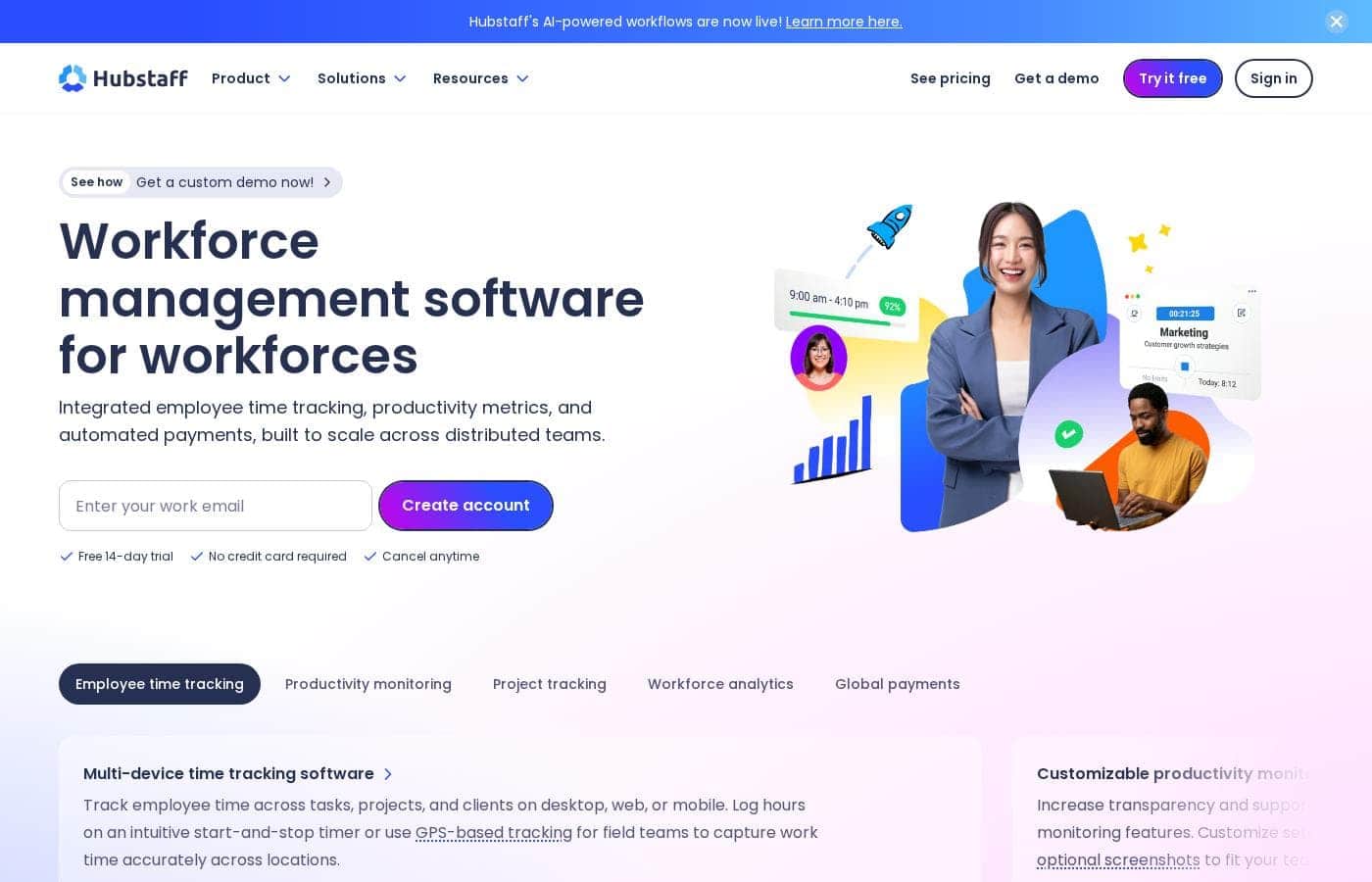
Скриншот главной страницы Hubstaff

Кратко

Краткий обзор Hubstaff: рейтинг, цены, ключевые функции и основные преимущества.

Оценка Ciroapp

3.9/ 5

Tracking, timesheets, and payments in one place

Hubstaff pairs time tracking with automated timesheets, productivity metrics, and global payments in a single dashboard for distributed teams. Monitoring stays configurable and 35+ integrations help, though plan prices sit behind the pricing page. Overall, a strong pick for teams that bill or pay by the hour.

Плюсы

  • Плюсы:Combines time tracking, productivity metrics, project budgets, and global payments in one dashboard
  • Плюсы:Automated timesheets reduce manual approval work for managers
  • Плюсы:Monitoring is configurable, so activity rates, app and URL tracking, and screenshots are optional

Минусы

  • Минусы:No money-back guarantee is published, which leaves the 14-day free trial as the main way to test
  • Минусы:Full value depends on connecting your existing project and payroll tools
  • Минусы:Workflows outside the 35+ integrations would mean building on the API
Лучше всего подходит
  • Agencies that bill clients by the hour and need clean timesheets
  • Software and product teams spread across time zones
  • Consulting firms tracking billable time and project margins
Бесплатная пробная версия
Yes — 14 дней
Этот раздел является кратким резюме. Ниже представлены подробности о функциях, сценариях использования, ценах и отзывах.

Что такое Hubstaff?

Hubstaff is time tracking and workforce management software built for distributed teams. It records hours on desktop, web, and mobile, then turns that data into timesheets, productivity metrics, project budgets, invoices, and global payments. The platform suits agencies, software teams, consultants, field crews, and BPO or virtual assistant operations.

Compliance credentials cover SOC 2 Type II, HIPAA, GDPR, and LGPD, and more than 35 integrations connect it to tools like Jira, Slack, and QuickBooks.

Verdict

Best for Remote, hybrid, and field employers such as agencies, software teams, consultancies, BPOs, and call centers that pay people by tracked hours..

Hubstaff makes the most sense for teams that bill or pay by the hour and want tracked time to drive timesheets, costs, and payments automatically. The 14-day trial and work-email signup make it easy to test with a small group. Confirm pricing and integrations first, then decide whether to roll it out more widely.

Strengths

  • Combines time tracking, productivity metrics, project costs, and global payments in one place
  • Automated timesheets reduce manual approval work
  • Configurable monitoring covers activity, apps, URLs, and screenshots

Watch-outs

  • Some teams will need a clear internal policy before enabling activity tracking or screenshots
  • Full value depends on connecting your existing project and payroll tools

Pricing trap for Hubstaff: Check the pricing page for current per-seat rates and billing terms before starting the 14-day trial, and note that signup asks for a work email.

Hubstaff Ключевые функции

⏱️ Track hours wherever work happens

Hubstaff records time on desktop, web, and mobile, so remote, hybrid, and field teams all log hours the same way. People start and stop a timer, then assign time to a task, project, or client. For job sites, GPS tracking and geofences clock crews in and out automatically.

You get one accurate record instead of scattered notes.

✨ Monitoring you can dial up or down

Productivity monitoring is optional, and you decide what gets switched on.

  • Activity rates
  • App and URL tracking
  • Optional screenshots, which you can blur Idle time detection is available too. Hubstaff frames this as transparency rather than micromanagement, and publishes guiding principles on transparency, access, and control.

✨ See project costs while you can still react

Track time against projects and set budgets to watch your margins. Real-time widgets show project spend, hours worked, and paid time off. Set weekly budgets or limits and you'll get alerts when a project risks going over.

Historical data helps you protect profitable work, adjust scope, and price the next job.

📊 Turn work data into decisions

Workforce analytics reveal utilization trends, capacity gaps, and cost drivers. Insights benchmarks team performance and flags meeting overload and focus gaps. Machine learning also spots unusual activity patterns that may point to inaccurate records.

You can query the same data through the API, the CLI, or AI tools like ChatGPT and Claude.

✨ From tracked time to payouts

Timesheets update automatically as people track time. Employees add notes, review hours, and submit, so approvals don't wait on reconstructed weeks. Approved time then flows into payments through providers like Wise, PayPal, Deel, and Payoneer.

Set pay frequencies, pay in multiple currencies, and see every payout and cost in one place.

Варианты использования

💼 Agencies billing clients by the hour

Your account and creative teams track time to clients and projects. Timesheets update as work happens, so invoices come from real hours, not guesswork. Budget alerts catch campaigns heading over budget before margins slip.

Expected outcome: cleaner invoices and faster billing. > Tip: Set budgets at project kickoff.

🌍 Remote and hybrid teams spread across time zones

Distributed engineers, designers, and product folks log hours on desktop, web, or mobile. Managers see utilization, focus time, and project health in one dashboard instead of chasing updates. Data syncs with Jira, Slack, and GitHub.

Expected outcome: fewer check-in meetings. > Tip: Agree on tracking settings before rollout.

📍 Field crews and in-office teams clocking in on site

Field crews clock in through GPS and geofenced job sites, so arrival times get captured without paperwork. In-office teams get attendance, shifts, time-off, and overtime rules in the same place. Expected outcome: accurate hours for payroll.

Tip: Test geofences on-site before you roll them out.

🎧 BPO, call center, and virtual assistant operations

Outsourcing teams watch productivity rates, app and URL usage, and idle time across shifts. Approved hours feed invoicing and client billing, while unusual activity detection flags patterns that may point to inaccurate records. Expected outcome: data-backed conversations with clients.

Tip: Review results with agents, not just leadership.

Цены Hubstaff

Цены ещё не проверены — смотрите сайт поставщика.

странице цен Hubstaff

Скриншот страницы цен HubstaffСкриншот страницы цен

Диапазон цен: $4.20

Типы цен: Free trial

Примечания к ценам

Hubstaff runs on paid subscription plans for its time tracking and workforce platform, with a free 14-day trial that needs no credit card and lets you cancel anytime.

Hubstaff offers subscription-based time tracking plans with a free 14-day trial, no credit card required, and cancel anytime.

Rates and plan tiers appear on the pricing page; here's how the model works and what to weigh before you subscribe.

Subscription plans

Hubstaff sells access through recurring subscriptions rather than a one-time purchase. Every tier covers the core toolkit: time tracking across desktop, web, and mobile, plus project and task tracking, automated timesheets, and time reports.

Higher tiers go further than a stopwatch. They layer in productivity monitoring — activity rates, app and URL usage, and optional screenshots — alongside attendance, time-off management, and invoicing.

Enterprise

Bigger organizations get a separate path. The enterprise offering adds SSO, SCIM, compliance credentials for GDPR, HIPAA, and SOC 2 Type II, and dedicated support. Pricing for this tier is quoted directly, so speak with the sales team if that fits your setup.

Which plan suits you? Small teams that mainly need accurate hours and clean timesheets can stay on the lighter option. If you want productivity data, project budgets, or workforce analytics, a higher tier earns its place.

Because published rates aren't shown here, confirm the current per-seat cost and which features sit in each tier before you commit.

Hubstaff also connects with 35+ tools your team likely already uses, including Slack, Jira, Asana, Trello, GitHub, ClickUp, QuickBooks, and Salesforce. Payments run through providers like Wise, PayPal, Deel, and Payoneer, so global teams can handle payroll without leaving the platform.

One dashboard ties it together: tracked time, automated payments, and productivity metrics in a single view. Teams that bill clients can turn hours into invoices, while operations leads can watch project spend and budgets in real time.

Hubstaff's 14-day free trial needs no credit card, and you can cancel at any time. That makes it easy to run a real test with your team before paying.
Как платить за Hubstaff меньше

  • Воспользуйтесь бесплатным пробным периодом на 14 дн. перед оплатой.
Начать бесплатный период

Сообщить, когда Hubstaff изменит цену

Одно письмо, когда мы заметим изменение на странице цен поставщика. Без рассылок и акций. Отписка в один клик.

Отзывы пользователей

Обзоров пока нет.

Написать обзор

Написать отзыв для Hubstaff
0/100 символов
0/2000 символов

Почему использовать Hubstaff?

If your team still logs hours in spreadsheets, you are guessing at costs and chasing approvals by hand.

Hubstaff connects tracked time to the decisions you actually make: staffing, pricing, and pay.

  • Turn hours into payroll without re-keying. Approved time flows into payments through providers like Wise, PayPal, Deel, and Payoneer.
  • Spot unprofitable projects early. Budget limits and real-time alerts flag work heading over budget while there is still time to react.
  • Standardize approvals. Timesheets update as time is tracked, so people add notes and submit instead of reconstructing their week.
  • Set your own visibility level. Activity rates, app and URL tracking, and screenshots are all configurable.
  • Cover hybrid and field teams. Desktop, web, and mobile apps plus GPS tracking for job sites and remote crews.
  • Give every department one view. More than 20 reports keep operations, finance, and HR reading from the same data.

Reviewers rate it 4.5 to 4.6 out of 5 across G2, Capterra, and GetApp, and it is used by 140,000+ people worldwide.

Альтернативы Hubstaff

Другие инструменты в категории Учёт рабочего времени

Смотреть все инструменты Учёт рабочего времени
Clockify

Clockify

Time tracking4.4/5

Самый популярный бесплатный трекер времени для команд

Timely

Timely

Time tracking4.1/5

Эффективный способ максимизировать прибыль с помощью автоматического отслеживания времени.

Toggl

Toggl

Time tracking4/5

Отслеживание времени на основе данных повышает производительность и доход.

ClickTime

ClickTime

Time tracking3.7/5

Комплексное управление временем и ресурсами

Buddy Punch

Buddy Punch

Time tracking3.7/5

Простые решения для учета рабочего времени. Умные функции контроля. Превосходные отзывы о поддержке.

busybusy

busybusy

Time tracking3.6/5

Лучшее GPS-приложение для учета рабочего времени, созданное для строительства и удаленных отраслей.

Hubstaff: частые вопросы

Does Hubstaff connect with the tools my team already uses?

Yes. It links to 35+ tools, including Jira, Slack, Asana, Trello, GitHub, ClickUp, QuickBooks, and Salesforce. Check the integrations page first, since anything outside that list means building on the API instead.

How secure is Hubstaff, and which compliance standards does it meet?

Enterprise plans carry SOC 2 Type II, HIPAA, GDPR, and LGPD credentials, plus SSO and SCIM. Monitoring options, like activity rates and screenshots, stay configurable, so set a clear internal policy before you roll out.

What are the billing terms, and can I get a refund?

Every plan starts with a 14-day free trial, no credit card needed, and you can cancel anytime. No money-back guarantee is published, so confirm current per-seat rates and billing terms before you subscribe.

Who gets the most value from Hubstaff?

Teams that bill or pay by tracked hours: agencies, consultancies, software teams, BPOs, and field crews. It fits groups already running Jira, Slack, or QuickBooks, and those who want optional monitoring rather than always-on screenshots.

Готовы попробовать Hubstaff? Посетите официальный сайт или узнайте цены.

Вы представляете Hubstaff? Заявить права на страницу · Получить значок