Tradução completa em breve — mostrando detalhes do produto em inglês com navegação localizada.
RoboForm

RoboForm review

Zero-knowledge password management with a free plan that actually holds up. Paid tiers add multi-device sync, breach monitoring, and secure sharing for under $4 a month billed annually.

O RoboForm custa a partir de 2,49 US$ (≈ 2,23 €)/mês · 3 planos · Plano gratuito disponível · preços verificados em 12/10/2026

Por Ciroapp Editorial Team · Atualizado 16/09/2026

Comissão pode ser aplicada sem custo extra

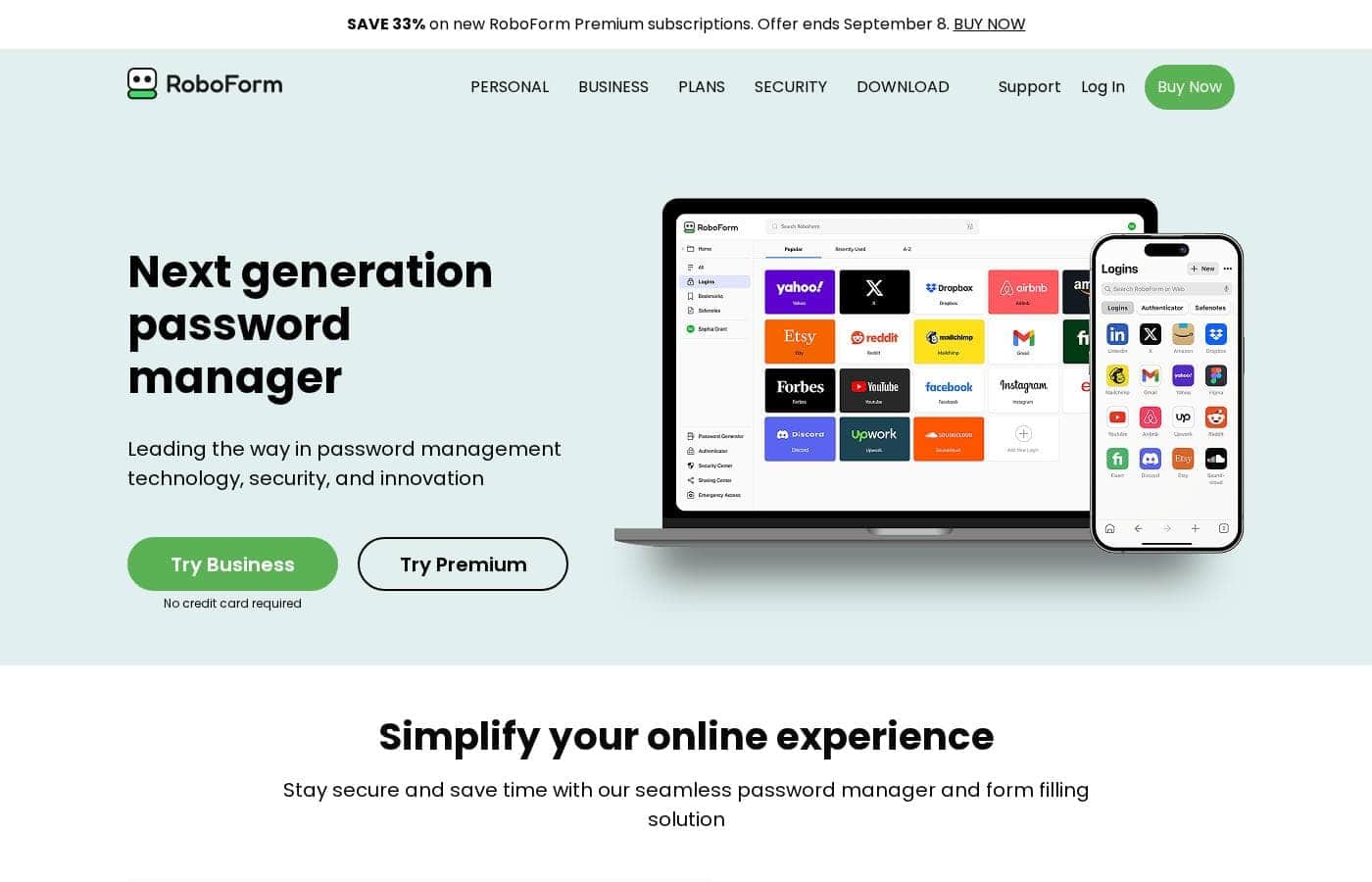
Captura de ecrã da página inicial do RoboForm

Em resumo

Resumo rápido de RoboForm: avaliação, preços, funcionalidades principais e destaques.
Preços verificados em 12/10/2026

Pontuação Ciroapp

4.1/ 5

RoboForm pairs zero-knowledge AES 256 encryption with a free plan that stores unlimited passwords on one device, complete with 2FA and breach scanning. Multi-device sync, secure sharing, and breach monitoring require Premium, and renewal rates run roughly 50% above the discounted first year. Overall, it's a solid pick for one-device users and budget-minded households.

Prós

  • Prós:The free plan is a real product, not a crippled trial — unlimited passwords, one-click login, password generator, secure cloud backup, compromised password scanning, a built-in TOTP authenticator, and advanced 2FA — all on one device, indefinitely.
  • Prós:Zero-knowledge architecture with AES 256 encryption and PBKDF2 SHA256, plus unusually broad 2FA support including passkeys, trusted devices, hardware security keys, email, SMS, and authenticator apps.
  • Prós:Passwordless unlock via face, fingerprint, or device PIN, and one-click logins that extend beyond browsers to Windows applications and incognito/private modes.

Contras

  • Contras:The free plan is locked to a single device — no sync, no web access, and no secure sharing unless you upgrade to Premium.
  • Contras:There's no time-limited trial of paid features; evaluating Premium or Family means purchasing and relying on the 30-day money-back guarantee.
  • Contras:Discounted first-year pricing applies only to new users — Premium renews at $29.88/yr and Family at $47.75/yr, roughly 50% above the intro rates.
Ideal para
  • Budget-conscious users who work mainly from one computer or phone and want a genuinely free, full-featured vault instead of a crippled trial.
  • Households of up to five people who want everyone on Premium features — sync, shared folders, emergency access — under a single bill.
  • Security-focused users who want passkey and hardware-key 2FA, passwordless unlock, and on-device zero-knowledge encryption they fully control.
Garantia de reembolso
Yes — 30 dias
Esta secção é um resumo. Mais abaixo encontra detalhes sobre funcionalidades, casos de uso, preços e avaliações.

O que é RoboForm?

RoboForm is a password manager built around one job: keeping every login you use online in a vault that only you can open. It generates strong, unique passwords for new accounts, then fills them in automatically so you stop typing credentials altogether. Encryption happens on your device under a zero-knowledge model, so RoboForm's servers never see your Master Password or your data.

With a genuinely functional free tier and paid plans starting at $2.49 per month billed annually, it covers individuals and families alike.

RoboForm stores and manages your online passwords in an encrypted vault accessible only to you. It captures credentials as you create them, generates robust unique passwords on demand, and auto-fills logins and long web forms with one click across browsers and even Windows applications. Security rests on AES 256 encryption with PBKDF2 SHA256, hardened further by advanced 2FA options such as passkeys, hardware security keys, and a built-in TOTP authenticator.

You keep total control over your data, with optional local-only mode if you'd rather not rely on cloud sync.

Deve escolher RoboForm?

Guia rápido antes de comparar planos ou visitar o site.

Escolha se

  • Budget-conscious users who work mainly from one computer or phone and want a genuinely free, full-featured vault instead of a crippled trial.
  • Households of up to five people who want everyone on Premium features — sync, shared folders, emergency access — under a single bill.
  • Security-focused users who want passkey and hardware-key 2FA, passwordless unlock, and on-device zero-knowledge encryption they fully control.
  • Anyone migrating from browser saving or an older password manager, since imports from browsers, major managers, or CSV take just minutes.

Evite se

  • Users who need passwords synced across multiple devices on a $0 budget — the free tier is strictly single-device.
  • People who insist on test-driving premium features before paying; there's no time-limited trial, only the 30-day money-back guarantee.
  • Buyers sensitive to renewal pricing, since the discounted first year for Premium ($19.90) and Family ($31.95) jumps significantly at renewal for existing subscribers.
  • Teams and organizations needing business controls, which require RoboForm's separate Business plan rather than these personal tiers.

Próximos passos antes de comprar

  1. 1Create a free RoboForm account and choose a strong Master Password — it's the only key to your vault, and since RoboForm is zero-knowledge, it cannot recover it for you.
  2. 2Import your existing logins from your browser, a previous password manager, or a CSV file using the step-by-step guides in the help center; setup typically takes minutes.
  3. 3Run the password audit and compromised-password scan to surface weak, reused, or breached credentials, then use the generator to replace the worst offenders first.
  4. 4If you need multi-device sync or breach monitoring, start Premium at the new-user rate of $19.90 for the first year, knowing the 30-day money-back guarantee covers you if it doesn't fit.

RoboForm Funcionalidades principais

⚡ One-Click Logins and Form Filling

Stop typing your passwords. RoboForm logs you in to websites and fills online forms with a single click, and it captures new passwords automatically as you create them. It works across your devices and browsers, including incognito and private modes, and can even log in to Windows applications.

Use it daily to save time and stay protected.

✨ Strong Passwords, Made Automatic

Weak and reused passwords are easy targets. RoboForm's generator creates strong, unique passwords for every site, then saves them to your vault automatically. A built-in audit tool flags weak, duplicate, or compromised passwords so you know which ones to fix.

Set it up once, and every new account starts on solid ground.

🔒 Zero-Knowledge Security You Control

Your vault stays private because only you hold the key. RoboForm uses AES 256 encryption with PBKDF2 SHA256, and all encryption happens on your device. RoboForm never sees your Master Password or your data.

You can harden account access further with 2FA, including:

✨ Breach Alerts and Secure Sharing

Breaches happen, and RoboForm helps you respond. Data Breach Monitoring scans up to five email addresses, alerts you if your data is exposed, and suggests ways to secure your accounts. You can also share logins with trusted contacts through secure sharing, shared folders, and Emergency Access, so sensitive data stays protected.

Casos de uso

⚡ Everyday logins, minus the typing

You're juggling dozens of accounts. RoboForm captures passwords as you log in, then fills them with one click. It completes long online forms too, so sign-ups and checkouts take seconds.

Expected outcome: faster logins and no more forgotten passwords.

🔐 Stronger passwords, less guesswork

Reused passwords put accounts at risk. RoboForm's generator creates strong, unique passwords for every site and saves them automatically. Compromised password scans warn you early if credentials leak.

Expected outcome: every account gets its own tough-to-crack password.

Tip: run a scan right after importing old logins.

👪 Safe sharing for households

Families share plenty of logins. Secure sharing passes credentials to trusted contacts — no texting passwords. The Family plan covers five people on one bill, and emergency access helps if someone's locked out.

Expected outcome: everyone gets the logins they need, safely.

🛡️ Lock down your account

Turn on advanced 2FA with passkeys, hardware keys, or an authenticator app. Then unlock your vault with your face, fingerprint, or device PIN. Premium adds breach monitoring for up to five emails.

Expected outcome: a leaked password alone can't open your vault.

Preços do RoboForm

A partir de2,49 US$/mês≈ 2,23 €

  • 3 planos
  • Plano gratuito disponível

Preços verificados em 12/10/2026 na página de preços do RoboForm

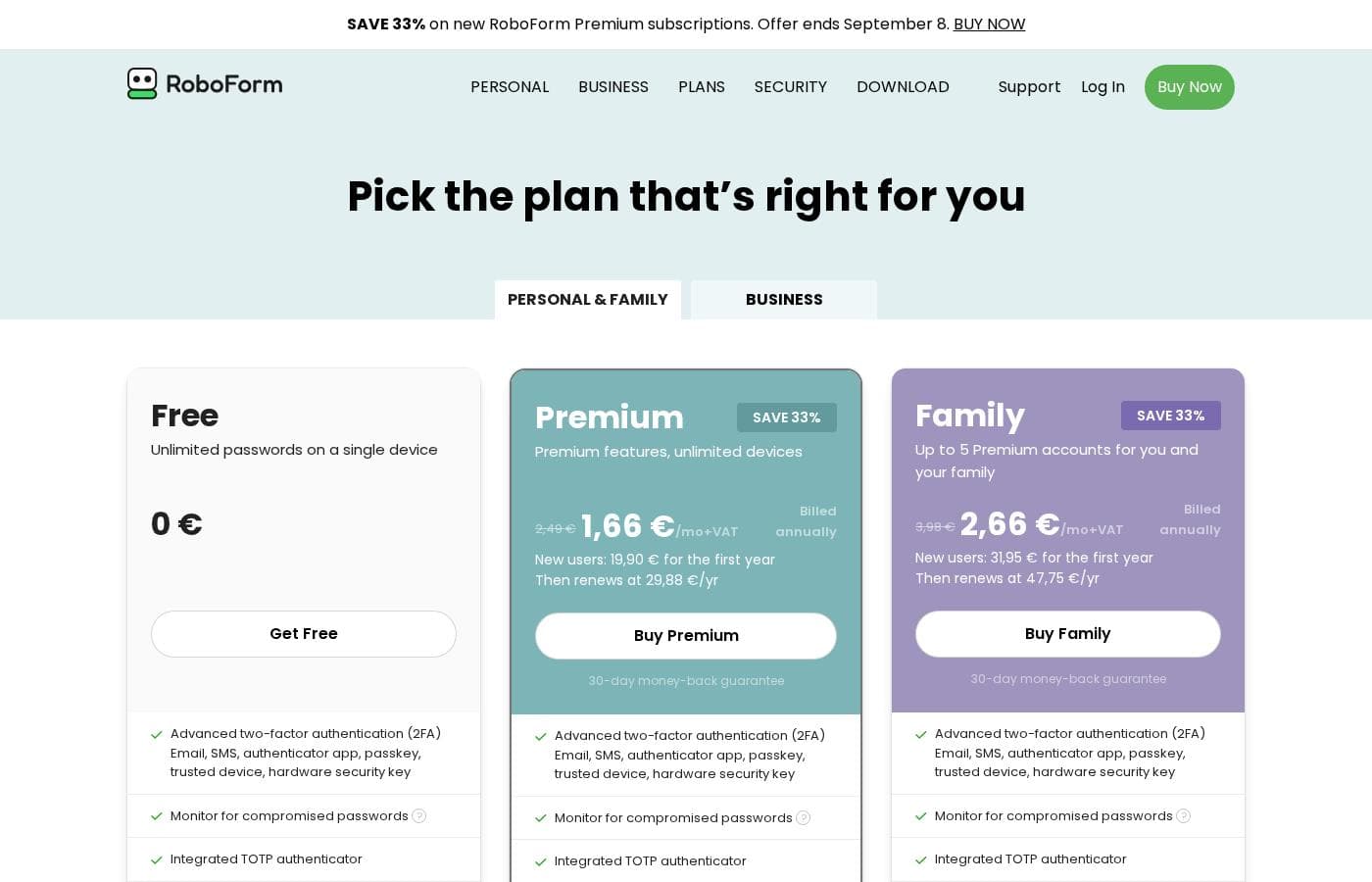
Captura da página de preços do RoboFormVer captura da página de preços
PlanoMensalAnualInclui
Free
Grátis
Grátis
Access on a single device only
  • Unlimited passwords on a single device
  • One-click login and form filling
  • Password generator
  • Secure cloud backup
  • Compromised password scan
  • +3
Premium
Oferta inicial 19,90 US$/ano; mostrado o preço de tabela
$2.49/mo billed annually
2,49 US$/mês
≈ 2,23 €
29,88 US$ por ano
Billed annually; discounted first-year price applies to new users only
  • Everything in Free
  • Access on all devices
  • Web access
  • Secure shared folders
  • Emergency access
  • +3
Family
Oferta inicial 31,95 US$/ano; mostrado o preço de tabela
$3.98/mo billed annually
3,98 US$/mês
≈ 3,56 €
47,75 US$ por ano
Billed annually; discounted first-year price applies to new users only
  • 5 Premium accounts
  • Unified billing
  • Access on all devices
  • Web access
  • Secure shared folders
  • +4

Convertido à taxa de referência do BCE de 13/10/2026; o fornecedor pode cobrar um preço local diferente.

Histórico de preços

Acompanhamos os preços desde 9/10/2026. Ainda sem alterações.

Tipos de preço: Free plan, Yearly subscription

Notas sobre preços

RoboForm offers three personal plans: Free at $0, Premium at $2.49/mo billed annually, and Family at $3.98/mo billed annually. New users pay a discounted first year ($19.90 for Premium, $31.95 for Family), and every plan includes unlimited password storage with AES 256 encryption.

RoboForm costs between $0 and $3.98 per month, billed annually, with three personal plans: Free at $0, Premium at $2.49/mo, and Family at $3.98/mo.

Every plan shares the same security core, so your choice really comes down to devices, sharing, and support. All tiers include unlimited password storage, AES 256 encryption, and a password audit tool. You also get form filling, offline access, passkey management, and export/import.

Free

Price: $0 Other Features: Unlimited passwords on a single device, one-click login, password generator, secure cloud backup, compromised password scan, built-in TOTP authenticator, passwordless unlock, advanced 2FA

Free is a real plan, not a stripped-down demo. It stores unlimited passwords on one device and still includes strong extras like 2FA and breach scanning. If you mostly work from a single computer or phone, this could be all you need. Just double-check that single-device access fits your routine before you settle.

Premium

Price: $1.66/mo billed annually for the first year ($19.90), then $2.49/mo ($29.88/yr) Refund Policy: 30-day money-back guarantee Other Features: Everything in Free, access on all devices, web access, secure shared folders, emergency access, data breach monitoring for 5 emails, local only mode, priority 24/7 support

Premium is the pick for most individuals. It syncs your vault across every device and adds browser-based web access. You also get data breach monitoring for up to five email addresses, plus emergency access for people you trust. New users pay $19.90 for year one, and it renews at $29.88 per year.

Family

Price: $2.66/mo billed annually for the first year ($31.95), then $3.98/mo ($47.75/yr) Refund Policy: 30-day money-back guarantee Other Features: 5 Premium accounts, unified billing, access on all devices, web access, secure shared folders, emergency access, data breach monitoring, local only mode, priority 24/7 support

Family wraps five Premium accounts into one subscription with a single bill. At $47.75 per year after year one, it costs far less than five separate Premium plans. It's a smart fit for households that want everyone covered without juggling multiple payments 👍

RoboForm also sells a separate Business plan for teams, and the site lists educational and military discounts. If you'd rather test things first, the Free plan costs nothing, and both paid tiers include a 30-day money-back guarantee.
Calculadora de custo

Estime quanto custa o RoboForm para a sua equipa.

Faturação

Premium não tem preço publicado para este ciclo de faturação.

Premium tem preço fixo: o número de lugares não altera o total. Estimativa com base nos preços de tabela publicados, sem impostos, extras nem descontos.

Como pagar menos pelo RoboForm

  • Comece no plano gratuito e só faça upgrade quando atingir os limites.
  • Garantia de reembolso de 30 dias se não servir.
Visitar RoboForm

Avise-me quando o RoboForm mudar de preço

Um e-mail quando detetarmos uma alteração na página de preços do fornecedor. Sem newsletter, sem promoções. Cancelamento com um clique.

Avaliações de utilizadores

Ainda não há avaliações.

Escrever avaliação

Escrever uma avaliação para RoboForm
0/100 caracteres
0/2000 caracteres

Por que usar RoboForm?

Weak and reused passwords are the easiest way into your accounts, and RoboForm attacks that problem directly: its generator gives every site its own tough credential, and a built-in audit flags weak, duplicate, or compromised entries. You save real time daily through one-click logins and automated form filling for sign-ups and checkouts.

Data Breach Monitoring (on paid plans) watches up to five email addresses and warns you when your data appears in an exposure. And because the free plan includes unlimited password storage, 2FA, and breach scanning on one device, you can adopt it without spending anything.

Alternativas a RoboForm

Outras ferramentas na categoria Gestor de palavras-passe

Ver todas as ferramentas de Gestor de palavras-passe
NordPass

NordPass

Password manager4.1/5

NordPass is a leading credential management solution trusted by over 10,000 businesses globally. It is built to face the challenges modern IT and security professionals encounter every day. This system offers a secure, centralized place for managing passwords, passkeys, credit cards, and documents. Whether you need protection for your company’s assets or your own personal data, NordPass makes it easy and safe. It focuses on providing cost-effective security that simplifies employee workflows and streamlines access.

Proton Pass

Proton Pass

Password manager4/5

Proteja a sua vida digital com encriptação de ponta a ponta de conhecimento zero.

Norton Password Manager

Norton Password Manager

Password manager3.7/5

Simplicidade segura para a sua vida digital.

RoboForm FAQ

Quanto custa o RoboForm?

O plano pago mais barato do RoboForm, Premium, custa 2,49 US$ (≈ 2,23 €) por mês. Os planos pagos vão de 2,49 US$ a 3,98 US$ por mês. Preços verificados em 12/10/2026 na página de preços do fornecedor.

O RoboForm tem um plano gratuito?

Sim. O RoboForm tem um plano gratuito (Free); os planos pagos começam em 2,49 US$ (≈ 2,23 €) por mês.

O RoboForm oferece avaliação gratuita ou garantia de reembolso?

Tem uma garantia de reembolso de 30 dias.

O preço do RoboForm mudou recentemente?

Não. Não detetámos alterações de preço desde o início do acompanhamento, em 9/10/2026.

Can I move my passwords from another manager to RoboForm?

Yes. RoboForm imports from every browser and major password manager, or from a CSV file. Setup takes just minutes, so switching over is usually painless. The help center has step-by-step guides.

How does RoboForm protect my data?

Your vault uses AES 256 encryption with PBKDF2 SHA256. It's zero-knowledge: all encryption happens on your device, and your Master Password is never sent to RoboForm's servers. Only you can unlock your data.

What support can I expect on each plan?

Free includes 24/7 email support. Premium and Family add priority 24/7 email support, plus live chat and phone support Monday through Friday. Business customers also get a dedicated account manager.

Pronto para experimentar RoboForm? Confira o site oficial ou os preços.

Você é RoboForm? Reivindicar este perfil · Obter o selo