Tradução completa em breve — mostrando detalhes do produto em inglês com navegação localizada.
Reclaim.ai

Reclaim.ai review

Your AI-powered calendar co-pilot for work.

O Reclaim.ai custa a partir de 10 US$ (≈ 9,10 €)/mês · 4 planos · Plano gratuito disponível

Por Equipa editorial da Ciroapp · Atualizado 15/05/2026

Comissão pode ser aplicada sem custo extra

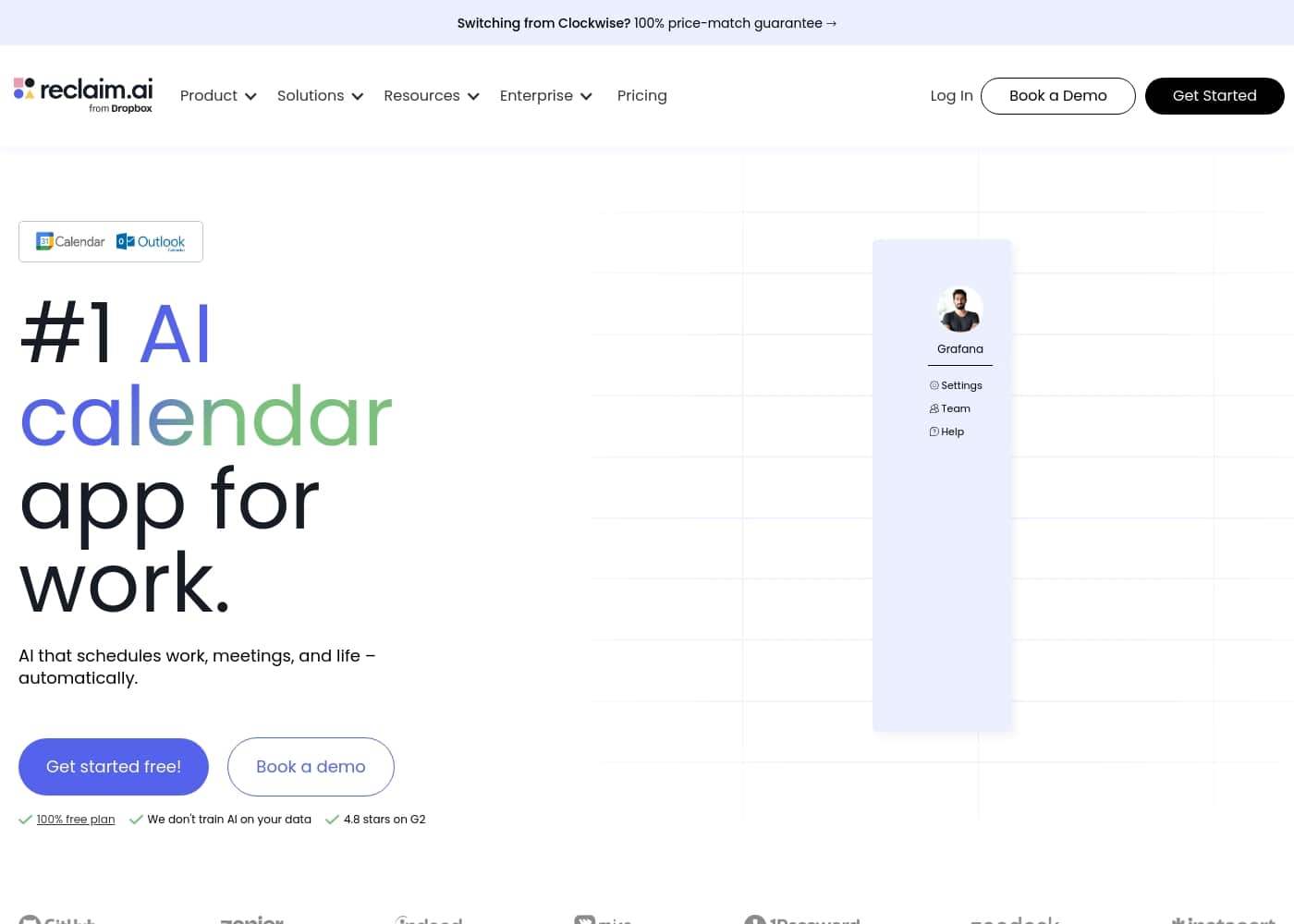
Captura de ecrã da página inicial do Reclaim.ai

Em resumo

Resumo rápido de Reclaim.ai: avaliação, preços, funcionalidades principais e destaques.
Página do fornecedor consultada em 22/11/2026

Pontuação Ciroapp

4.5/ 5

AI-powered calendar defense, but not for everyone.

We found Reclaim.ai to be a robust AI assistant that effectively automates schedule protection and meeting optimization for Google Calendar users. Overall, it's a strong choice for teams serious about reclaiming focus time, though its advanced features come at a cost and require a learning investment.

Prós

  • Automatically protects and reschedules focus time blocks
  • Smart scheduling links share more availability than standard tools
  • Syncs availability across multiple calendars to prevent conflicts

Contras

  • Core integration is primarily with Google Calendar
  • Key team features require paid plans after the free trial
  • Initial setup and configuration can be complex
Ideal para
  • Individuals overwhelmed by calendar management and context-switching.
  • Teams and companies aiming to standardize focus time and improve meeting culture.
  • HR, executive assistants, and operations leaders driving productivity initiatives.
Teste gratuito
Yes — 14 dias
Esta secção é um resumo. Mais abaixo encontra detalhes sobre funcionalidades, casos de uso, preços e avaliações.

O que é Reclaim.ai?

Ever feel like your calendar is a battleground? You're constantly context-switching, protecting focus time, and juggling meeting invites. Reclaim.ai steps in as your AI assistant to defend your time and optimize your schedule.

It automatically blocks time for deep work, smartly schedules meetings, and keeps your day adaptable as priorities shift.

Reclaim.ai is an AI scheduling assistant that integrates directly with your calendar. It's designed for individuals and teams who need to manage complex schedules. The tool works to automatically find time for tasks, habits, and focus blocks, while also optimizing internal meetings and syncing availability across multiple calendars.

Deve escolher Reclaim.ai?

Guia rápido antes de comparar planos ou visitar o site.

Escolha se

  • Users who need AI to proactively defend and schedule focus time blocks.
  • Teams using Google Calendar who want deeper AI integration and scheduling intelligence.
  • Organizations seeking analytics and dashboards to reduce time waste and improve meeting habits.
  • People who need scheduling links that offer more flexibility than standard tools.

Evite se

  • Teams requiring a fully free, enterprise-scale solution; a powerful free plan exists for individuals, but key team features likely require paid plans.
  • Organizations not using Google Calendar as their primary system, as the core integration is highlighted as a Google Calendar add-on.
  • Users looking for a very simple, minimal calendar tool; Reclaim is an advanced AI layer with significant automation and sync features.
  • Those needing full transparency on pricing models before engagement; the website directs to "Contact Sales" for team/enterprise plans.

Próximos passos antes de comprar

  1. 1Visit the Reclaim.ai website and sign up for the free 14-day trial to test core features.
  2. 2Install the Reclaim.ai Google Calendar add-on to connect your primary calendar.
  3. 3Confirm that your key tools (like Slack) are on the supported integrations list.
  4. 4Explore the individual free plan to see if it meets your personal needs before contacting sales for team pricing.
  5. 5Compare its specific AI scheduling and focus time features against alternatives like Calendly or standard calendar apps.

Facilidade de uso

The platform appears to focus on deep integration and automation. Getting started involves installing the Google Calendar add-on. While it promises powerful results, the depth of features suggests a setup process that requires configuring preferences for focus goals, tasks, and sync rules.

Reclaim.ai Funcionalidades principais

🛡️ AI Focus Time

Reclaim helps you protect your deep work. Set a weekly goal for uninterrupted focus, and the AI automatically defends that time on your calendar. It moves the blocks around as meetings and priorities shift, so you always get your protected time to do your best work.

✨ AI Scheduling Links

You can replace basic scheduling tools with smarter links. Reclaim uses AI to analyze your calendar and share availability intelligently. The system can reveal significantly more open slots for others to book, helping you schedule meetings faster and with less back-and-forth.

⏱️ AI Buffer Time

Back-to-back meetings leave you drained. Reclaim automatically adds buffer time before and after events. This gives you a moment to prepare, follow up, or just take a breather.

It helps prevent burnout and makes your day feel more manageable.

✨ AI Smart Meetings

For internal team meetings, the AI does the heavy lifting. It finds the best time for all attendees based on everyone's priorities and availability. If a conflict arises, it can automatically reschedule the meeting to keep everyone on track.

🔄 AI Calendar Sync

Reclaim syncs your real availability across multiple calendars. This means you can block time from a personal calendar or other work account to avoid double-bookings. It also works with Slack to update your status automatically when you're in a focus block.

✨ AI Habits and Tasks

The tool turns your recurring habits into flexible calendar events. If a meeting gets added, Reclaim will intelligently reschedule your habit to another open slot. You can also sync tasks from your to-do list and have the AI schedule time for them based on priority.

✨ Team and Enterprise Tools

For organizations, Reclaim offers shared policies to standardize focus time across teams. Leaders can use analytics dashboards to reduce time waste and launch initiatives like 'No Meeting Days.' Advanced plans include features like an out-of-office calendar and delegated access for assistants.

Casos de uso

🛡️ The Deep Work Defender

You're a product manager who needs uninterrupted hours for strategic planning. But your calendar is a constant battleground of meeting invites and ad-hoc requests.

With Reclaim, you set a weekly goal for focus time—say, 15 hours. The AI then automatically blocks that time on your calendar. When a new meeting request comes in, Reclaim intelligently moves your focus block instead of deleting it, ensuring you always hit your deep work target. It's like having an assistant who quietly guards your most productive hours.

Expected outcome: Consistently protected blocks for high-impact work, reducing context-switching and burnout.

📅 The Scheduling Link Pro

You're a sales development rep who needs to book discovery calls all day. Standard scheduling links feel rigid and often show limited availability.

You switch to Reclaim's AI Scheduling Links. Instead of just showing open slots, the AI analyzes your calendar to find and share times you're actually free, even across multiple calendars. The site says it can reveal 524% more open slots for prospects to book. This means fewer back-and-forth emails and more meetings booked.

🔄 The Multi-Calendar Coordinator

Problem: You have a personal Google Calendar and a work Microsoft 365 calendar. You're constantly double-booking yourself or manually syncing events.

Approach: You connect both calendars to Reclaim using its calendar sync feature. The AI automatically blocks your real availability across both systems. When you book a dentist appointment on your personal calendar, it instantly blocks that time on your work calendar.

Outcome: No more embarrassing conflicts or manual updates. Your availability is always accurate, whether a colleague or a friend is trying to schedule with you.

📈 The Team Lead's Focus Time Initiative

As an engineering manager, you see your team drowning in meetings, with no time for focused coding. You want to roll out a company-wide 'Focus Friday' initiative.

Using Reclaim's team policies, you can standardize focus time rules for the entire group. The dashboard provides analytics on how much time is spent in meetings versus deep work. You can launch the initiative, and the AI helps protect those focus blocks for everyone, automatically handling conflicts.

⏱️ The Meeting Buffer Builder

You hate back-to-back meetings. There's no time to prepare for the next call or decompress from the last one.

Reclaim's AI Buffer Time feature solves this. You set a preference (e.g., 10 minutes before and after meetings), and the AI automatically adds that buffer to your calendar. It works even when meetings are booked through your scheduling links or directly on your calendar. This small change creates breathing room in your day.

🔄 The Habit Stacker

You want to build a habit of daily exercise and weekly planning, but you never find the time. Life gets in the way.

You create these as 'Habits' in Reclaim. You set the desired frequency (e.g., 3 times a week for the gym). The AI doesn't just block a static time; it intelligently looks for slots in your calendar where it fits. If a conflict arises, it automatically reschedules the habit to another valid time, helping you stay on track with your personal goals.

🤖 The Executive Assistant's Orchestrator

You manage a busy executive's calendar, juggling internal meetings, external calls, and personal appointments across different calendars.

Reclaim acts as your AI co-pilot. You use Smart Meetings to let the AI find optimal times for internal team syncs, respecting everyone's focus time. Calendar Sync ensures the executive's personal time is blocked at work. Buffer Time is added automatically, and scheduling links are shared for external partners, all while keeping you in control of the final calendar.

Preços do Reclaim.ai

A partir de10 US$/mês≈ 9,10 €

  • 4 planos
  • Plano gratuito disponível
  • Poupe até 20% com faturação anual

Página do fornecedor verificada em 22/11/2026; confirme os preços atuais na página de preços do Reclaim.ai

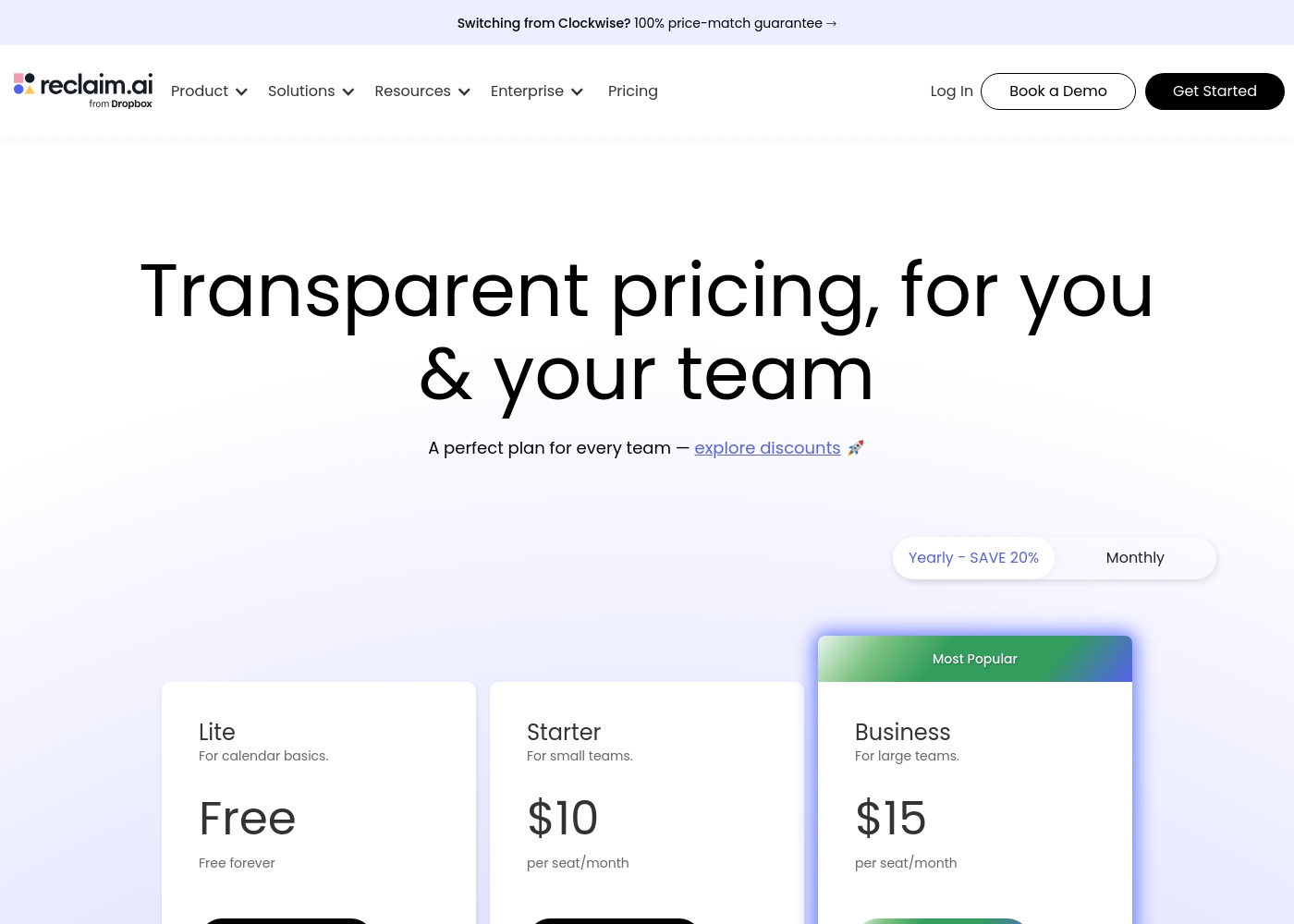
Captura da página de preços do Reclaim.aiVer captura da página de preços
PlanoMensalAnualInclui
Lite
Grátis
Grátis
1 user maximum
  • 1 user team
  • 1 Scheduling Link
  • 1 Habit
  • Unlimited Tasks
  • Unlimited Buffer Time
Starter
por utilizador
10 US$/mês
≈ 9,10 €
8 US$/mês
≈ 7,28 €
96 US$ por ano
Poupe até 20% com faturação anual
Up to 10 seats
  • Up to 10 seats
  • 3 Scheduling Links
  • 3 Smart Meetings
  • Unlimited Focus Time
  • People Analytics
Business
Mais popular
por utilizador
15 US$/mês
≈ 13,65 €
12 US$/mês
≈ 10,92 €
144 US$ por ano
Poupe até 20% com faturação anual
Up to 100 seats
  • Up to 100 seats
  • Unlimited Scheduling Links
  • Unlimited Smart Meetings
  • OOO Calendar
  • Webhooks support
Enterprise
por utilizador
—
18 US$/mês
≈ 16,38 €
216 US$ por ano
Unlimited seats
  • Over 100 seats
  • SSO & SCIM provisioning
  • Dedicated Support
  • Security Reviews
  • Unlimited features

Convertido à taxa de referência do BCE de 20/11/2026; o fornecedor pode cobrar um preço local diferente.

Histórico de preços

Acompanhamos os preços desde 1/10/2026. Ainda sem alterações.

Tipos de preço: Free plan, Free trial, Monthly subscription, Yearly subscription, Per seat pricing

Notas sobre preços

Reclaim.ai offers a range of options from a free plan for individuals to advanced team tiers starting at $8/month per seat billed annually. Pricing scales based on meeting volume, seat count, and advanced management features.

Reclaim.ai costs between $0 and $18 per month (billed annually) with 4 plans: Lite at Free, Starter at $8/seat/mo, Business at $12/seat/mo, and Enterprise at $18/seat/mo.

Here is a breakdown of what each plan offers to help you find the right fit for your schedule.

Lite

Price: Free

Best For: Individuals focused on calendar basics

Other Features: 1 Scheduling Link, 1 Habit, 1 Personal Calendar Sync, Unlimited Tasks, Unlimited Buffer Time

This plan is perfect for individuals who want to automate their personal productivity without a monthly fee. It provides all the core time-blocking tools you need to manage one calendar and basic habits.

Starter

Price: $8/user/month (annual)

Best For: Small teams up to 10 seats

Other Features: 3 Scheduling Links, 3 Smart Meetings, Unlimited Habits, People Analytics, Unlimited Focus Time

Choose this tier if you work in a smaller group and need better meeting coordination. It significantly expands your scheduling range to eight weeks and removes limits on your focus time.

Business

Price: $12/user/month (annual)

Best For: Large teams up to 100 seats

Other Features: Unlimited Smart Meetings, OOO Calendar, Delegated Access, Webhooks support, Unlimited Scheduling Links

This is the most popular choice for growing companies that require full transparency across many calendars. It includes advanced organizational tools like out-of-office tracking and custom webhook integrations for your workflow.

Enterprise

Price: $18/user/month (annual)

Best For: Organizations over 100 seats

Other Features: SSO & SCIM provisioning, Security Reviews, Dedicated Support, Unlimited Scheduling Range, Full Enterprise Reports

Larger organizations should select this plan to ensure top-tier security and administrative control. It offers the most robust support and handles complex user provisioning for thousands of employees at once.

Reclaim.ai offers a free 14-day trial to explore the premium features before you commit. While no specific money-back guarantee is listed, the free plan and trial period allow you to test the software risk-free.

Calculadora de custo

Estime quanto custa o Reclaim.ai para a sua equipa.

Faturação
Por mês
50 US$≈ 45,50 €
Por ano
600 US$≈ 545,95 €

Starter é cobrado por utilizador: preço × 5 lugares. Estimativa com base nos preços de tabela publicados, sem impostos, extras nem descontos.

Convertido à taxa de referência do BCE de 20/11/2026; o fornecedor pode cobrar um preço local diferente.

Como pagar menos pelo Reclaim.ai

  • Pague anualmente: poupa até 20% face ao pagamento mensal.
  • Comece no plano gratuito e só faça upgrade quando atingir os limites.
  • Use o teste gratuito de 14 dias antes de pagar.
  • Alguns planos são por utilizador: pague apenas os lugares realmente usados.
  • Ferramentas mais baratas nesta categoria começam em 2,49 US$/mês.
Iniciar teste gratuito

Avise-me quando o Reclaim.ai mudar de preço

Um e-mail quando detetarmos uma alteração na página de preços do fornecedor. Sem newsletter, sem promoções. Cancelamento com um clique.

Avaliações de utilizadores

Based on the provided Trustpilot link, the sentiment for Reclaim.ai is overwhelmingly positive, with users frequently praising its powerful AI scheduling and focus time protection. ⭐️ Many highlight the ease of use once set up and how it saves significant time by automating calendar tasks.

A common theme is the tool's effectiveness in defending personal and team focus blocks, which is seen as a major productivity win. Some users note the initial learning curve and that advanced features are locked behind paid plans, but the customer support is generally lauded as responsive and helpful.

The overall impression is of a sophisticated tool that delivers on its promise for calendar management.

Resumo de avaliações públicas em Trustpilot

Ainda não há avaliações.

Escrever avaliação

Escrever uma avaliação para Reclaim.ai
0/100 caracteres
0/2000 caracteres

Por que usar Reclaim.ai?

Stop fighting your calendar and start using it to power your best work. Here’s how Reclaim.ai helps you take back control:

  • 🛡️ Automatically Protect Your Focus: Set a weekly goal for deep work, and Reclaim will automatically defend that time on your calendar, moving it around as needed so you always get your uninterrupted blocks.
  • 📅 Supercharge Your Scheduling Links: Replace tools like Calendly with AI-powered scheduling links that intelligently share your availability, potentially revealing 524% more open slots for others to book.
  • 🔄 Keep Your Entire Digital Life in Sync: Block your real availability across multiple calendars to eliminate double-bookings and conflicts. This sync also works with Slack to update your status automatically.
  • ⏱️ Create Breathing Room: It doesn't just schedule meetings; it automatically adds buffer time before and after so you can prepare, recover, and avoid back-to-back burnout.
  • 📈 Drive Team-Wide Productivity: For organizations, it provides shared policies and analytics dashboards to standardize focus time, reduce time waste, and launch company-wide initiatives like "No Meeting Days."
  • 🔄 Adapts to Your Changing Day: When priorities shift, Reclaim intelligently reschedules your tasks and habits, so your calendar reflects your real day, not a static plan.

Alternativas a Reclaim.ai

Outras ferramentas na categoria Calendário

Ver todas as ferramentas de Calendário
Google Calendar

Google Calendar

Calendar4.4/5

Passe menos tempo a planear e mais tempo a fazer.

Cozi

Cozi

Calendar3.9/5

A aplicação de organização familiar n.º 1 para agendas partilhadas e harmonia doméstica.

Proton Calendar

Proton Calendar

Calendar3.8/5A partir de 2,49 US$/mês (≈ 2,27 €)

O seu calendário merece ser protegido.

Reclaim.ai FAQ

Quanto custa o Reclaim.ai?

O plano pago mais barato do Reclaim.ai, Starter, custa 10 US$ (≈ 9,10 €) por mês. Os planos pagos vão de 10 US$ a 18 US$ por mês.

O Reclaim.ai tem um plano gratuito?

Sim. O Reclaim.ai tem um plano gratuito (Lite); os planos pagos começam em 10 US$ (≈ 9,10 €) por mês.

O Reclaim.ai oferece avaliação gratuita ou garantia de reembolso?

O Reclaim.ai oferece uma avaliação gratuita de 14 dias.

Quanto se poupa com a faturação anual do Reclaim.ai?

Pagar anualmente poupa até 20% face à faturação mensal, com base nos preços de tabela do Reclaim.ai.

O preço do Reclaim.ai mudou recentemente?

Não. Não detetámos alterações de preço desde o início do acompanhamento, em 1/10/2026.

Does Reclaim.ai work with my calendar, or only Google?

The core integration is with Google Calendar. The website lists it as a 'Google Calendar & Gmail Add-on.' For Outlook users, check the 'Integrations' section for current compatibility before purchasing.

What exactly is an 'Attendee User' and do I have to pay for them?

Attendee Users (AUs) are people who join your Smart Meetings (3+ people) but don't have their own paid Reclaim seat. They are currently free through a launch promo (check the date). Paid packs are available if you need more than the included amount.

What discounts are available for students, nonprofits, or startups?

The pricing page mentions a 50% Student Discount and a 20% Discount for nonprofits, startups, and those switching from another provider. You'll likely need to verify eligibility when signing up.

How do I cancel my paid plan?

The official site does not explicitly state the cancellation process. Confirm the steps in your account settings or terms of service before purchase. You can generally stop paying by not renewing your subscription.

What kind of support can I expect, especially on paid plans?

Support scales with your plan: Community support for free users, Basic for Starter, Priority for Business, and Dedicated Support for Enterprise. Several user reviews note support is responsive and helpful.

Is there a limit on how many scheduling links or smart meetings I can create?

Yes, limits depend on your plan. The free Lite plan includes 1 Scheduling Link. Starter includes 3, while Business and Enterprise plans offer unlimited Scheduling Links and Smart Meetings.

Can I use Reclaim for a team larger than 100 people?

Yes, the Enterprise plan is designed for organizations with over 100 seats. It includes advanced features like SSO & SCIM provisioning and dedicated support. You'll need to contact their sales team for pricing.

Does Reclaim sync with tools like Slack or Zoom?

Yes, Reclaim offers integrations with Slack for status sync, as well as Zoom and Google Meet for meeting links. A wide range of other app integrations are listed on the pricing page.

What happens if I exceed the limit for Attendee Users on my plan?

If you need more AUs than your plan includes, you can purchase additional AU packs. The cost is listed per pack on the pricing page, and each pack includes a free paid seat you can assign.

Is there an onboarding process or help with migration?

The website does not detail a formal migration service. It mentions 'Company Onboarding' for Business and Enterprise plans. Starting with the free trial and using the Help Docs is recommended for setup.

Pronto para experimentar Reclaim.ai? Confira o site oficial ou os preços.

Você é Reclaim.ai? Reivindicar este perfil · Obter o selo