SlidesAI

SlidesAI

Turn Text into Stunning Presentations Instantly with SlidesAI!

#1 dans AI Presentation Maker
2 czas czytania · Zaktualizowano 10/5/2025
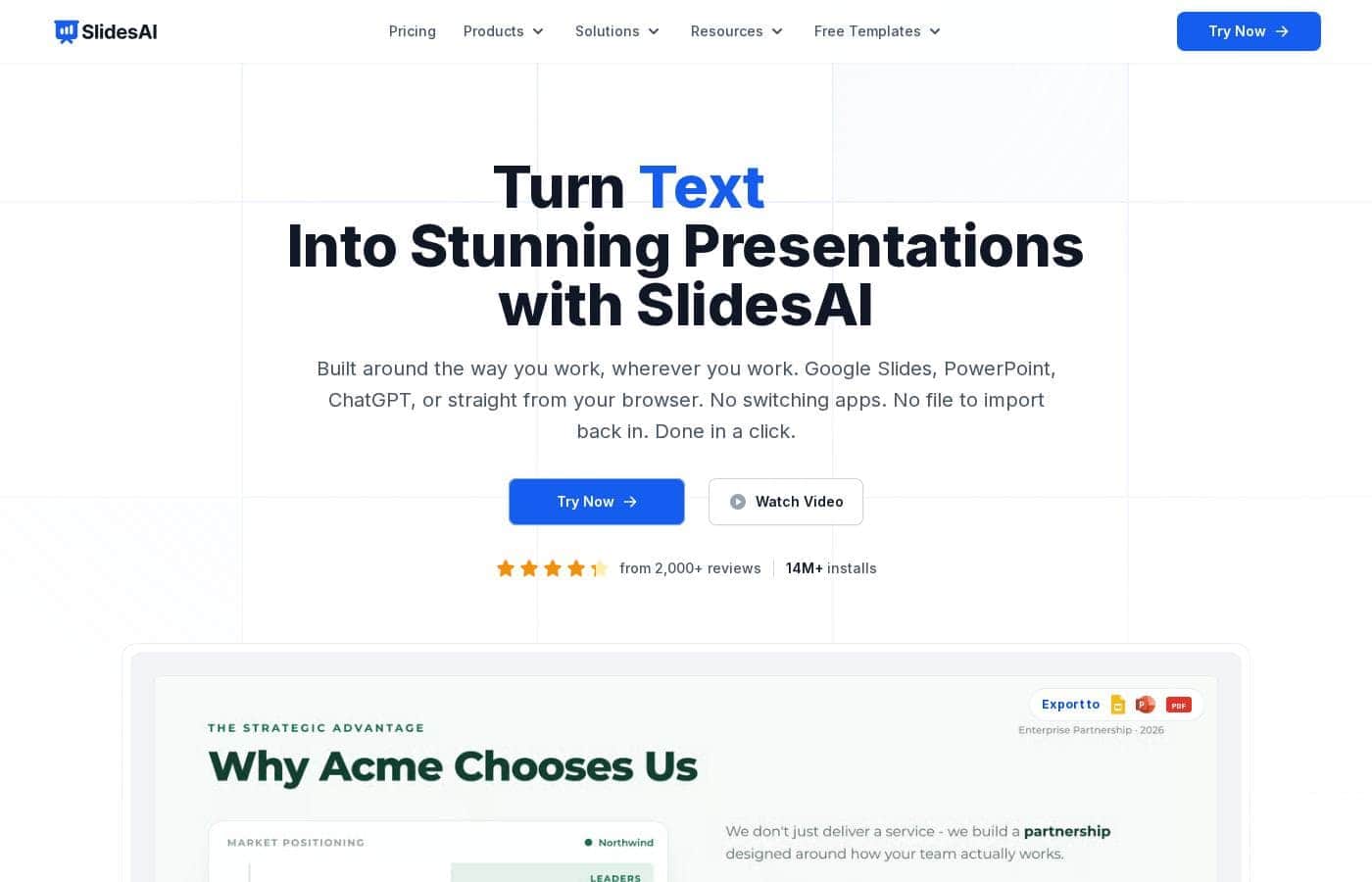
Zrzut ekranu strony głównej SlidesAI

At a glance

Quick overview for SlidesAI: rating, pricing summary, key features, and highlights.

Recenzja Ciroapp

2.5
Seamless AI integration, critical support issues.

We see SlidesAI offers powerful Google Slides and PowerPoint integration, enabling users to generate presentations quickly from text. Overall, while the core technology promise is strong, we must caution potential users about the confirmed reports of extremely poor customer support responsiveness and difficult, non-transparent subscription cancellation procedures.

Zalety

  • Pro:Works natively with Google Slides and PowerPoint.
  • Pro:A permanent Basic free plan is available for testing the service.
  • Pro:Paid plans include document upload capability.
  • Pro:Premium tier offers unlimited presentation generation.

Wady

  • Con:Extremely difficult and convoluted subscription cancellation process.
  • Con:Users report highly mixed quality for generated slide aesthetics and design.
  • Con:Suggested images and visuals are often irrelevant to the topic content.
  • Con:Customer service demonstrates significant unresponsiveness on refund requests.
Zakres: $0–$16.67/monthFree plan, Monthly subscription, Yearly subscription
This section is a summary. Detailed sections about features, use cases, pricing, and reviews follow below.

Recenzja SlidesAI, ceny, funkcje, zalety i wady

Does the thought of formatting presentation slides manually feel like a huge waste of time? Are you struggling to summarize dense text into digestible points?

SlidesAI solves this core frustration. It uses AI to turn your raw text, notes, or script into a stunning presentation ✨ in seconds, saving you valuable preparation time.

Czym jest SlidesAI?

SlidesAI is an intuitive AI presentation maker developed to integrate seamlessly into your favorite tools. You don't need to learn a brand new platform! It works directly inside Google Slides and PowerPoint, making the setup simple and fast. ✅

To start, you just input a topic, document, or link. SlidesAI then processes this input, creates structured slide outlines, and applies a professionally designed theme. This powerful process helps Educators, Professionals, and Students create slides up to 10X faster.

SlidesAI Kluczowe funkcje

🛠️ Native Integration: Work Where You Already Are

You don't need to learn a whole new platform to create incredible slides. SlidesAI works natively within your favorite presentation tools: Google Slides and Microsoft PowerPoint. This allows you to create and edit presentations without switching programs.

Whether you use Google Workspace or optimized Microsoft Office platforms, SlidesAI fits right into your existing workflow. You can choose the dedicated add-in for PowerPoint desktop or the smooth integration for Google Slides in your browser. This simple connection minimizes friction and maximizes productivity.

✨ Instant Content Generation from Any Input

The core function of SlidesAI is incredible speed and efficiency. It effortlessly turns raw material into visually appealing slides in seconds. You can input a topic, a lengthy script, raw notes, or even a document or external link.

SlidesAI processes this input quickly to address the frustration of manual formatting. It creates structured slide outlines and applies a professional theme instantly. This powerful process helps you finish generating lecture slides or professional presentations up to 10 times faster.

✨ Powerful Text Refinement Tools

Fine-tune every piece of content with smart, built-in editing features. Once your initial slides are generated, you can easily refine the message directly inside the editing environment.

If your content is too verbose, use the Shorten feature to cut out filler content instantly. For specific communication needs, the Rephrase tool allows you to rewrite sentences for tone, clarity, or style. These simple controls maximize your content's effectiveness and clarity.

✨ Instant Design and Visual Enhancement

Say goodbye to complicated formatting or spending hours searching for the right image. SlidesAI handles the design work instantly by generating stunning slides with professional layouts. It ensures you never have to deal with complicated formatting yourself.

You benefit from immediate design controls directly in the editor:

✨ Global Reach with Language Support

SlidesAI is engineered to help you share your message with diverse, global audiences. The tool supports seamless content translation into over 100 languages. This powerful feature allows you to instantly translate entire slide decks.

Furthermore, the application interface itself is translated into all major languages, including Spanish, French, Italian, Japanese, and Russian. This makes the creation process accessible and simple for users worldwide.

Przypadki użycia

📊 Converting Raw Notes Into a Client Pitch

You need a high-impact presentation for a potential client, but you only have rough meeting notes or a link to a detailed brief. Trying to summarize and format this manually takes far too long and introduces errors.

Simply input your text, document, or link into the addon inside Google Slides or PowerPoint. SlidesAI processes this input instantly, generating a fully structured slide outline. This process significantly reduces your prep time, letting you focus on perfecting your delivery instead of struggling with design.

📚 Building Engaging Lesson Plans Quickly

Educators often spend hours turning extensive lecture notes or resource materials into presentable content. SlidesAI allows you to automate this time-consuming task.

Input your lesson plan or existing script to instantly create clean, visually appealing slides suitable for classroom use. The tool ensures your presentation is well-structured with clear titles and digestible points, helping keep your students engaged.

📝 Refining Complex Academic Papers

Students and researchers must frequently condense lengthy papers into concise, impactful presentations. Simply importing your research means the first draft is ready immediately.

You can then fine-tune your material using the in-app editing features. Instantly use the 'Shorten' function to eliminate filler text or 'Rephrase' key scientific concepts for better clarity, ensuring your findings are easily understood by your audience.

🌎 Localizing Global Training Materials

Problem: Your global organization needs to distribute the latest sales training deck to teams in Spanish, French, and Japanese offices, requiring quick localization.

Approach: Use SlidesAI to create the master presentation once in your native language. Then, utilize the integrated translation feature to convert the entire slide deck instantly.

Outcome: You can effortlessly translate your content into over 100 languages, guaranteeing consistent and high-quality communication across all international audiences in minutes.

✨ Adding Stunning Visuals Without Design Skills

Generic templates and placeholder images often make presentations unappealing. You need professional design but lack the time for detailed formatting changes or searching external stock libraries. With SlidesAI, you don't need design skills. The tool generates themes automatically, but you can refine them further.

Use the built-in controls to instantly search or generate unique AI visuals and stock images that perfectly match your slide content. You can also use the 'Remix Slides' feature to try different layouts without leaving your current workspace.

💻 Seamless Workflow within Existing Tools

You don't want to learn a new, complicated platform just to generate slides. SlidesAI solves this by working natively inside your favorite programs. It integrates seamlessly with both Google Slides for Google Workspace users and PowerPoint for Microsoft Office users.

This compatibility means you install once and start creating quickly. You never have to switch applications or deal with complicated file conversions.

Przegląd cen SlidesAI

Zakres cen
$0–$16.67/month
Typy cen
Free plan, Monthly subscription, Yearly subscription

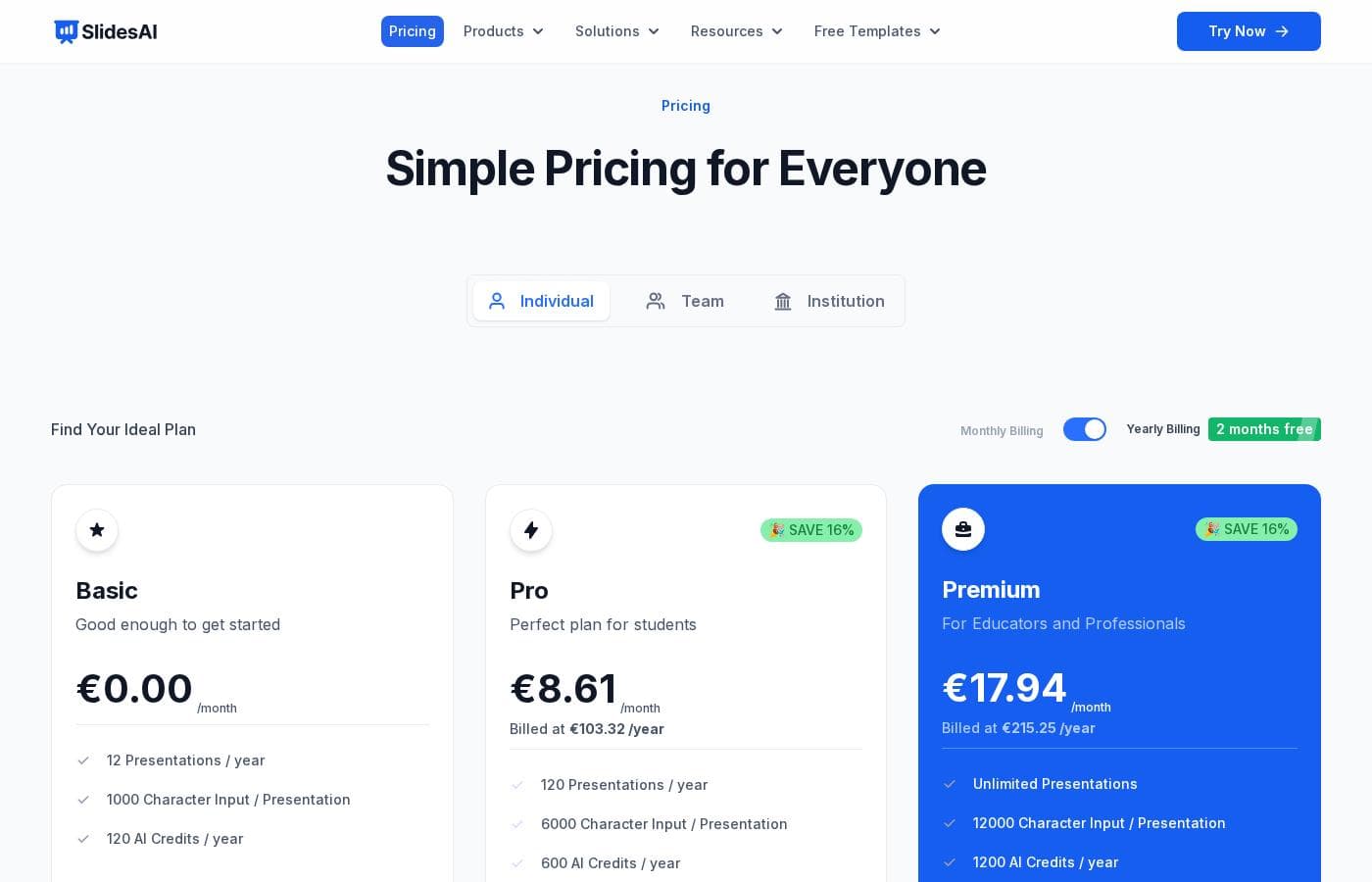
SlidesAI features three structured plans tailored for individual users, ranging from a permanent Basic free tier to the comprehensive Premium plan. Paid tiers start at $8.33/month when billed yearly and include options for students, educators, and professionals.

Plany i ceny

Basic

Miesięczne$0
RoczneNot applicable
Usage limited by annual presentation count and AI credits.
  • 12 Presentations / year
  • 2500 Character Input / Presentation
  • 120 AI Credits / year

Pro

Miesięczne$8.33
Roczne$100
Best for students needing higher capacity.
  • 120 Presentations / year
  • 6000 Character Input / Presentation
  • 600 AI Credits / year
  • Document Upload
  • 120 Video Export / year (Coming Soon)

Premium

Miesięczne$16.67
Roczne$200
Designed for educators and professionals who require unlimited usage.
  • Unlimited Presentations
  • 12000 Character Input / Presentation
  • 1200 AI Credits / year
  • Document Upload
  • 240 Video Export / year (Coming Soon)

SlidesAI costs between $0 and $200 per year with 3 plans: Basic at $0, Pro at $100/year, and Premium at $200/year.

Now, let's explore what each individual plan offers when you choose annual billing.

Basic

Price: $0 /month Websites Supported: Not explicitly stated Best For: Good enough to get started Refund Policy: Not explicitly stated Other Features:

  • 12 Presentations / year
  • 2500 Character Input / Presentation
  • 120 AI Credits / year

The Basic plan is fantastic if you're just starting out or only need to generate a few presentations annually. It’s a great way to try out the core AI features without any financial commitment.

Pro

Price: $8.33 /month (Billed at $100 /year) Websites Supported: Not explicitly stated Best For: Perfect plan for students Refund Policy: Not explicitly stated Other Features:

  • 120 Presentations / year
  • 6000 Character Input / Presentation
  • 600 AI Credits / year
  • Document Upload
  • 120 Video Export / year (Coming Soon)

This Pro plan is designed for students who need to create presentations more frequently throughout the year. You get a significant boost in resources, including 10 times more presentations and the ability to upload documents for faster slide creation. It's affordable and effective! 🚀

Premium

Price: $16.67 /month (Billed at $200 /year) Websites Supported: Not explicitly stated Best For: For Educators and Professionals Refund Policy: Not explicitly stated Other Features:

  • Unlimited Presentations
  • 12000 Character Input / Presentation
  • 1200 AI Credits / year
  • Document Upload
  • 240 Video Export / year (Coming Soon)

The Premium plan is the ultimate choice for professionals and educators needing maximum capacity. You benefit from truly unlimited presentations and the highest character input limit per slide, ensuring you can tackle even the most detailed projects.

Since SlidesAI offers a forever-free Basic plan, you can begin using the tool immediately to see if it fits your needs. Keep in mind that subscriptions can be canceled at any time, adding flexibility.

Recenzje użytkowników

SlidesAI currently faces severe criticism regarding customer service and ease of use, reflected primarily by a low Trustpilot rating. The most frequently cited issue across multiple reviews is the highly complicated and non-transparent cancellation process, often requiring users to navigate confusing chatbot interfaces or contact the developer directly after receiving little help from the payment processor (Paddle).

Users report canceling is nearly impossible without special instructions. Furthermore, several reviewers criticize the core performance.

While the AI concept is strong, users found the resulting slides aesthetically unpleasing, poorly designed, and often containing irrelevant images. One user noted that repairing the slides would have taken less time than creating them from scratch.

Finally, there have been confirmed reports of a complete silence when requesting a refund despite meeting policy conditions. Although one updated review noted eventual resolution and credit from the developer, the current sentiment suggests significant difficulties with reliability, value, and support responsiveness.

🙁

Co mówią użytkownicy gdzie indziej

Alex D.
· Trustpilot
1.0 / 5

I purchased the product and requested a refund the next day because I was very dissatisfied. Despite following the policy, I have received no response or acknowledgment from the company after a week. This lack of communication is unacceptable.

Tricia K.
· Trustpilot
1.0 / 5

Canceling the subscription is needlessly difficult. The link on the invoice leads to a bot that doesn't help and tells you to try the app. They definitely want to keep getting your money and make the process miserable.

Brak recenzji.

Napisz recenzję

Napisz recenzję dla SlidesAI
0/100 znaków
0/2000 znaków

Dlaczego używać SlidesAI?

If you need to make impactful slides quickly, SlidesAI offers a powerful solution that integrates seamlessly into your existing workflow. This tool is designed to maximize effectiveness and minimize effort. 💡

Here’s how SlidesAI simplifies your workflow:

  • Native Compatibility: Use your favorite tools. SlidesAI works natively with both Google Slides and PowerPoint, meaning you never have to switch platforms or export files.
  • Achieve Amazing Speed: You can turn lecture notes, lengthy scripts, or ideas into visually appealing presentations in moments, significantly reducing prep time.
  • Refine Your Message Easily: The built-in editing features allow you to instantly shorten content, rephrase sentences for clarity, or translate slides into over 100 languages.
  • Simplify Design: Forget complicated formatting. The tool generates stunning slides with themes and layouts, and lets you instantly search or generate AI visuals and stock images, all without leaving the editor.
  • Trust and Reliability: Join millions of users. With over 15 million installs, this AI solution is proven to generate helpful, well-structured outlines, helping you get the job done right.
  • Effortless Editing: You can fine-tune every detail—from layout to language—using simple controls that allow you to edit themes and remix slide content instantly.

Start creating your lesson slides or next professional project today! ✨

Gotowy na transformację przepływu pracy z SlidesAI?

SlidesAI Alternatywne narzędzia

Inne narzędzia w kategorii AI Presentation Maker

Najczęściej zadawane pytania

Does SlidesAI offer a money-back guarantee or specific refund window?

SlidesAI does not explicitly advertise a defined money-back guarantee or specific refund period. Purchases are processed through Paddle.com, which acts as the official Merchant of Record.

Is there a free trial, or do I have to pay to test the features?

There is no time-limited free trial. SlidesAI offers a permanent Basic free plan instead. This plan lets you generate 12 presentations per year to fully test the core AI functionality without commitment.

How do I cancel my subscription?

You can cancel your subscription whenever you wish. The official guidance suggests managing the cancellation process through the 'Your Account' tab. A specific guide is also available online to help you further.

What are 'AI Credits,' and how do they limit my usage?

AI Credits are an annual allotment included in all plans. The official pricing materials do not detail how one credit translates into specific actions or features beyond the total annual number provided.

How do I get set up with SlidesAI without creating a separate login?

You don't need to create a unique account. Simply install SlidesAI from the Google Workspace Marketplace or the PowerPoint Add-ins store, and your access will be automatically generated upon first use.

Are there pricing plans for teams or institutions?

The website shows tabs for 'Team' and 'Institution' pricing, but the detailed structure for these plans is not published alongside the individual Basic, Pro, and Premium options.

Who is the Premium plan designed for?

The Premium plan is best suited for professionals and educators needing maximum capacity. It features unlimited presentation generation and the highest character input limit per presentation (12,000 characters) for complex projects.

What is the official response time or SLA for support requests?

Not explicitly stated on the official site. You can reach support by messaging via the Chat Button on the bottom right corner of the page, and they promise to respond as soon as possible.

Does the tool integrate with software other than Google Slides and PowerPoint?

The tool offers native integration only with Google Slides and Microsoft PowerPoint. It’s designed specifically to work seamlessly within those two existing presentation ecosystems.

Does SlidesAI support languages other than English?

Yes, SlidesAI supports over 100 languages. You can input text in various languages and use the built-in Editor to translate or rephrase content for global audiences.

Is the video export feature currently available?

No, the capability for video export is currently listed as 'Coming Soon' on both the Pro and Premium plans. It is not an active feature yet.

How does the document upload feature work?

The Pro and Premium plans allow you to input a topic, a script, a link, or upload a document directly. The AI then processes this input to create structured slide outlines instantly.

Do I need a paid Google Workspace account to use the application?

No, you do not need a Google Workspace account. A regular Gmail account is sufficient to install and use the SlidesAI extension within Google Slides.

Gotowy, aby wypróbować SlidesAI? Zobacz oficjalną stronę lub cennik.