DemoCreator

DemoCreator

Record Like a Pro, Edit With AI Ease.

#1 dans Screen recorder
2 czas czytania · Zaktualizowano 10/3/2025
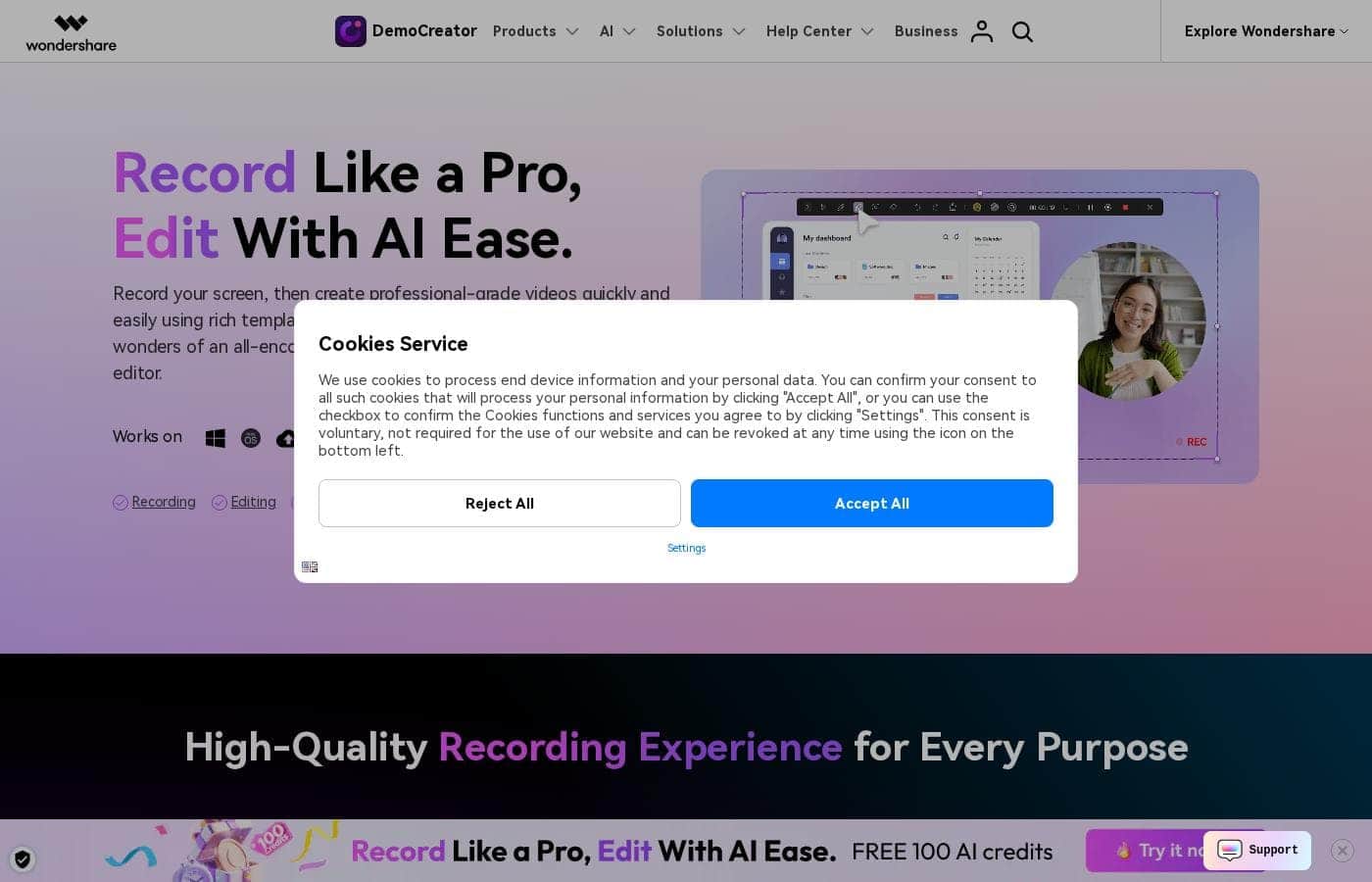
Zrzut ekranu strony głównej DemoCreator

At a glance

Quick overview for DemoCreator: rating, pricing summary, key features, and highlights.

Recenzja Ciroapp

4.6
Affordable, AI-Powered Recording and Editing Mastery.

We found DemoCreator to be an incredibly comprehensive and accessible solution that effectively integrates high-quality screen recording and AI-driven editing tasks. It provides exceptional value, especially with its affordable perpetual plan and professional recording capabilities. Overall, this is one of the strongest all-in-one video creation tools available for educators and content creators today.

Zalety

  • Pro:Excellent value due to affordable pricing and a strong $79.99 one-time payment option.
  • Pro:Combines recording, editing, and AI tools in an intuitive, beginner-friendly interface.
  • Pro:Advanced features like text-based video editing and 4K/120 FPS recording are standard.
  • Pro:Supports separate recording tracks for audio, video, and screen, simplifying post-production control.

Wady

  • Con:AI functionalities (like advanced speech-to-subtitle) are occasionally noted as quirky or unreliable for some users.
  • Con:The software sometimes requires significant computing resources during operation.
  • Con:The free version is heavily limited by watermarking and a short five-minute recording cap.
Bezpłatny okres próbny
Yes — 7 dni
Gwarancja zwrotu pieniędzy
Yes — 30 dni
Zakres: $59.99/year–$79.99Free plan, Free trial, Yearly subscription, One-time payment
This section is a summary. Detailed sections about features, use cases, pricing, and reviews follow below.

Recenzja DemoCreator, ceny, funkcje, zalety i wady

Creating professional-grade videos often feels difficult and takes too much time. You shouldn't have to struggle with balancing high-quality recording and complex post-production tasks.

Wondershare DemoCreator addresses this frustration directly. It expertly combines powerful screen recording with AI editing tools for fast, easy creation. You can now craft compelling content quickly using rich templates and professional visual assets. ✨

Czym jest DemoCreator?

DemoCreator is an all-encompassing screen recorder and video editor, uniquely powered by next-generation AI. It simplifies your entire content creation process in one singular, intuitive package.

The software offers six different recording modes to perfectly optimize your content capture. These options include standard screen capture and dedicated modes for gameplay, virtual avatars, and video presentations. It records your screen, webcam, system audio, and microphone onto separate tracks for streamlined post-production. 💡

This robust solution adapts easily to many specialized requirements. It is the perfect choice for educators, corporate trainers, marketers, and emerging gaming content creators alike.

DemoCreator Kluczowe funkcje

✨ Comprehensive Recording for Any Project

You get a high-quality recording experience tailored for any project type. DemoCreator provides six different recording modes so you can always capture fully optimized content. The software captures your screen, webcam, microphone, and system audio onto separate tracks. This crucial feature greatly simplifies complex post-production work later on, offering maximum flexibility.

You can flexibly capture your entire computer screen, a single application window, or just a specific selected area. There are dedicated modes available for professional gameplay recording at smooth frame rates and for making dynamic video presentations. If you prefer not to appear on camera, you can even record using access to 30 unique Virtual Avatars that generate natural expressions and motions.

✨ AI-Powered Visual and Text Editing

The powerful AI features minimize time spent on redundant video editing tasks. For instance, you can edit videos just like documents using the intelligent text-based editing tool. It auto-transcribes your speech, removes unwanted silences, and helps you maintain high audio quality automatically.

Making content accessible globally is easier than ever with Auto Subtitles. This tool generates accurate captions in over 90 languages with just a single click. Plus, the AI Beauty Filter helps you instantly elevate your webcam videos by removing imperfections directly on the screen. Creatively, the AI Thumbnail Maker helps you generate stunning thumbnails using smart keyframe selection and customizable templates.

✨ Essential Creative Tools and Effects

Beyond the AI tools, DemoCreator offers a deep toolkit for polishing your recorded videos. Basic editing tasks like cutting, cropping, and merging clips are remarkably easy to perform. You can also deploy various transitions, animations, and background music to add a professional touch to your finished product.

Using dynamic visual effects will help keep your audience engaged and focused. You can quickly bring attention to key on-screen elements using a variety of sophisticated effects and creative assets:

✨ Presentation Readiness and Recording AI

Deliver your video presentations with complete confidence and crystal-clear visuals. If you need to stay strictly on script, the AI Teleprompter will automatically scroll and highlight your lines for easier delivery. This ensures you maintain smooth eye contact and a professional on-screen presence throughout your recording.

You can also eliminate visual distractions instantly using the AI background remover. This tool cleans up your environment and keeps the focus entirely on you during webcam recordings. The software is also designed for compatibility with major online meeting platforms like Zoom, Google Meet, and Teams, simplifying every virtual collaboration and training session.

✨ Professional Audio Refinement with AI

You can simplify the often difficult task of audio editing using several powerful AI tools right inside the software. The AI Denoise feature quickly removes distracting background noise so that every word you speak sounds crisp and clear. This guarantees a better and more professional listening experience for your viewers.

For unique audio needs, the AI Voice Changer can transform your voice into dozens of fictitious and real-life characters. Alternatively, the AI Text-to-Speech option generates professional, natural-sounding voiceovers directly from text or subtitles in just minutes, eliminating the need to hire a voice artist. You can even use the AI Vocal Remover to seamlessly separate speech from background sounds for creative projects like karaoke or remixes.

✨ Secure Sharing and Collaboration

Wondershare DemoCreator lets you reach your audience wherever they are with instant social sharing. You can quickly upload your content directly to DemoCreator Cloud Drive to keep it safe and sound. You receive 512MB of cloud storage space for free, and you can secure your work instantly.

Share your videos by generating a DemoAir link and imposing content controls as needed. You can add password protection, set link expiration dates, and apply other customizable permissions to increase security. Collaboration is also streamlined by sending creations via video messages, complete with built-in direct comments and reactions for easy team feedback. With just one click, you can also share your videos directly to platforms like YouTube, Vimeo, and TikTok.

Przypadki użycia

🧑‍🏫 Creating Engaging Training Modules 📚

You need to record a comprehensive software tutorial or a detailed class micro-course for remote learners. Use the dedicated Screen Capture mode to customize your recording area fully. This ensures viewers only focus on the specific application or steps that you want them to see.

While recording, keep your audience engaged instantly by using the dynamic annotation tools. Highlight important elements with arrows, lines, or text boxes. For confident delivery, rely on the AI teleprompter to automatically scroll your script, so you never lose your place or eye contact with the virtual camera.

🕹️ Professional Gameplay Capture and Editing 🎮

Capturing smooth, high-resolution gameplay often requires complex setups, but DemoCreator makes it easy. Use the Game Exclusive mode to record seamless 4K footage at 120 FPS, regardless of your monitor size. Multi-track recording keeps your microphone, webcam, and system audio separate for maximum control.

After recording, use the editing suite to add unique effects and stickers to quickly highlight your best moments. Use AI Denoise afterward to make sure your recorded commentary is crisp, and distracting background sounds are completely removed. This workflow helps your gameplay videos stand out immediately.

🎤 Delivering Polished Video Presentations 📈

When you need to present a report or pitch a product in a virtual meeting, choose the Video Presentation mode. This is compatible with major platforms like Zoom, Teams, and Skype. To ensure you look professional, activate the AI Background Remover in the Camera mode. This cleans up your environment instantly and removes visual distractions.

You can customize the canvas with preset desktop and webcam layouts for the audience. Use Layout Templates after recording to combine the screen, webcam, and audio tracks perfectly with just one click, ensuring a highly polished final deliverable.

✂️ Speeding Up Editing with Text-Based AI ⚡

Don't spend hours manually trimming long pauses or mistakes in your vlogs or tutorials. Use Text-Based Video Editing to auto-transcribe your footage instantly. You can then edit the video like a document simply by deleting the unwanted transcribed text.

To ensure everyone can access your content, generate Auto Subtitles in over 90 languages with one click. Then, use the YouTube Thumbnail Maker to select smart keyframes and apply customizable templates, helping your video attract more viewership immediately.

🤝 Collaborative Review and Secure Sharing 🔒

When working with a team or client, you need reliable ways to share proprietary content and get feedback fast. Upload your video directly to DemoCreator Cloud Drive for secure storage; you immediately get free storage space.

For sharing, generate a secure DemoAir link. You can apply content controls like password protection and link expiration dates to increase security. Team members can easily provide direct comments and reactions right under your content link, streamlining the feedback process dramatically.

👤 Creating Content Without Showing Your Face 🤖

You may want to produce corporate training materials or educational videos while keeping your identity private. DemoCreator allows you to record your content using the Virtual Avatar Exclusive mode.

Choose from 30 different AI avatars that generate naturally smooth facial expressions and motions based on your speech. This gives you a highly professional way to create compelling tutorials and commentary videos without ever appearing on camera.

Przegląd cen DemoCreator

Zakres cen
$59.99/year–$79.99
Typy cen
Free plan, Free trial, Yearly subscription, One-time payment
Gwarancja zwrotu pieniędzy
Tak — 30 dni

DemoCreator offers flexibility with both annual subscriptions starting at $59.99/year and a $79.99 Perpetual Plan for long-term access. You can also start with a great free version that includes basic tools and watermarked exports.

Plany i ceny

Free

Skontaktuj się w sprawie cen
Recording export length limited to 5 minutes. Exports are watermarked. Limited selection of visual assets and templates.
  • Remove Watermark: No
  • Recording Export Quality: 1080P
  • Frame Rate: 30FPS
  • AI Credits: 100 credits

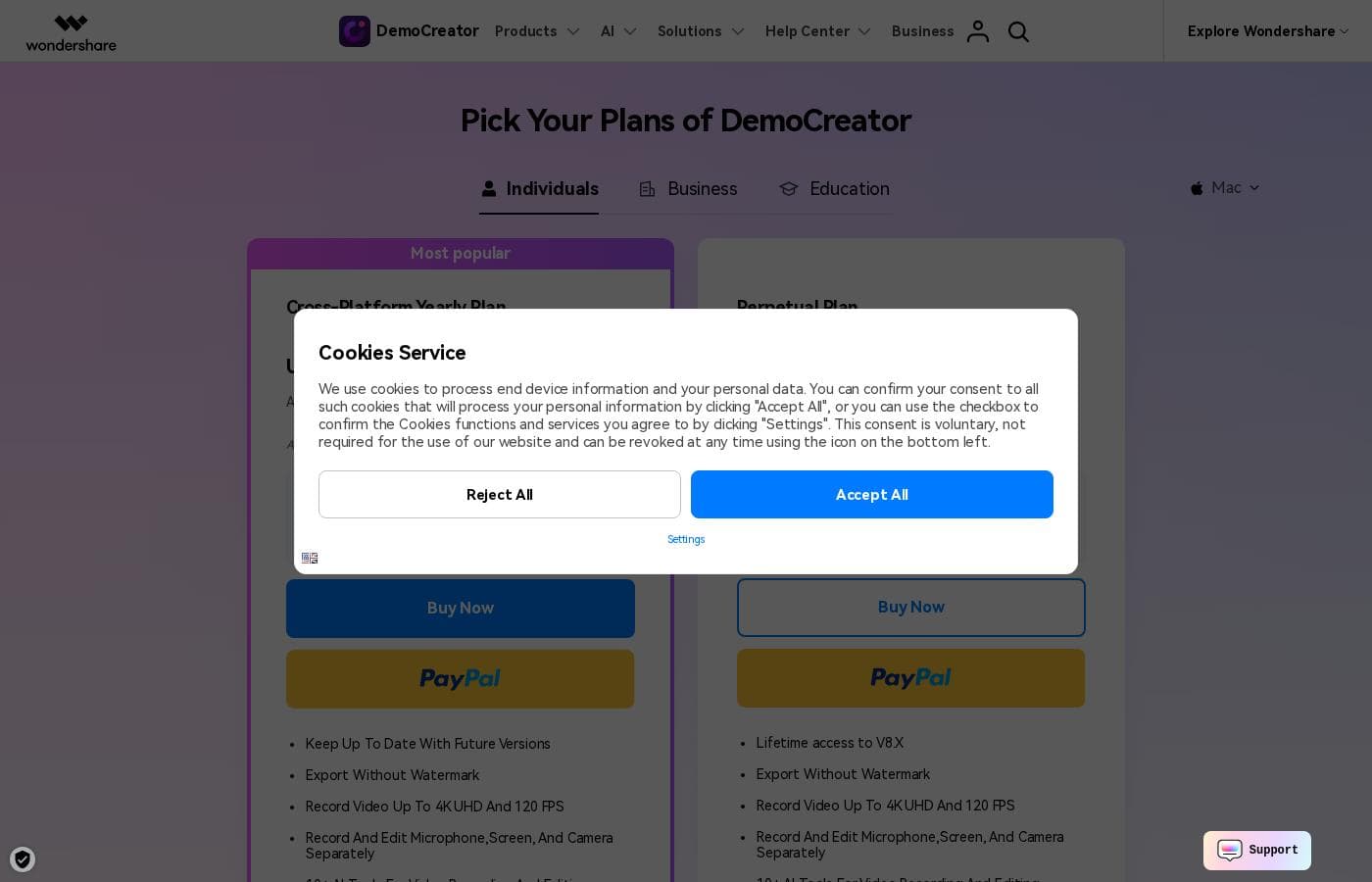
Cross-Platform Yearly Plan

RoczneUS$ 59.99
Automatically renews yearly; can be canceled at any time. Includes 1 GB Cloud Storage.
  • Export Without Watermark
  • Keep Up To Date With Future Versions
  • Record Video Up To 4K UHD And 120 FPS
  • 500 AI Credits/ Month
  • 50,000+ Creative Assets

Perpetual Plan

Skontaktuj się w sprawie cen
One-time payment. Does not include upgrades to future major versions beyond V8.X. Includes 1 GB Cloud Storage.
  • Export Without Watermark
  • Lifetime access to V8.X
  • Record Video Up To 4K UHD And 120 FPS
  • 2000 AI Credits (one-time)
  • 50,000+ Creative Assets

DemoCreator costs between $0 and $79.99 (One-time payment) covering three main options: a Free plan, the Cross-Platform Yearly Plan at $59.99 per year, and the Perpetual Plan at $79.99.

We offer a selection of flexible options so you can choose the right feature set for your video creation needs, whether you prefer a subscription or a one-time purchase.

Free Plan

Price: Free Websites Supported: Not explicitly stated Best For: Trying the core screen recording and editing features. Refund Policy: Not applicable Other Features:

  • 1080P export quality
  • Basic video editing toolset
  • 100 AI credits (one-time)
  • 300+ templates and limited visual assets

If you're new to DemoCreator, the Free Plan is a great starting point for beginners. You can test out the basic editing tools and core screen recording capabilities. Just remember that your exported videos will have a watermark and recording length is limited to five minutes.

Cross-Platform Yearly Plan

Price: US$59.99/year Websites Supported: Not explicitly stated Best For: Users needing ongoing updates and maximum recording performance. Refund Policy: 30-Day Money-Back Guarantee Other Features:

  • Keep Up To Date With Future Versions
  • Export Without Watermark
  • Record Video Up To 4K UHD And 120 FPS
  • 500 AI Credits per month
  • 50,000+ Creative Assets

This annual subscription is available cross-platform, making it a very popular choice for individual creators. It automatically renews but you can cancel the subscription at any time. This plan keeps you current with future software versions and grants unlimited recording length and high-quality export.

Perpetual Plan

Price: US$79.99 (One-time payment) Websites Supported: Not explicitly stated Best For: Creators who prefer a single payment for long-term software access. Refund Policy: 30-Day Money-Back Guarantee Other Features:

  • Lifetime access to V8.X features
  • Export Without Watermark
  • Record Video Up To 4K UHD And 120 FPS
  • 2000 AI Credits (one-time)
  • 50,000+ Creative Assets

Choose the Perpetual Plan if you want to pay once and own the current major software version indefinitely. This plan includes professional recording specifications like 4K resolution and 120 FPS. It’s perfect for users who want premium features without recurring subscription fees.

We stand by our software, which is why every paid purchase is backed by a helpful 30-Day Money-Back Guarantee.👌 You can try the basic core software features for free before committing to a plan. We also offer a separate 7-day free trial specifically for accessing the premium Creative Assets library, although software functionality is not included in that specific trial.

Recenzje użytkowników

Users are overwhelmingly pleased with Wondershare DemoCreator, awarding it an excellent 4.7-star Trustpilot rating. Reviewers frequently highlight the software's intuitive user experience, calling it surprisingly easy for beginners to start recording and editing quickly.

The all-in-one nature—combining high-quality screen recording, live streaming, and robust editing—is a major time-saver for creators and educators. Specifically, users praise the product quality, noting the precise accuracy of the AI auto captioning and the useful text-based editing tools.

Pricing is viewed as highly affordable compared to competitors, offering premium features without the steep financial commitment. While the experience is mostly seamless, a few users noted that the AI features can occasionally be "quirky" (e.g., subtitle issues), and the software can sometimes be resource-intensive.

However, many thank the company for consistently maintaining high quality and providing responsive customer support 🤝. They confirm it’s an effective solution for quickly creating professional tutorials and presentations.

Co mówią użytkownicy gdzie indziej

Alex D.
· Trustpilot
5.0 / 5

I’m not a professional editor, but DemoCreator made it surprisingly easy to record and cut my first tutorial. The interface is clean, and I figured out the basics within an hour. It’s perfect for someone new to editing.

Maria S.
· Trustpilot
5.0 / 5

It is very affordable but still packed with premium features, like AI text-based editing. DemoCreator is very intuitive and easy to use; it's perfect for quickly polishing content and delivering tutorials.

Brak recenzji.

Napisz recenzję

Napisz recenzję dla DemoCreator
0/100 znaków
0/2000 znaków

Dlaczego używać DemoCreator?

Why should you choose DemoCreator over standard single-purpose recording tools? You get a unified, professional workflow that minimizes hours spent on editing. The powerful AI takes care of menial tasks so you can focus only on your message and delivery.

Here are some core advantages that save you time and boost your quality:

  • You capture effortless, high-quality content every time. DemoCreator handles all recording tracks separately, which provides maximum flexibility during editing.
  • Utilize cutting-edge AI features to save significant post-production time. You can edit videos like documents using the precise text-based editing tool to auto-transcribe and remove unwanted silences.
  • Perfect your on-screen presence and deliver presentations confidently. Rely on the AI teleprompter for smooth line delivery and the AI background remover to keep your webcam visuals crisp and distraction-free.
  • Polish your audio instantly without advanced training. Refine speech with AI denoising, change your voice using the AI voice changer, or generate professional voiceovers from text in minutes.
  • Attract a broader audience effortlessly. Auto Subtitles are available in over 90 languages, making your content more accessible with just a single click.
  • Share your videos securely, instantly, and collaboratively. You get free cloud storage and can share content via secure DemoAir links, complete with password protection and custom permissions. ✅

This all-in-one tool simplifies streaming and creative editing for everyone. Educators, gamers, trainers, and small business owners will find unparalleled value here. Experience the power of AI to create engaging and dynamic videos effortlessly. Start recording like a pro today! 🚀

Gotowy na transformację przepływu pracy z DemoCreator?

DemoCreator Alternatywne narzędzia

Inne narzędzia w kategorii Screen recorder

Najczęściej zadawane pytania

Does the purchase price cover unlimited features, or do the AI tools require separate payment?

Paid plans include a set quota of AI credits for features like Text-to-Speech and AI Teleprompter. The Yearly Plan gives you 500 new credits monthly, while the Perpetual Plan grants 2000 credits as a one-time allowance.

If I buy the Perpetual Plan, will I still get new features later?

The Perpetual Plan grants lifetime access to all features within the current major version, listed as V8.X. It includes minor software updates but does not cover upgrades or access to future major version releases.

How do I cancel my yearly subscription if I decide to stop?

The Cross-Platform Yearly Plan automatically renews, but you can cancel the subscription at any time. You will receive an email notification seven days before your renewal date with clear instructions on how to cancel.

Is there a money-back guarantee if the software doesn't meet my needs?

Yes, every paid purchase is supported by a 30-Day Money-Back Guarantee. Refunds will be approved following the accepted circumstances detailed in the company’s policy.

Are there different plans for businesses or teams requiring multiple licenses?

DemoCreator provides specific, separate pricing options for both Business and Education users. Detailed per-seat structures are typically not displayed on the individual plans page, so you should contact their sales team directly.

How much cloud storage is included with the paid plans?

All individual paid plans, including Yearly and Perpetual, come with 1 GB of included cloud storage space. The Free plan offers 512MB, and you can expand your storage capacity at any time.

What conferencing platforms does DemoCreator integrate with for presentations?

The dedicated Video Presentation mode is compatible with several widely used platforms. It works easily with Zoom, Skype, Google Meet, and Microsoft Teams to help you share your screen and webcam setup.

How is the content secured when shared using DemoAir links?

When sharing videos via a secure DemoAir link, you can utilize several protection controls. These options include adding password protection, setting link expiration dates, and customizing specific viewing permissions.

What are the main limitations of the free software version compared to a paid plan?

The Free version limits recording export length to five minutes and exports at 1080P resolution. It also applies a watermark to all exported videos and offers a smaller library of assets.

If I need technical help, how quickly can I expect support to respond?

Knowledgeable representatives are available via instant live chat and email response. You should expect an email reply to your support request within 24 hours.

How accessible are the AI features for non-English speakers or global audiences?

The AI features support accessibility extremely well. The Auto Subtitles tool can generate precise captions for your video content in over 90 different languages.

Who is the ideal user that DemoCreator is best suited for?

DemoCreator is ideal for educators, corporate trainers, marketers, and emerging gaming content creators. It serves anyone who needs a simple, powerful tool that combines high-quality screen recording and efficient AI-driven editing.

Is the software available for both Windows and Mac operating systems?

The Cross-Platform Yearly Plan works on both Windows and Mac devices. However, the Perpetual Plan is generally OS-specific, meaning you purchase access for either a Windows or a Mac license.

Gotowy, aby wypróbować DemoCreator? Zobacz oficjalną stronę lub cennik.