AdGuard

AdGuard

Surf the Web ad-free and safely.

#1 dans Ad Blocker
2 czas czytania · Zaktualizowano 10/3/2025
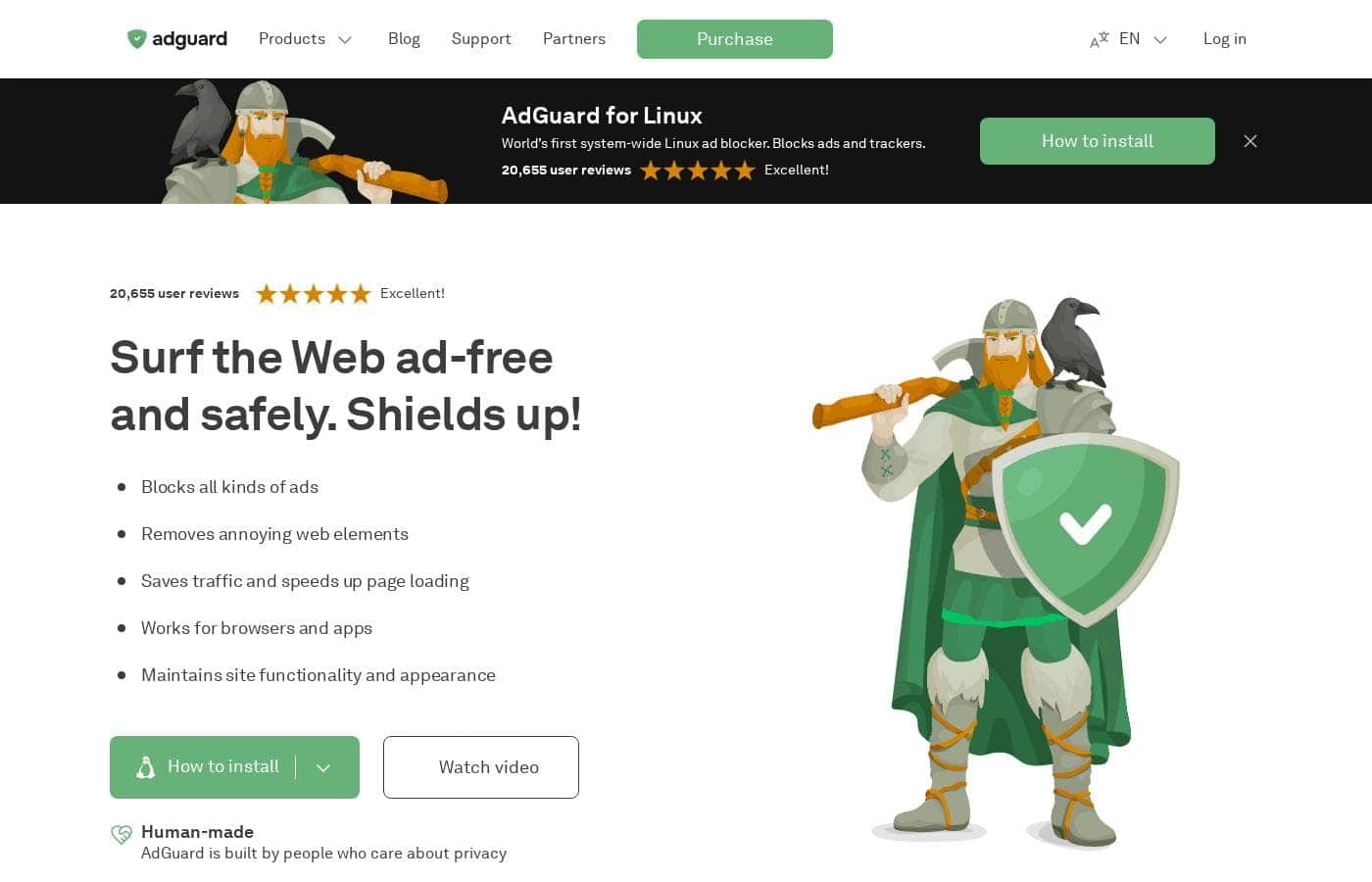
Zrzut ekranu strony głównej AdGuard

At a glance

Quick overview for AdGuard: rating, pricing summary, key features, and highlights.

Recenzja Ciroapp

4.5
Definitive system-wide ad and privacy protection.

We found AdGuard provides robust, system-wide protection across all major operating systems, moving far beyond typical browser extensions to enhance both speed and digital privacy. Its strong blocking reliability, coupled with notably fast and professional customer support, positions it well in the market. Overall, this is a premium utility perfect for users demanding comprehensive control and a clean online experience.

Zalety

  • Pro:Highly effective, system-wide ad and tracker blocking across all devices.
  • Pro:Available as a one-time perpetual license, avoiding recurring fees.
  • Pro:Customer support is notably fast, helpful, and highly professional.
  • Pro:Excellent performance optimization with minimal resource usage.

Wady

  • Con:System-level permissions required may raise user security concerns.
  • Con:Setup can occasionally require advanced steps (e.g., configuring firewalls or working with beta versions).
  • Con:License transfer or restoration can be difficult if account details are lost.
Bezpłatny okres próbny
Yes — 14 dni
Gwarancja zwrotu pieniędzy
Yes — 60 dni
Zakres: Not explicitly statedFree plan, Free trial, Yearly subscription, One-time payment, Lifetime deal
This section is a summary. Detailed sections about features, use cases, pricing, and reviews follow below.

Recenzja AdGuard, ceny, funkcje, zalety i wady

We all hate seeing constant pop-ups, video ads, and annoying banners that slow down browsing. These distractions take up valuable time and bandwidth while invading your privacy. AdGuard stops these frustrating elements across all your devices.

It blocks every ad type, protects your privacy from tracking mechanisms, and instantly speeds up page loading. Enjoy a cleaner, safer internet.

Czym jest AdGuard?

AdGuard is a versatile utility designed to make the web cleaner and strongly protect your digital life. It goes far beyond a simple browser extension experience. AdGuard offers full-fledged applications for major platforms, including Windows, Mac, Android, and iOS.

This system-wide approach means it works everywhere, eliminating ads and trackers in standard browsers and various mobile apps. It focuses on privacy first and actively guards against known dangerous or malicious sites. The company has protected over 160 million users since 2009.

🛡️

AdGuard Kluczowe funkcje

✨ System-Wide Ad Blockage 🚫

AdGuard is a full-fledged application, not just a simple browser extension experience. It stops every ad type across your entire device, including annoying banners, pop-ups, and video ads, even those on YouTube. This comprehensive utility works everywhere, eliminating ads where extensions cannot reach, like within various mobile apps.

Because AdGuard uses a system-wide approach, you don't need to install different ad blockers for every browser you use. This difference offers robust protection and superior usability daily. It blocks these elements before they load, ensuring you get a clean start every time you open a page.

✨ Advanced Privacy and Tracking Protection

Your digital life deserves strong defenses against constant surveillance. AdGuard shields your personal data instantly from web analytics and online counters. It prevents websites and companies from collecting or misusing your private information.

This strong mechanism removes tracking requests and cookies that often follow you around online. By neutralizing these tracking methods, AdGuard ensures that your activities remain private and inaccessible to third-party data collectors.

✨ Enhanced Security Against Web Threats

AdGuard actively serves as a security layer, guarding your browsing experience against known dangers. It completely protects against severe threats like phishing, online fraud, and malicious sites.

The application knows which websites are dangerous and refuses to connect, preventing you from accidentally visiting them. This focused browsing security ensures you avoid potential harm and digital deception while surfing the internet.

✨ Boosted Speed and Clean Web Pages

You’ll notice significantly faster browsing the moment you start using AdGuard. It speeds up page loading because it blocks ads and trackers before the page even loads, dramatically saving valuable bandwidth.

Furthermore, AdGuard manages to keep the pages looking good. When ads are removed, the software cleverly hides the resulting empty gaps. This attention to detail ensures that web pages remain functional and well-designed, avoiding the broken or cluttered look found with inferior blockers.

💡 Versatile Platform Support and Network Solutions

AdGuard provides dedicated applications for all popular platforms: Windows, Mac, Android, and iOS. This means you get tailor-made features regardless of your operating system. For example, AdGuard for Android does not require root access, unlike many alternatives.

For users seeking protection for all devices, AdGuard offers advanced solutions. AdGuard Home is a network-based system installed directly on your router. It covers all devices connected to your home network, which is key for securing IoT devices that often pose a privacy threat.

✨ Parental Control Functionality

AdGuard includes a powerful Parental Control feature built into the full applications. This important tool helps you manage content access and keep younger users safe.

It shields children from viewing inappropriate and adult content online. Parents can feel confident that AdGuard is actively protecting their kids across all applications and browsers on the device.

Przypadki użycia

📱 Achieving True System-Wide Ad Freedom

Your typical browser extension cannot stop ads appearing within your mobile games or desktop applications. AdGuard tackles this challenge using full, dedicated applications for Windows, Mac, Android, and iOS. By installing the program, you get protection that works everywhere on your device. This means irritating banners and pre-roll videos disappear across all your apps, providing a truly seamless experience.

This robust coverage allows you to enjoy a cleaner digital life, extending beyond the limits of a single web browser.

⚡ Turbocharge Your Internet Speed

Announcements and video ads often consume significant bandwidth before a page even appears. AdGuard actively blocks ads and tracking mechanisms early in the loading process. This immediate action prevents unnecessary large elements from downloading.

Since your device downloads less data overall, pages load much faster. This instantly speeds up your browsing and saves you bandwidth, making web navigation feel much snappier and more efficient.

🏡 Protecting Your Home Network

Securing every device in a busy household can be tough. AdGuard Home provides a smarter, network-based solution by installing directly on your router. Once configured, every item connected to your Wi-Fi, including IoT devices and Smart TVs, is automatically covered.

This approach eliminates the need to install client software on multiple gadgets. It lets you apply universal ad and tracker blocking across your entire home network with a single setup.

🛡️ Security for the Whole Family

Many parents worry about children accidentally encountering inappropriate or dangerous sites while browsing. AdGuard includes specific tools designed to address this concern. It shields young users from inappropriate content using built-in parental controls.

Crucially, AdGuard also protects all users from phishing attempts and malicious websites. It scans links and sites, providing warnings or blocking access to places known for fraudulent activity.

Tip: Test the 14-day free trial on Windows or Mac to test the Parental Control features before commitment.

👀 Gaining Absolute Control Over Data Trackers

Many websites quietly use trackers and web analytics to collect user data without permission. AdGuard acts as a strong privacy shield, completely blocking online counters and tracking requests. This stops companies from analyzing your behavior and collecting your personal information.

Process Flow:

  1. User visits tracked website.
  2. AdGuard intercepts web analytics/tracking requests.
  3. The requests are silently blocked.
  4. Expected outcome: Your privacy remains intact and personal data is protected from monitoring.

✅ Solving the 'Ugly Gap' Problem

When a standard blocker removes an ad, it often leaves behind large, blank spaces that break the website’s design. AdGuard uses specific functionality to improve the appearance of the cleaned pages. After removing distracting banners and pop-ups, the software works to hide these resulting empty gaps.

This attention to detail means web pages retain their functional, clean aesthetic, ensuring a better reading experience.

Przegląd cen AdGuard

Zakres cen
Not explicitly stated
Typy cen
Free plan, Free trial, Yearly subscription, One-time payment, Lifetime deal
Gwarancja zwrotu pieniędzy
Tak — 60 dni

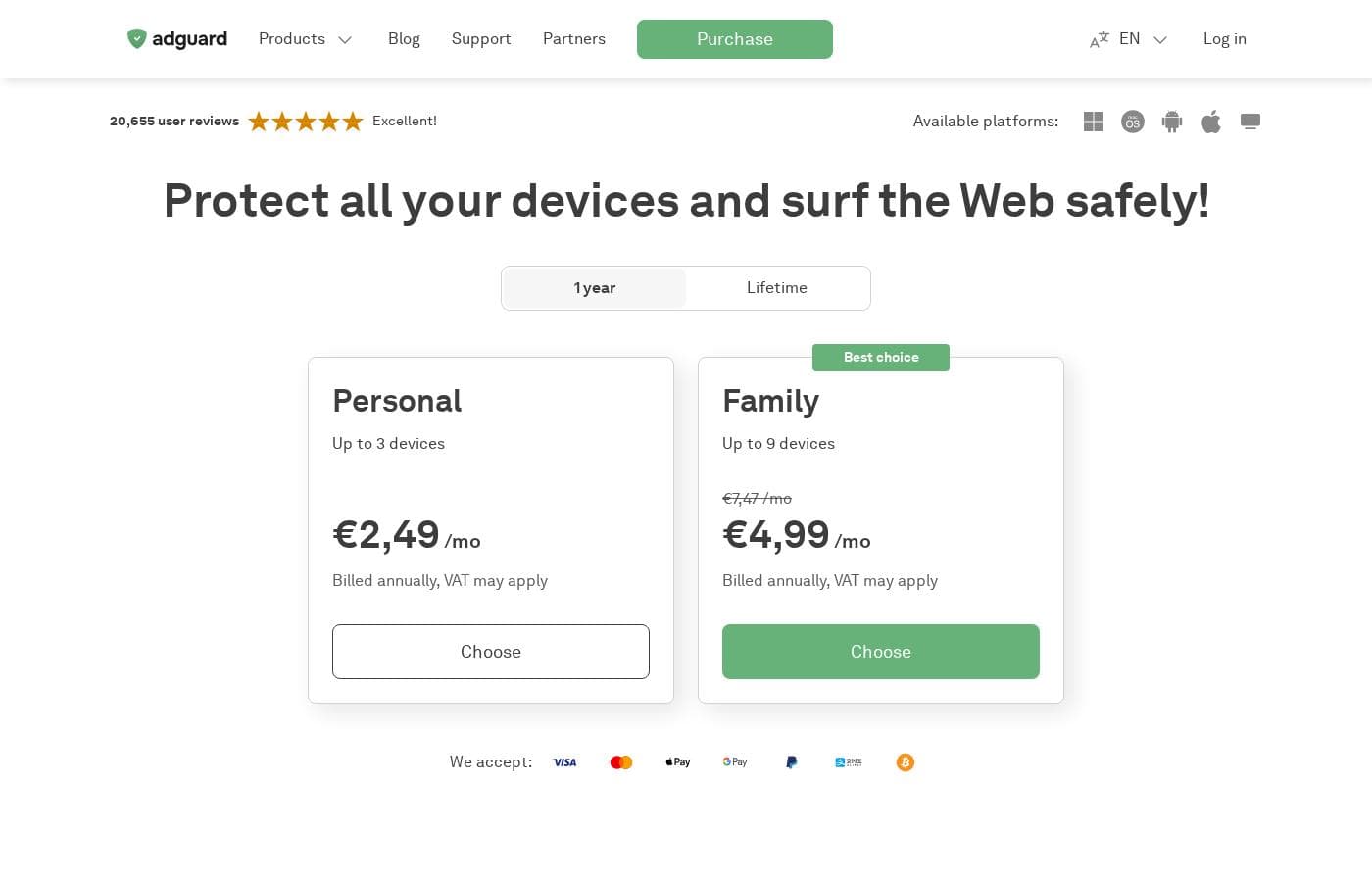
AdGuard bases its pricing on the number of devices you need to protect and your chosen commitment period. You can select either a Personal license covering 3 devices or a Family license covering 9 devices, available as annual subscriptions or one-time Lifetime purchases.

Plany i ceny

Personal License (1 Year)

MiesięczneNot explicitly stated
RoczneNot explicitly stated
3 devices maximum
  • Protects up to 3 devices
  • Universal license (Windows, macOS, Android, iOS)
  • Billed annually
  • Includes automatic renewals

Family License (1 Year)

MiesięczneNot explicitly stated
RoczneNot explicitly stated
9 devices maximum
  • Protects up to 9 devices
  • Universal license (Windows, macOS, Android, iOS)
  • Billed annually; VAT may apply
  • Option to upgrade from Personal license

Personal License (Lifetime)

Skontaktuj się w sprawie cen
3 devices maximum
  • Protects up to 3 devices
  • One-time payment
  • Universal license
  • No recurring fees

Family License (Lifetime)

Skontaktuj się w sprawie cen
9 devices maximum
  • Protects up to 9 devices
  • One-time payment
  • Universal license
  • No auto-renewal if purchased with cryptocurrency

AdGuard offers two license types—Personal and Family—available as annual subscriptions or a one-time Lifetime purchase.

You can view the full comparison of purchasing options below.

Personal License (1 Year)

Price: Not explicitly stated Websites Supported: Not explicitly stated Best For: Individual users or very small households. Refund Policy: 60-day money-back guarantee Other Features:

  • Protects up to 3 devices
  • Billed annually
  • Universal license (works on Windows, macOS, Android, and iOS)
  • Automatic renewal enabled

This annual plan is the perfect starting point for protecting your essential devices. It guarantees worry-free security and ad blocking for one, two, or three devices across different operating systems.

Family License (1 Year)

Price: Not explicitly stated Websites Supported: Not explicitly stated Best For: Larger families needing extensive device coverage. Refund Policy: 60-day money-back guarantee Other Features:

  • Protects up to 9 devices
  • Billed annually; VAT may apply
  • Option to upgrade from a Personal license
  • Automatic renewal enabled

If you have a busy household or many devices to secure, the Family annual plan offers excellent value. It lets you cover nine different PCs, phones, or tablets with a single, convenient subscription.

Personal License (Lifetime)

Price: Not explicitly stated Websites Supported: Not explicitly stated Best For: Users who prefer a single payment without recurring fees. Refund Policy: 60-day money-back guarantee Other Features:

  • Protects up to 3 devices
  • One-time payment
  • No need to worry about annual renewals
  • VAT may apply

Choose the Lifetime Personal plan if you know you'll use AdGuard indefinitely and want to avoid annual billing hassle. You pay once and enjoy permanent protection for your three devices.

Family License (Lifetime)

Price: Not explicitly stated Websites Supported: Not explicitly stated Best For: The ultimate protection for a large family or power user, requiring no future fees. Refund Policy: 60-day money-back guarantee Other Features:

  • Protects up to 9 devices
  • One-time payment
  • Universal license across all platforms
  • Purchases with cryptocurrency are not auto-renewed

This Lifetime Family option provides the maximum device protection available under a standard plan. It’s the smart choice for securing your entire digital life forever with one simple purchase.

AdGuard provides both free versions and free trials for various applications. For instance, you can try the full Windows, Mac, and Android apps with a 14-day free trial. The paid Premium features in AdGuard for iOS offer a 7-day free trial through the App Store purchase process. Furthermore, the browser extensions are completely free to use. If you purchase any license and aren't satisfied, AdGuard offers a straightforward 60-day money-back guarantee.

Recenzje użytkowników

AdGuard receives excellent feedback across platforms, holding a strong 4.4 rating on Trustpilot. Users overwhelmingly praise the product's effectiveness and reliability, noting that it flawlessly blocks intrusive ads, including those from challenging sources like YouTube, and operates with minimal impact on computer resources.

The widespread availability of a perpetual (Lifetime) license is highly appreciated, offering excellent long-term value in an increasingly subscription-based market. Customer support is a significant highlight, frequently described as rapid, professional, and highly attentive; technicians are lauded for going the "extra mile" to provide detailed guidance and swift resolutions to complex issues like OS compatibility problems and payment errors.

While minor concerns occasionally surface regarding the potential for setup complexity (e.g., initial firewall configuration) or the high level of system control required by the application, the consensus affirms that AdGuard delivers superior performance and industry-leading support. 🌟

Co mówią użytkownicy gdzie indziej

Jef F.
· Trustpilot
5.0 / 5

I'm really glad that in a world where almost all services work on a subscription basis, there's AdGuard with a perpetual license. It is reliable and I don't have to worry about annoying ads. I use it with both Apple and Windows operating systems without any issues.

Sophi M.
· Trustpilot
5.0 / 5

AdGuard bends over backward to help computer illiterate people QUICKLY and efficiently and has kept up with all of the changes. I lost my account and the email, but they issued a refund within 2 days after my card was charged again.

Brak recenzji.

Napisz recenzję

Napisz recenzję dla AdGuard
0/100 znaków
0/2000 znaków

Dlaczego używać AdGuard?

If you are tired of limiting your protection to just one browser, AdGuard offers a powerful, comprehensive solution. Common extensions cannot remove all ad types or keep up with tracking methods. Choosing the full AdGuard application provides robust defenses and usability improvements daily. Start with a free 14-day trial to experience the difference.

  • Works Everywhere: It blocks ads, trackers, and annoyances across all applications and browsers installed on your device, not just the one you opened.
  • Enhanced Performance: By blocking ads and trackers before the page finishes loading, AdGuard significantly saves bandwidth and speeds up the browsing experience.
  • Strong Privacy Shield: It completely shields your personal data from web analytics and online trackers that often try to collect and use your private information.
  • System Security: AdGuard provides built-in protection against phishing, fraudulent activity, and malicious sites, helping you avoid accidental danger online.
  • Clean Web Pages: After removing ads, the software manages to hide the resulting empty gaps. This keeps web pages looking functional and well-designed. ✅

AdGuard provides flexible options, whether you need system-wide protection on your Mac or system-level defense across all devices via AdGuard Home. Take full control of your internet experience today. 💡

Gotowy na transformację przepływu pracy z AdGuard?

AdGuard Alternatywne narzędzia

Inne narzędzia w kategorii Ad Blocker

Najczęściej zadawane pytania

If I purchase a license, how do I install AdGuard on my devices?

Once you buy a license, you receive installation instructions and your license information via email. You can download the full applications for Windows, Mac, and Android directly from the AdGuard website. The iOS app is available on the App Store.

How do I move my AdGuard license if I get a new computer or phone?

You can transfer your license by first removing it from the old device. You do this either in the License section of the app or within your AdGuard account dashboard. Then, you can activate the license on your new device.

Can I upgrade my Personal license (3 devices) to a Family license (9 devices)?

Yes, upgrading is simple. Log into your AdGuard account and select the option to 'Increase device limit.' Alternatively, you can use the 'Extend or upgrade' page on the website and manually enter your activation code.

How can I manage or cancel my ongoing subscription?

You can easily cancel your subscription by logging into your AdGuard account. Go to the Licenses tab and click 'Cancel subscription' next to the product you want to stop. The license will remain active until its prepaid expiry date.

Is there an extended return policy if I decide AdGuard isn't right for me?

Yes, AdGuard provides a generous 60-day money-back guarantee. If you are unsatisfied for any reason, you can request a full refund within 60 days of your purchase date.

If I pay with cryptocurrency, will my annual license automatically renew?

No, licenses purchased using cryptocurrency will not renew automatically. If you use crypto, it is recommended to choose a Lifetime payment option or manually extend your license term before it expires.

What is the difference between the completely free AdGuard versions and the paid paid apps?

Free versions are often limited to browser extensions or blocking ads only in the Safari browser on iOS. The paid applications offer advanced, system-wide protection, including blocking ads within other mobile apps and providing DNS protection and firewall controls.

I need to protect more than nine devices. Is a larger license available?

The standard family plan is capped at nine devices. For licenses covering more devices than this limit, you must contact the AdGuard sales team directly via email at sales@adguard.com.

How secure is purchasing AdGuard, and how is my payment information handled?

The official site uses a secure HTTPS connection for safety. All transactions are handled by trusted, major payment processors like Paddle and PayPro Global, ensuring your financial data is secure.

Is AdGuard VPN or AdGuard DNS included with the standard Ad Blocker license?

No, the Ad Blocker license covers only the ad-blocking application for your devices. Products like AdGuard VPN, AdGuard DNS, and AdGuard Mail are sold separately.

How can I retrieve my activation code if I have misplaced it?

No need to worry if you lose your code. All your activation codes are stored in your secure AdGuard account, which is linked to the email address used during purchase.

Who should I contact if I have technical questions, and how fast is the support?

You can contact support 24/7 by emailing support@adguard.com for any questions. The team is known for being highly professional and quick to respond to queries.

Gotowy, aby wypróbować AdGuard? Zobacz oficjalną stronę lub cennik.