전체 번역 준비 중 — 제품 세부 정보는 영어로 표시되며 탐색은 한국어로 제공됩니다.
TaskMagic

TaskMagic 리뷰

Automate anything you do online, just by describing it.

작성자: Ciroapp Editorial Team · 업데이트됨 2026년 9월 17일

추가 비용 없이 수수료가 적용될 수 있습니다

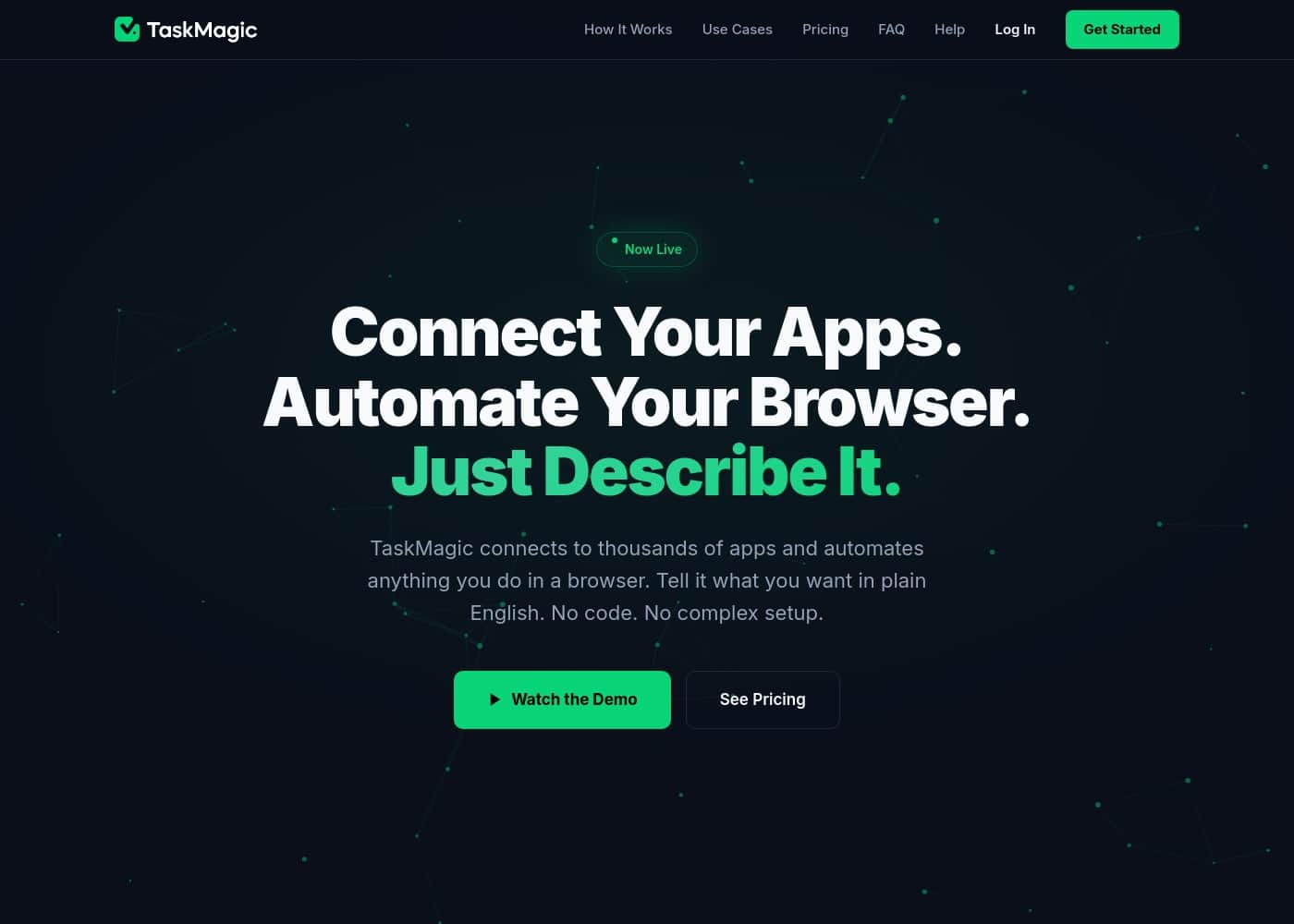
TaskMagic 홈페이지 스크린샷

한눈에 보기

TaskMagic의 평점, 가격 요약, 주요 기능, 핵심 포인트를 빠르게 확인하세요.

Ciroapp 점수

3.6/ 5

TaskMagic pulls app integrations and browser automation into one plain-English tool, with local execution for privacy and monthly pricing from $29. The gaps are real: no free trial, no documented refund policy, and thin support details. Overall, it's a practical pick for solo operators and small teams who need website automation other tools can't reach.

장점

  • 장점:Combines app-to-app integrations (like Zapier) with browser automation in a single platform, so you don't need to pay for and maintain two separate tools
  • 장점:Automates any website directly in Chrome without requiring an API, unlocking tasks like scraping, form-filling, and clicking on sites other tools can't touch
  • 장점:Builds automations from plain English descriptions instead of node-based flowcharts, lowering the barrier for non-technical users

단점

  • 단점:Browser-based automation depends on your machine being on and the desktop app/extension running, which limits reliability compared to fully cloud-hosted automation platforms
  • 단점:There is no documented free trial or refund policy, so evaluating the tool requires committing to a paid monthly plan upfront
  • 단점:Support channels, SLAs, and migration tooling for users coming from other automation platforms are not documented on the official site
가장 적합
  • Solopreneurs and small e-commerce operators who need recurring tasks like competitor price monitoring or inventory checks on websites without APIs
  • Sales and lead-gen teams that scrape directories and push contact data into CRMs like Salesforce or HubSpot without manual copy-paste work
  • Agencies managing multiple client workflows who want one tool and one bill covering both app integrations and browser automation
이 섹션은 요약입니다. 기능, 사용 사례, 가격, 리뷰에 대한 자세한 내용은 아래에 이어집니다.

TaskMagic은(는) 무엇인가요?

Do you ever feel stuck choosing between different automation tools? Some connect your apps, while others automate websites. You end up paying for multiple services just to get everything done.

TaskMagic fixes this by combining both powers into one simple platform. It's the only tool that connects your apps and automates your browser, all from a plain English prompt.

✨ TaskMagic is an AI automation platform for anyone who wants to save time. It works for solopreneurs, teams, and agencies. If you can explain a manual task in everyday language, TaskMagic can automate it.

It connects to tools you already use, like Gmail or Salesforce, and it automates any website, even without an API. You just describe the goal, and it builds the automation for you.

TaskMagic을(를) 선택해야 할까요?

요금제를 비교하거나 사이트로 이동하기 전에 확인할 빠른 구매 가이드입니다.

선택하면 좋은 경우

  • Solopreneurs and small e-commerce operators who need recurring tasks like competitor price monitoring or inventory checks on websites without APIs
  • Sales and lead-gen teams that scrape directories and push contact data into CRMs like Salesforce or HubSpot without manual copy-paste work
  • Agencies managing multiple client workflows who want one tool and one bill covering both app integrations and browser automation
  • Non-technical users who can describe a task in plain English but can't build node-based automation flows or write code

피하는 것이 좋은 경우

  • Teams that need cloud-executed automations running 24/7 on servers independent of any individual employee's computer
  • Enterprises requiring documented SLAs, formal refund policies, and vendor-backed support guarantees before purchase
  • Users who need to migrate existing automations wholesale from platforms like Zapier, since workflows must be recreated by describing them in TaskMagic

구매 전 다음 단계

  1. 1Go to taskmagic.com/pricing and choose the Light or Pro monthly plan, noting the included credits and overage rates ($0.04/credit on Light, $0.03/credit on Pro)
  2. 2Install the TaskMagic desktop app and Chrome extension, since automations execute locally in your browser
  3. 3Describe your first automation in plain English (e.g., 'check competitor prices each morning and update my spreadsheet'), review the AI-generated plan, and approve it
  4. 4Test the automation on demand, then schedule it or set a trigger so it runs without manual intervention

TaskMagic 주요 기능

✨ The Complete Automation Stack

TaskMagic is the only platform that combines app integrations and browser automation into a single tool. You no longer need separate services like Zapier for app connections and a different tool for website tasks. This unified approach gives you one login, one predictable price, and no gaps in your workflows.

It's the complete stack for automating anything you do online.

✨ Automate Any Website, No API Needed

If you can see a website in your browser, you can automate it. TaskMagic works directly in Chrome, so it doesn't require an API or integration. You can scrape data, fill forms, click buttons, and navigate any site.

This unlocks automation for countless websites that other tools simply cannot touch.

✨ Just Describe It in Plain English

Forget complex flowcharts, node diagrams, and webhook setups. You simply explain what you want to automate in everyday language. For example, you might say, "Every morning, check my competitors' pricing and update my spreadsheet." TaskMagic then shows you a clear plan for your approval before building anything.

This makes automation accessible to everyone, regardless of technical skill.

✨ From Idea to Running Automation in Minutes

The process is simple and fast. First, you describe your goal. Second, you review the AI-generated plan and make any adjustments.

Third, you run it. Once built, your automation can be scheduled to run automatically, triggered on demand, or run whenever you need it. It's designed to just work every single time.

✨ Runs Locally for Complete Privacy

Your data stays on your machine. TaskMagic automations execute in your own browser through the desktop app and Chrome extension. Nothing runs on a remote cloud server unless you choose to send it there.

This local execution gives you full control and peace of mind about your sensitive information.

✨ Predictable Pricing That Doesn't Explode

You get one simple monthly price with credits included. There are no per-task fees that spike when your automations become popular. Both plans offer full access to every feature.

Overage costs are low and clearly stated, so your bills remain predictable as you grow.

사용 사례

💡 Competitor Price Monitoring

You run a small e-commerce store. You need to track competitor pricing daily, but manually checking dozens of sites is exhausting. TaskMagic automates this for you.

You simply tell it: "Every morning, check these five competitor sites for these three products and update my Google Sheet with the current prices." TaskMagic builds the automation.

It then runs on a schedule, visiting each site, scraping the prices, and updating your spreadsheet. You start your day with fresh competitive data, no manual work required.

💡 Lead Generation from Any Website

Your sales team spends hours manually copying contact information from industry directories and LinkedIn. It's slow and repetitive. TaskMagic can automate the entire research process.

You describe your target: "Find all the marketing directors at SaaS companies in this directory that have more than 50 employees. Get their name, company, and email."

TaskMagic navigates the site, extracts the structured data, and can even push it directly to your CRM. Your team gets qualified leads without the manual grind.

💡 Automating Browser-Only Workflows

Some of your most important tasks happen inside web apps that don't offer proper APIs or integrations. You need a way to automate them. TaskMagic's browser automation makes this possible.

You can automate any action you perform in Chrome: filling out forms, clicking specific buttons, navigating between pages, and extracting data from any website. If you can see it and do it manually, you can likely automate it.

💡 Centralizing Recurring Reports

You pull data from Google Analytics, your ad platforms, and a separate CRM dashboard every week to create one unified report. It's a tedious copy-paste job. TaskMagic can build a single automation to do it all.

You tell it: "Pull last week's sessions from GA, ad spend from Meta, and new leads from HubSpot. Put them all in this spreadsheet tab."

Schedule it to run every Monday, and your report is ready and waiting. You save hours of manual data gathering each week.

💡 Syncing Data Between Disconnected Apps

You get new sign-ups in Stripe, but your CRM needs to be updated manually. The process is simple but easy to forget. TaskMagic can handle this sync automatically.

You describe the connection: "When a new customer pays in Stripe, create a contact in my Salesforce CRM with their name, email, and payment amount."

TaskMagic runs this in the background. Every new payment instantly appears in your CRM, keeping your data consistent without any manual entry.

TaskMagic 가격

가격이 아직 확인되지 않았습니다 — 공식 사이트를 참고하세요.

TaskMagic 가격 페이지

TaskMagic 가격 페이지 스크린샷가격 페이지 스크린샷 보기
가격 참고 사항

TaskMagic offers straightforward monthly subscription plans starting at $29 per month.

TaskMagic pricing: TaskMagic offers straightforward monthly subscription plans starting at $29 per month. Both plans include full access to apps and agents with predictable credit systems and no per-task fees or hidden costs.

TaskMagic 가격이 바뀌면 이메일로 알림 받기

공급업체의 가격 페이지에서 변경을 감지하면 이메일 한 통을 보내드립니다. 뉴스레터나 할인 정보는 없습니다. 클릭 한 번으로 해지할 수 있습니다.

사용자 리뷰

아직 리뷰가 없습니다.

리뷰 작성

TaskMagic에 대한 리뷰 작성
0/100자
0/2000자

TaskMagic을(를) 사용해야 하는 이유는?

Stop juggling separate tools and start automating smarter. TaskMagic gives you one platform to handle every automation need, from app connections to complex browser tasks. Here’s why you should switch:

  • ✨ It’s the Complete Stack. Unlike other tools, you don’t have to choose. TaskMagic handles both app integrations (like Zapier) and browser automation in a single place. This means one login, one price, and no gaps in your workflows.

  • 💡 No Code, Just Conversation. Forget complex flowcharts and node diagrams. You simply describe what you want in plain English, like "check competitor prices and update my sheet." TaskMagic shows you the plan, and you approve it. It’s automation anyone can use.

  • ✅ No App Left Behind. If a website exists, you can likely automate it. TaskMagic works directly in your browser, so it doesn’t need an API. This means you can scrape data, fill forms, or click buttons on any site, unlocking automation that was previously impossible.

  • 💰 Predictable, Fair Pricing. There are no surprise bills that explode as you grow. You get a simple monthly price with credits included. Running your automations is very efficient, so your costs stay low and predictable.

  • 🔒 It Runs Locally for Privacy. Your automations execute right in your own browser via the desktop app and extension. Your data stays on your machine unless you choose to send it elsewhere. You maintain full control.

  • 🚀 From Idea to Automation in Minutes. The process is simple: you describe your goal, review the AI-generated plan, and run it. Once built, you can schedule it or trigger it on demand. It just works, every single time.

TaskMagic 대안

자동화 카테고리의 다른 도구

모든 자동화 도구 보기
FlowMattic

FlowMattic

Automation4.2/5

원활한 확장을 위한 강력한 워드프레스 자동화

DataSnipper

DataSnipper

Automation4.2/5

AI 에이전트가 감사 테스트를 처리하고, 최종 판단은 우리 팀이 통제합니다.

ActivePieces

ActivePieces

Automation4/5

클라우드 또는 자체 Docker 인프라에 배포할 수 있는 오픈소스 AI 자동화 및 에이전트 플랫폼

Integrately

Integrately

Automation3.9/5

1,400개 이상의 앱을 연결하고 준비된 자동화를 한 번의 클릭으로 켜세요. 코딩은 필요 없습니다.

OttoKit

OttoKit

Automation3.9/5

플랫폼 전반에 걸쳐 중요한 부분을 자동화하세요

Albato

Albato

Automation3.6/5

AI와 노코드 기술로 워크플로우를 더 스마트하게 자동화하세요.

사용자 1~25명용 가장 저렴한 자동화 소프트웨어

TaskMagic 자주 묻는 질문

How many users are included in each plan?

The official site doesn't specify a per-seat limit. Both the Light and Pro plans offer 'full access' and allow you to 'build and run unlimited automations,' suggesting they are not user-specific. It's best to check the pricing page during signup for any team or seat details.

What happens if I exceed my monthly credits?

You can purchase more credits at any time. On the Light plan, additional credits cost $0.04 each. On the Pro plan, they cost $0.03 each. Your automations will continue to run as you buy overages.

Does TaskMagic offer a free trial?

The website does not explicitly mention a free trial. The pricing page shows only the two paid monthly plans, Light and Pro.

How do I cancel my subscription?

You can cancel your subscription at any time from your account settings. Both plans are month-to-month with no long-term commitment.

Is there a refund policy?

The official site does not state a refund policy. You are advised to review the terms during signup or contact support directly for questions about refunds.

Which regions or languages does TaskMagic support?

The website doesn't specify supported regions or languages. Since automations run locally in your browser, it likely works worldwide. Language support for the AI prompts isn't detailed on the site.

What kind of customer support is available?

The site does not detail support channels or response time guarantees (SLAs). It mentions you can 'get started' and 'buy more credits,' but for support specifics, you should check the help center or contact page.

Can I migrate my automations from another tool?

The website does not describe a migration process from other platforms. You would need to recreate your automations in TaskMagic by describing them in plain English.

How does TaskMagic handle my data and privacy?

Your automations run locally on your machine via the desktop app and Chrome extension. Your data stays on your device unless you explicitly choose to send it somewhere, like when connecting to an app or website.

Who is TaskMagic best suited for?

It's designed for solopreneurs, teams, and agencies who need both app connections and browser automation. It's ideal if you want to automate tasks on websites that lack an API, like competitor monitoring or web scraping.

TaskMagic을(를) 사용해볼 준비가 되셨나요? 공식 사이트 또는 가격을 확인하세요.

TaskMagic 담당자이신가요? 이 목록 소유권 주장 · 배지 받기