전체 번역 준비 중 — 제품 세부 정보는 영어로 표시되며 탐색은 한국어로 제공됩니다.
OurPact

OurPact 리뷰

One parental dashboard for every screen your child uses.

작성자: Ciroapp Editorial Team · 업데이트됨 2026년 9월 16일

추가 비용 없이 수수료가 적용될 수 있습니다

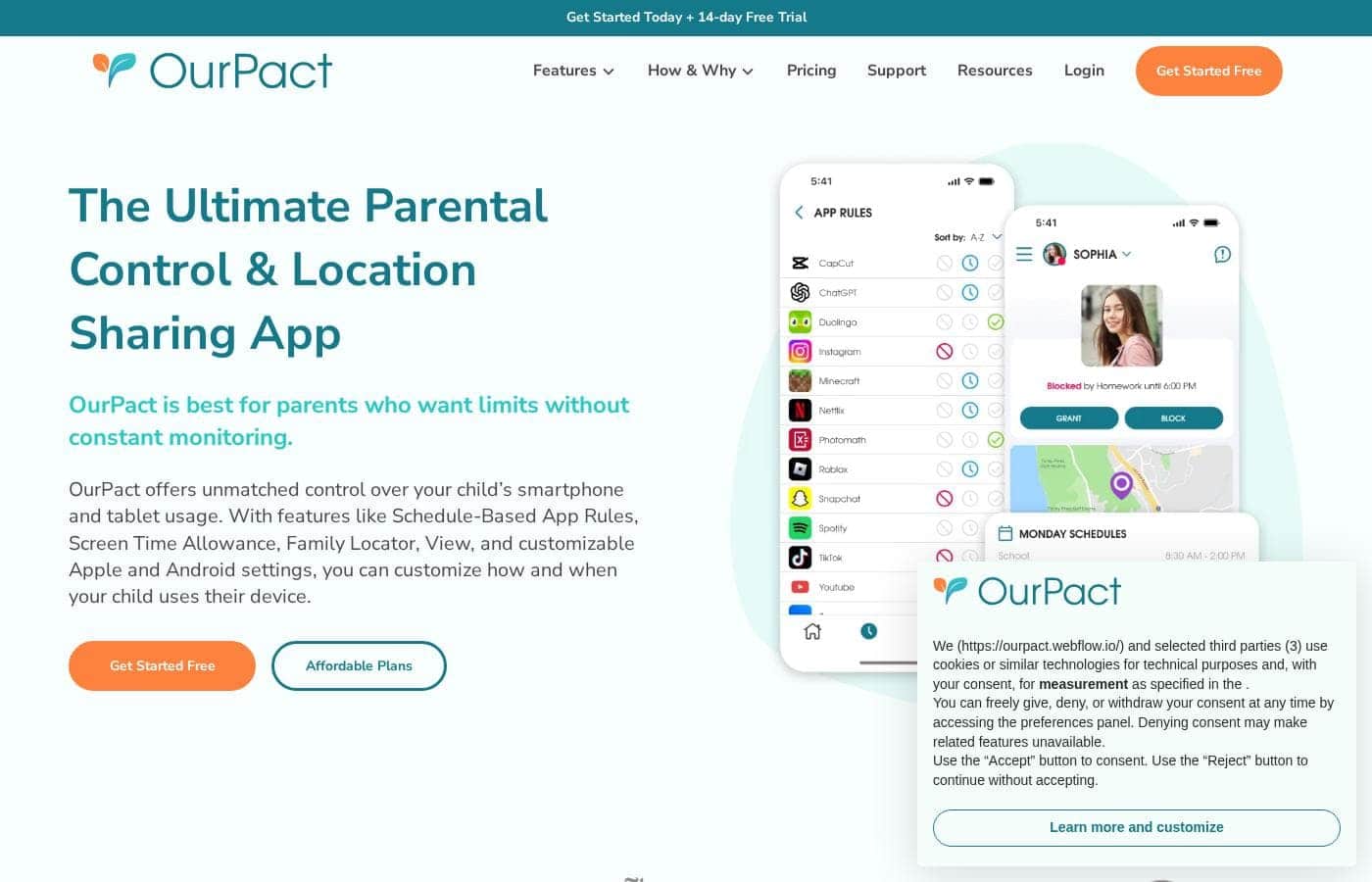
OurPact 홈페이지 스크린샷

한눈에 보기

OurPact의 평점, 가격 요약, 주요 기능, 핵심 포인트를 빠르게 확인하세요.
공급업체 페이지 확인일 2026년 10월 13일

Ciroapp 점수

3.8/ 5

OurPact manages iPhones, iPads, and Android devices from a single dashboard, with one child profile carrying rules across every paired device. Schedule-based routines fit family rhythms, but the useful controls sit behind a paid subscription and setup takes per-device effort. Overall, it's a smart pick for mixed Apple and Android homes, though single-platform families could pay less elsewhere.

장점

  • 장점:Genuine cross-platform coverage — iPhones, iPads, Android phones, and Android tablets are all managed from a single parent dashboard
  • 장점:One child profile pairs with multiple devices, so rules persist across a mix of iOS and Android hardware instead of being set per device
  • 장점:A free plan and free trial let families verify device compatibility before committing money

단점

  • 단점:Setup requires installing the companion app and granting permissions on each child device, and the process differs somewhat between iOS and Android
  • 단점:The free plan is limited; the controls families typically buy parental control software for sit behind a paid subscription
  • 단점:Feature behavior can vary between iOS and Android because the platforms impose different technical constraints, so expectations should be set per device
가장 적합
  • Parents in households that mix Apple and Android devices and want one tool instead of two
  • Families who want schedule-based screen time routines, such as automatic limits during homework, dinner, and bedtime
  • Parents handing a child their first phone or tablet who want limits established from day one
이 섹션은 요약입니다. 기능, 사용 사례, 가격, 리뷰에 대한 자세한 내용은 아래에 이어집니다.

OurPact은(는) 무엇인가요?

OurPact is a parental control application built for the reality of modern families, where a single child may carry an iPad at home, an Android phone at school, and an old iPhone in the car. Instead of forcing parents to juggle separate tools for each platform, OurPact consolidates management into one dashboard. Its stated mission is to help families build balanced digital routines and keep kids safer online.

OurPact is a cross-platform parental control app that lets parents manage iPhones, iPads, Android phones, and Android tablets from a single place. A child profile can be paired with multiple devices, even when those devices mix iOS and Android. From the parent side, you define schedules, limits, and restrictions once, and they apply across every device tied to that child.
OurPact을(를) 선택해야 할까요?

요금제를 비교하거나 사이트로 이동하기 전에 확인할 빠른 구매 가이드입니다.

선택하면 좋은 경우

  • Parents in households that mix Apple and Android devices and want one tool instead of two
  • Families who want schedule-based screen time routines, such as automatic limits during homework, dinner, and bedtime
  • Parents handing a child their first phone or tablet who want limits established from day one
  • Families with multiple children who need separate, age-appropriate rules per child managed from one place

피하는 것이 좋은 경우

  • Households that are entirely Apple or entirely Android, where a single-platform tool may be simpler and cheaper since OurPact's cross-platform reach is its main premium
  • Buyers who want a permanently free, full-featured solution, since the meaningful controls require a paid subscription
  • Parents unwilling or unable to install a companion app and grant permissions on each child device, which the setup process requires

구매 전 다음 단계

  1. 1Create a parent account at ourpact.com, or download the OurPact parent app, and start on the free plan to test the service risk-free
  2. 2Install the OurPact child app on each device you want to manage, following the platform-specific permission steps for iOS and Android
  3. 3Pair each child's devices to their child profile, mixing iPhone, iPad, and Android hardware under one profile as needed
  4. 4Define your first schedule, such as a bedtime cut-off or homework-hour block, and observe how it behaves across all paired devices for a few days
  5. 5If the free plan does not cover the controls you need, use the free trial to evaluate premium features before committing to a monthly or yearly subscription

OurPact 주요 기능

✨ Cross-Platform Management from One Dashboard

OurPact's defining feature is unified control across operating systems. Parents manage iPhones, iPads, Android phones, and Android tablets side by side, so rules do not change based on which device a child happens to pick up. This is particularly useful in households that accumulate a mix of hand-me-down and new devices over the years.

✨ Child Profiles That Span Multiple Devices

Rather than configuring each gadget in isolation, OurPact pairs a single child profile with multiple devices. Set bedtime, homework-time, or free-time rules once and they carry across everything that child uses. When a new device enters the household, it gets attached to the existing profile instead of starting from scratch.

✨ Schedule-Based Screen Time Routines

OurPact is oriented around building balanced daily routines rather than pure lock-down. Parents can define when devices are allowed and when they are off-limits, aligning screen time with school hours, meals, homework, and bedtime. The goal, per the company, is a healthier rhythm of use rather than a running battle over every pickup.

✨ Support for a Safer Online Experience

Beyond scheduling, OurPact positions itself as a tool for creating a safer online world for children. Parents retain the ability to restrict access when needed, giving them a practical lever for intervening on problem apps or usage patterns without confiscating hardware.

사용 사례

💡 Mixed Apple and Android Households

Families with, say, a parent on iPhone and a child on a hand-me-down Android tablet often struggle to find one tool that governs both. OurPact is purpose-built for this situation, managing both ecosystems from the same dashboard so nothing depends on which brand of device is in the child's hands.

💡 School-Night Routines and Homework Time

Parents who want devices to disappear automatically during homework hours, dinner, and bedtime can define those windows as recurring schedules. This turns screen-time enforcement from a nightly confrontation into an established household routine the whole family can predict.

💡 A Child's First Phone or Tablet

Handing a young child their first device is a common trigger for parental control software. OurPact lets parents attach that new device to a child profile with limits already defined, establishing healthy habits from day one rather than trying to claw back screen time later.

💡 Families Managing Multiple Children

Because each child has a dedicated profile that spans their devices, parents with several kids can maintain separate, age-appropriate rules for each one. A teenager's freedom and a second-grader's restrictions coexist under the same parent dashboard without interfering with each other.

OurPact 가격

가격이 아직 확인되지 않았습니다 — 공식 사이트를 참고하세요.

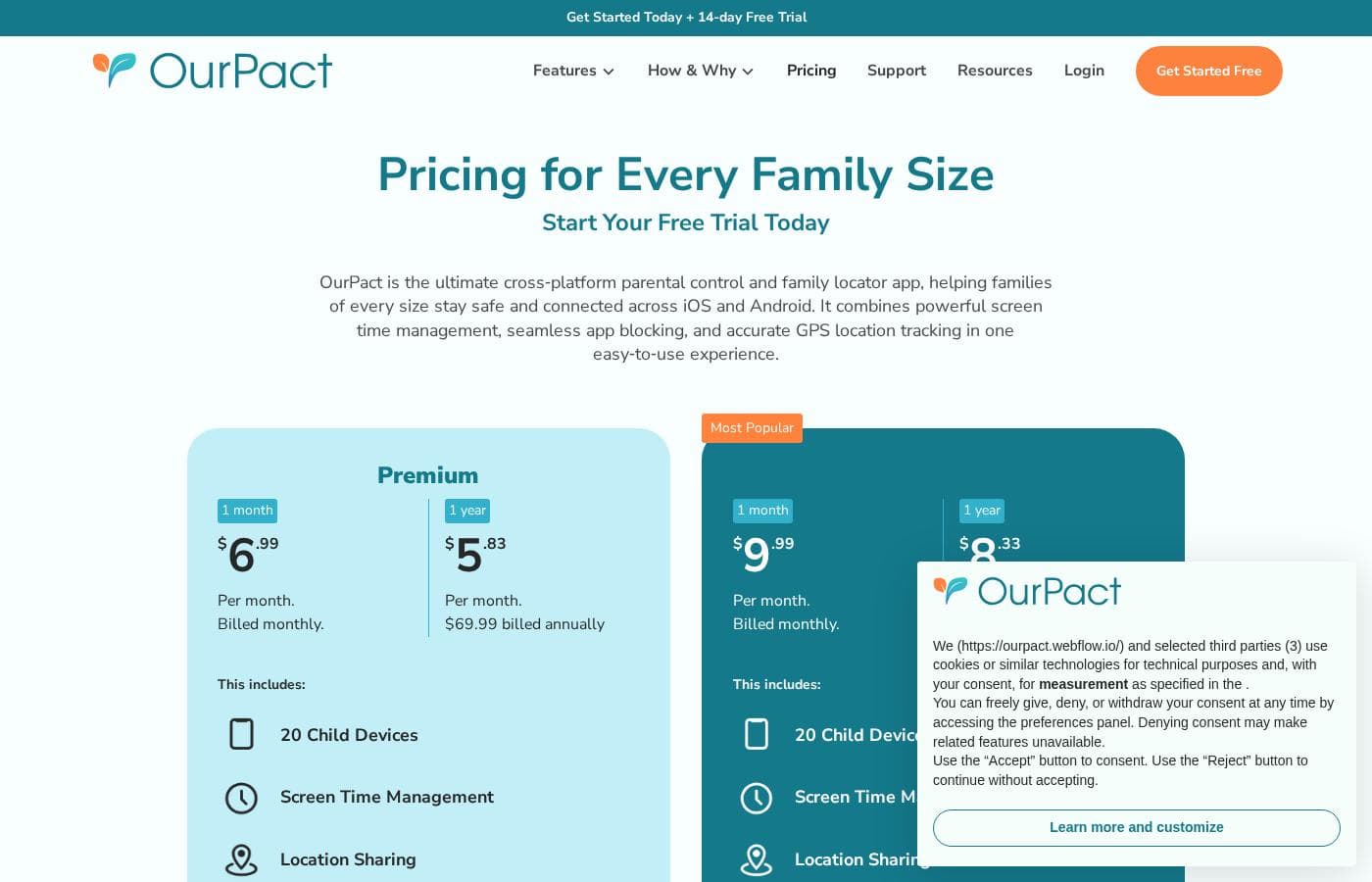
OurPact 가격 페이지

OurPact 가격 페이지 스크린샷가격 페이지 스크린샷 보기

가격 변동 내역

2026년 10월 1일부터 가격을 추적 중입니다. 아직 가격 변동이 없습니다.

가격 유형: Free plan, Free trial, Monthly subscription, Yearly subscription

가격 참고 사항

OurPact pricing: Plans from $0/month Billing options: Free plan, Free trial, Monthly subscription, Yearly subscription

OurPact 가격이 바뀌면 이메일로 알림 받기

공급업체의 가격 페이지에서 변경을 감지하면 이메일 한 통을 보내드립니다. 뉴스레터나 할인 정보는 없습니다. 클릭 한 번으로 해지할 수 있습니다.

사용자 리뷰

아직 리뷰가 없습니다.

리뷰 작성

OurPact에 대한 리뷰 작성
0/100자
0/2000자

OurPact을(를) 사용해야 하는 이유는?

Most parental control tools are strong on one platform and weak on the other, which leaves gaps for kids to slip through. OurPact removes that gap by treating all of a child's devices as one managed unit rather than separate problems.

For parents, that means less repeated setup, fewer apps to learn, and rules that follow the child rather than the hardware. For kids, consistent rules across devices are easier to understand and harder to exploit.

OurPact 대안

자녀 보호 카테고리의 다른 도구

모든 자녀 보호 도구 보기
Qustodio

Qustodio

Parental Control4.1/5

부모 보호 및 디지털 웰빙, 수백만 명이 신뢰합니다.

MMGuardian

MMGuardian

Parental Control4.1/5

디지털 세상에서 아이들을 안전하고 자신감 있게 자라게 하세요

Net Nanny

Net Nanny

Parental Control4/5

실시간 콘텐츠 필터링으로 유해 페이지 차단

Canopy

Canopy

Parental Control3.9/5

인터넷을 열어두고 명시적 콘텐츠는 차단하는 AI 콘텐츠 필터링

Bark

Bark

Parental Control3.9/5

AI 기반 모니터링과 제어로 자녀를 온라인에서 보호하세요.

FamiSafe

FamiSafe

Parental Control3.9/5

가족을 위한 최고의 디지털 육아 솔루션

사용자 1~25명용 가장 저렴한 자녀 보호 소프트웨어

OurPact 자주 묻는 질문

Does OurPact work on both Apple and Android devices?

Yes. OurPact manages iPhones, iPads, Android phones, and Android tablets, and it does so from a single parent dashboard. A single child profile can be paired with multiple devices, even when those devices mix iOS and Android, which is the product's main differentiator over single-platform parental control tools.

Is there a free version of OurPact?

OurPact starts at $0 per month, so there is a free plan you can use to get started. A free trial is also available for evaluating paid capabilities. Beyond the free tier, OurPact is offered as a monthly or yearly subscription, and the advanced management controls are what the paid plans unlock.

How do I manage more than one child with OurPact?

Each child gets their own profile, and that profile can be paired with every device the child uses across iOS and Android. Parents with several children maintain separate profiles with age-appropriate rules for each, all controlled from the same parent dashboard, so a teenager's permissions and a younger sibling's restrictions never conflict.

What is involved in setting OurPact up on a child's device?

Setup involves creating a parent account, installing the OurPact child app on each device you want to manage, and pairing those devices to the relevant child profile. Because iOS and Android impose different technical requirements, the exact permission steps differ slightly by platform, so plan to complete setup on each device individually.

OurPact을(를) 사용해볼 준비가 되셨나요? 공식 사이트 또는 가격을 확인하세요.

OurPact 담당자이신가요? 이 목록 소유권 주장 · 배지 받기