전체 번역 준비 중 — 제품 세부 정보는 영어로 표시되며 탐색은 한국어로 제공됩니다.
Office Timeline

Office Timeline 리뷰

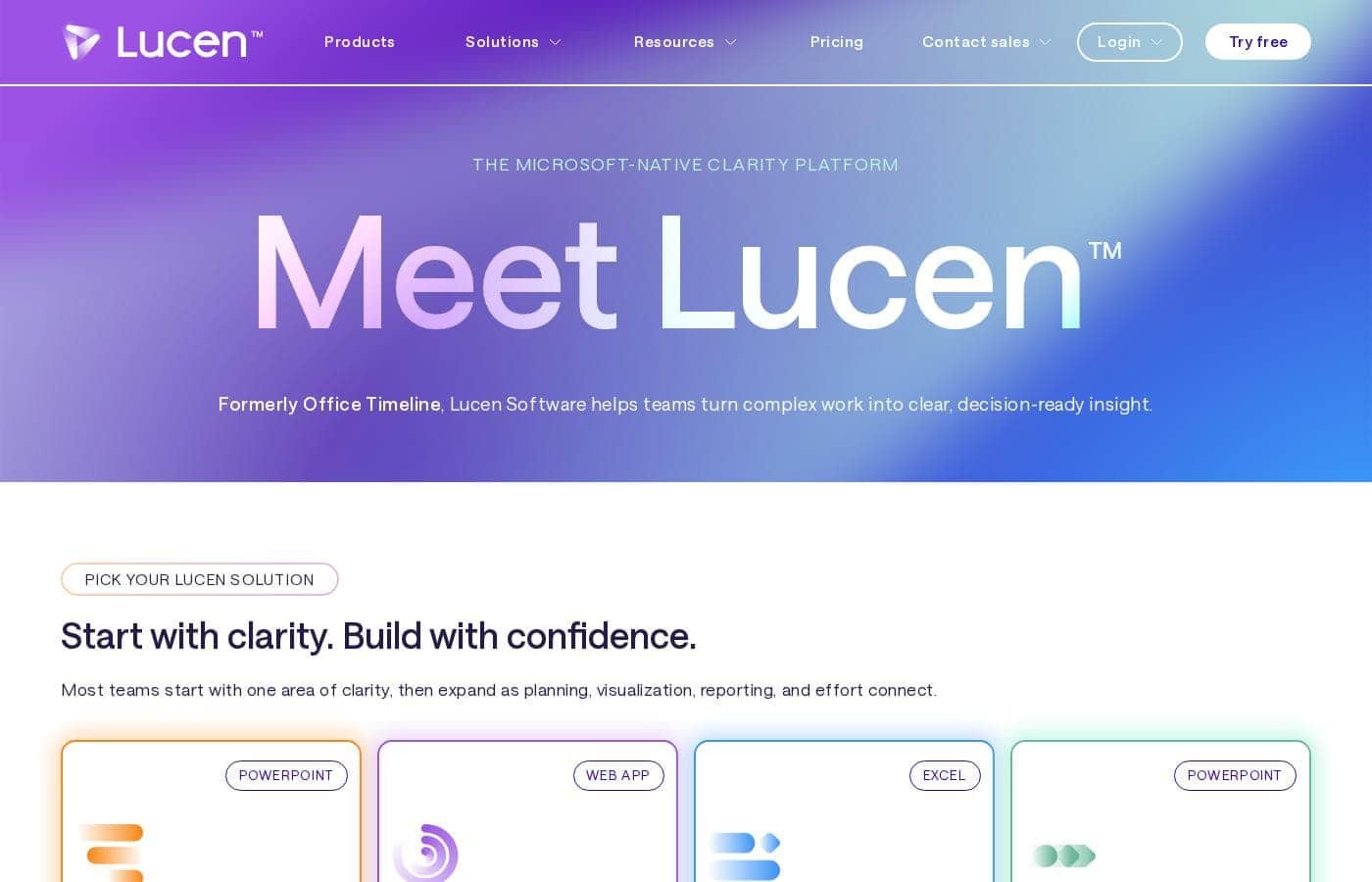
Office Timeline (now Lucen Software): executive-ready timelines and Gantt charts, built right inside PowerPoint.

Office Timeline 가격: 월 US$9 (≈ ₩12,014)부터 · 요금제 4개 · 무료 요금제 있음 · 2026년 11월 27일 가격 확인

작성자: Ciroapp Editorial Team · 업데이트됨 2026년 9월 17일

추가 비용 없이 수수료가 적용될 수 있습니다

Office Timeline 홈페이지 스크린샷

한눈에 보기

Office Timeline의 평점, 가격 요약, 주요 기능, 핵심 포인트를 빠르게 확인하세요.
가격 확인일 2026년 11월 27일

Ciroapp 점수

4.0/ 5

Office Timeline (now Lucen) turns project plans into polished PowerPoint timelines without the rebuild-every-cycle grind. Excel and MS Project imports keep slides in sync, though the free plan's 10-item cap and annual-only licenses will pinch some buyers. Overall, it's a strong, low-risk pick for teams that report to leadership in PowerPoint.

장점

  • Timelines and Gantt charts are built directly inside PowerPoint, so reports stay in the format executives and clients already expect—no new tool to learn or export step to manage
  • Excel import with refresh (Plus plan and up) keeps slides synced to the underlying plan, eliminating manual copy-paste updates each reporting cycle
  • Expert tier imports and refreshes data from MS Project, Smartsheet, Jira, and Wrike, so PMOs can consolidate multiple project sources into one visual

단점

  • The Free plan caps slides at 10 milestones or tasks and offers only limited swimlane, dependency, and Excel features, which quickly forces serious users into paid tiers
  • Core value depends on the Microsoft ecosystem—teams outside PowerPoint and Excel get little benefit, and the browser-based Timeline Online is a secondary experience
  • It is a visualization and reporting tool, not an end-to-end project management suite, so you still need separate tools for task execution and delivery
가장 적합
  • Project managers presenting executive updates in PowerPoint
  • PMO and transformation leads who need one clear roadmap view
  • Consultants and client-facing teams building polished Gantt visuals
환불 보장
Yes — 30 일
이 섹션은 요약입니다. 기능, 사용 사례, 가격, 리뷰에 대한 자세한 내용은 아래에 이어집니다.

Office Timeline은(는) 무엇인가요?

Building project slides by hand eats hours you don't have. Office Timeline (now Lucen Software) turns complex plans into clear PowerPoint timelines without rebuilding slides. Executives get the big picture, teams stay aligned, and time tracking keeps budgets honest.

Here's what the company's own site tells you before you buy.

Office Timeline has rebranded as Lucen Software, a platform that helps teams plan, visualize, report on, and track work. Its flagship Timeline add-in turns project plans into PowerPoint timelines and Gantt charts, with a browser-based web app too. The wider suite covers time tracking (Track), planning in Excel (Plan), and process mapping.

It's built for project managers, consultants, and enterprise teams reporting progress to leadership.

Office Timeline을(를) 선택해야 할까요?

요금제를 비교하거나 사이트로 이동하기 전에 확인할 빠른 구매 가이드입니다.

선택하면 좋은 경우

  • Teams already working in PowerPoint that want timelines without learning a new tool
  • Organizations that report progress to executives on a regular cadence
  • Businesses that need time tracking tied to hourly costs and profitability
  • Buyers who want a free starting point before committing to paid plans
  • Companies comfortable adopting a platform mid-rebrand (Office Timeline to Lucen)

피하는 것이 좋은 경우

  • Teams outside the Microsoft ecosystem — core value depends on PowerPoint and Excel
  • Anyone wanting a full standalone project management suite — this leans toward visualization, reporting, and tracking rather than end-to-end delivery
  • Buyers who dislike tool sprawl — Track runs as a separate web app, adding another login to manage
  • Researchers relying on current third-party reviews — the rebrand means much existing content still references the old Office Timeline name

구매 전 다음 단계

  1. 1Download the free Timeline version and test it in your own PowerPoint setup
  2. 2Verify your Microsoft Office version and confirm the add-in supports your environment
  3. 3Try Lucen Track's free trial if billable hours and budget visibility matter to you
  4. 4Check how the rebrand affects support, renewals, and documentation before committing

사용 편의성

The site positions the Timeline add-in as working directly inside PowerPoint, and customer quotes highlight quick creation and big time savings on updates. There's little public setup detail on the homepage, but free downloads for Timeline and Track suggest a low-friction start. Test the free version yourself before rolling it out to a team.

Office Timeline 주요 기능

📊 Build executive-ready timelines inside PowerPoint

The Timeline add-in turns complex project plans into clear, executive-ready visuals without rebuilding slides. It lives inside PowerPoint, or runs in your browser with Timeline Online. Pick a template, add milestones and tasks, and you've got a polished slide in minutes.

Use it when leadership needs the big picture, not every detail.

✨ See priorities, progress, and risk in one view

Swimlanes, dependencies, and critical path views make complex roadmaps easier to read. Each visual shows where work overlaps and what depends on what, so teams spot risks early. That's useful for strategic roadmaps, product launches, and any plan that spans several teams or workstreams.

⏱️ Track hours, budgets, and margins with Track

Track is a web app that records billable time and ties each hour to hourly rates. From its dashboard, you can watch project budgets, team performance, and margins as work happens. Finance teams can also categorize hours — development, meetings, project work — to keep cost control honest.

✨ One suite for planning, mapping, and browser work

Beyond timelines, the suite covers the tools your work already touches.

  • Plan handles planning and alignment in Excel
  • Process mapping builds flowcharts in PowerPoint
  • Timeline Online covers browser-based editing

Each tool solves one job, so you can adopt what fits and skip the rest.

✨ Start small, expand as needs connect

You don't have to adopt everything at once. The platform is built so most teams start with one area of clarity, then expand as planning, visualization, reporting, and effort connect. Free entry points for Timeline and Track mean you can test the fit before any budget talk.

사용 사례

📊 Executive updates that don't eat your week

Project managers turn complex plans into clean PowerPoint timelines for leadership reviews. No more rebuilding slides each cycle — just update and present. Expected outcome: executive-ready slides in minutes, not hours.

🗺️ One roadmap the whole team trusts

PMO and transformation leads map priorities, progress, and risk in a single view. Swimlanes, dependencies, and critical path show how work connects. Tip: Plus adds these features; Expert unlocks unlimited swimlanes.

⏱️ Billable hours tied to real budgets

Client-facing teams log time in Lucen Track against hourly rates. Managers watch budgets, margins, and team performance without extra spreadsheets. Expected outcome: fewer billing surprises and clearer cost control.

🔄 Plans that stay in sync

Planners align work in Excel, then import it straight into a timeline. Refreshing updates the slide when the plan changes — no copy-paste. Tip: Excel import and refresh starts on the Plus plan.

Office Timeline 가격

최저US$9/월≈ ₩12,014

  • 요금제 4개
  • 무료 요금제 있음

2026년 11월 27일에 다음 페이지에서 가격 확인: Office Timeline 가격 페이지

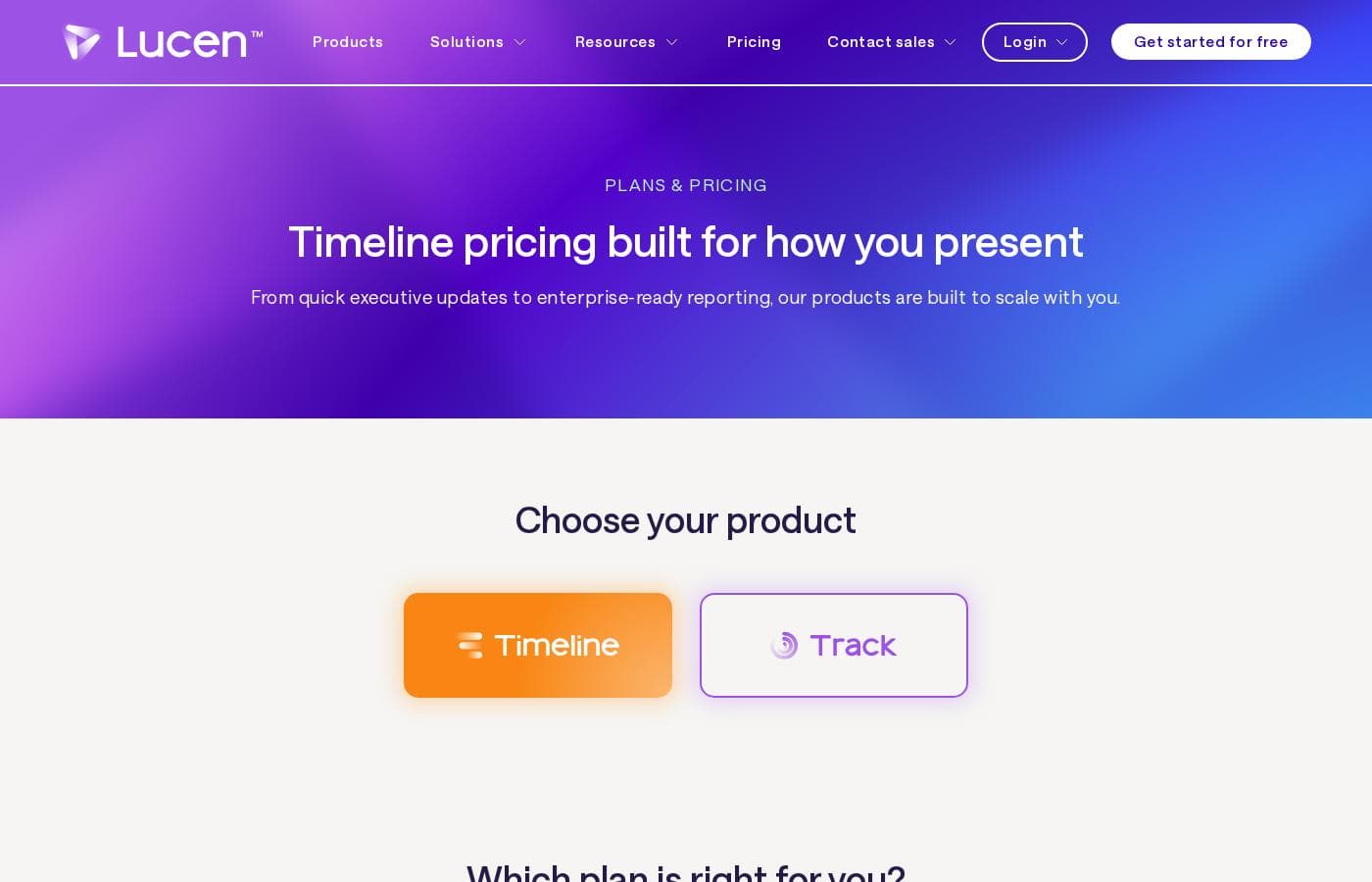
Office Timeline 가격 페이지 스크린샷가격 페이지 스크린샷 보기
요금제월간 결제연간 결제포함 기능
Free
무료
무료
Up to 10 milestones and/or tasks per slide; limited swimlane, dependency, and Excel features
  • Simple timelines and executive-ready visuals in minutes
  • Timeline and Gantt templates
  • Works as a PowerPoint add-in or in the browser with Timeline Online
  • Up to 10 milestones or tasks per slide
Lite
사용자당
—
US$9/월
≈ ₩12,014
연 US$108
  • More templates and styling control for repeatable reporting
  • Unlimited free updates
  • Standard technical support
  • 1 timeline scale
Plus
사용자당
—
US$17/월
≈ ₩22,693
연 US$204
  • Swimlanes
  • Dependencies and critical path
  • Import data from Excel with Excel refresh
  • 3 timeline scales
Expert
사용자당
—
US$21/월
≈ ₩28,033
연 US$252
  • Unlimited swimlanes
  • Planned vs. Actual tracking, variance tracking, and baselines
  • MS Project, Smartsheet, Jira, and Wrike import and refresh
  • Advanced templates
  • 3 timeline scales

2026년 11월 27일 ECB 기준 환율로 환산했습니다. 공급업체의 현지 가격은 다를 수 있습니다.

가격 변동 내역

2026년 10월 1일부터 가격을 추적 중입니다. 아직 가격 변동이 없습니다.

가격 유형: Free plan, Yearly subscription, Per seat pricing

가격 참고 사항

Office Timeline (now Lucen Timeline) offers four plans: Free, Lite at $9, Plus at $17, and Expert at $21 per user per month. Paid plans are 1-year licenses billed annually, and every tier works as a PowerPoint add-in or in the browser with Timeline Online.

Office Timeline costs between $0 and $21 per user per month with four plans: Free at $0, Lite at $9, Plus at $17, and Expert at $21 — paid tiers are 1-year licenses billed annually.

Now part of Lucen Software, this tool builds timelines in PowerPoint or right in your browser. Here's a quick tour of each plan.

Free

Price: Free (1-year Free license, available annually) Best For: Individuals getting started Other Features: simple timelines and executive-ready visuals in minutes; timeline and Gantt templates; works as a PowerPoint add-in or in the browser via Timeline Online; up to 10 milestones or tasks per slide

Start here if you're new to timeline tools. It's a real free plan, not a trial, and it renews at no cost each year. Just keep the 10-item-per-slide limit in mind — bigger schedules need a paid tier.

Lite

Price: $9 per user/month, billed annually (1-year license) Best For: Professionals who present regularly Refund Policy: 30-day money-back guarantee Other Features: more templates and styling control for repeatable reporting; unlimited free updates; standard technical support

Lite fits consultants and managers who build timelines every week. Styling control keeps recurring reports consistent, so you're not rebuilding slides from scratch each time.

Plus

Price: $17 per user/month, billed annually (1-year license) Best For: Teams managing projects and programs Refund Policy: 30-day money-back guarantee Other Features: swimlanes; dependencies and critical path; Excel import and refresh; 3 timeline scales

Plus is the natural step up for project teams. Pulling data straight from Excel means your slides stay in sync with the actual plan. If you work alone on simple visuals, Lite probably covers you for less.

Expert

Price: $21 per user/month, billed annually (1-year license) Best For: Organizations with advanced reporting needs Refund Policy: 30-day money-back guarantee Other Features: unlimited swimlanes; planned vs. actual tracking, variance tracking, and baselines; integrations with MS Project, Smartsheet, Jira, and Wrike; advanced templates

Expert suits PMOs and enterprises juggling several data sources. If you don't import from tools like Jira or MS Project, Plus likely does the job at a lower price.

A few things worth knowing before you buy. Licenses are granted per user, so count your actual users first — companies need one license for each person who will use the software. Annual billing renews automatically by default, but you can switch that off anytime in your account's Subscriptions page. Upgrading from one paid plan to another only charges the price difference. Best of all, there's a 30-day money back guarantee, so you can cancel and get a full refund if it's not a fit. 🎉

비용 계산기

팀에서 Office Timeline을(를) 사용할 때의 비용을 계산해 보세요.

결제 주기

Lite은(는) 이 결제 주기의 공개 가격이 없습니다.

Lite은(는) 사용자당 요금입니다: 가격 × 5석. 공개된 정가 기준 추정치이며 세금, 애드온, 할인은 포함되지 않습니다.

Office Timeline 비용을 줄이는 방법

  • 무료 요금제로 시작하고 한도에 도달했을 때만 업그레이드하세요.
  • 맞지 않으면 30일 환불 보장을 이용할 수 있습니다.
  • 일부 요금제는 사용자당 요금입니다: 실제 사용하는 좌석만 결제하세요.
  • 이 카테고리의 더 저렴한 도구는 월 US$4.92부터 시작합니다.
Office Timeline 방문하기

Office Timeline 가격이 바뀌면 이메일로 알림 받기

공급업체의 가격 페이지에서 변경을 감지하면 이메일 한 통을 보내드립니다. 뉴스레터나 할인 정보는 없습니다. 클릭 한 번으로 해지할 수 있습니다.

사용자 리뷰

아직 리뷰가 없습니다.

리뷰 작성

Office Timeline에 대한 리뷰 작성
0/100자
0/2000자

Office Timeline을(를) 사용해야 하는 이유는?

Most reporting tools make you choose between fast slides and accurate data. Lucen (formerly Office Timeline) aims to hand you both, starting inside the tools your stakeholders already open.

  • Build where you present — timelines and Gantt charts live inside PowerPoint, with a web app option for browser-based work.
  • Stop rebuilding slides — the site promises executive-ready updates from complex plans, and long-time users say it saves serious prep time before leadership reviews.
  • Borrow enterprise credibility — the company reports that the majority of the Fortune 500 uses its software.
  • Connect hours to money — Lucen Track ties billable time to hourly rates so you can watch budgets, margins, and team performance.
  • Start free, then expand — Timeline and Track both offer free entry points, so you can prove the fit before any budget conversation.
  • Grow at your own pace — begin with timeline clarity, then add planning, tracking, and process mapping as your needs connect.

Office Timeline 대안

간트 차트 카테고리의 다른 도구

모든 간트 차트 도구 보기
EdrawProj

EdrawProj

Gantt Chart3.9/5최저 US$4.92/월 (≈ ₩6,568)

모든 것을 담은 매우 시각적인 솔루션으로 프로젝트, 리소스, 시간을 관리하세요.

Office Timeline 자주 묻는 질문

Office Timeline의 가격은 얼마인가요?

Office Timeline의 가장 저렴한 유료 요금제인 Lite은(는) 월 US$9 (≈ ₩12,014)입니다. 유료 요금제는 월 US$9부터 US$21까지입니다. 2026년 11월 27일에 공급업체의 가격 페이지에서 가격을 확인했습니다.

Office Timeline에 무료 요금제가 있나요?

네. Office Timeline에는 무료 요금제(Free)가 있으며 유료 요금제는 월 US$9 (≈ ₩12,014)부터 시작합니다.

Office Timeline은(는) 무료 체험이나 환불 보장을 제공하나요?

30일 환불 보장이 있습니다.

Office Timeline의 가격이 최근에 바뀌었나요?

아니요. 2026년 10월 1일에 추적을 시작한 이후 가격 변경이 감지되지 않았습니다.

I'm on a Mac or don't use PowerPoint. Can I still use it?

Yes. Timeline Online runs entirely in your browser with no install, so you can build timelines from any device. Your annual license covers both the PowerPoint add-in and Timeline Online.

Which integrations come with each plan?

Excel import with refresh starts on Plus. Expert adds MS Project, Smartsheet, Jira, and Wrike, all with refresh. Free only offers limited versions, capped at 10 items per slide.

How do I activate my subscription after buying?

You'll receive a unique Product Key. Install the free add-in, click Upgrade on the Timeline ribbon in PowerPoint, and enter your key. The server validates it and activates your license for one year.

Office Timeline을(를) 사용해볼 준비가 되셨나요? 공식 사이트 또는 가격을 확인하세요.

Office Timeline 담당자이신가요? 이 목록 소유권 주장 · 배지 받기