CCleaner

CCleaner

The simple way to make your computer faster and more secure.

#1 dans PC Cleaner
1 읽기 시간 · 업데이트됨 10/1/2025
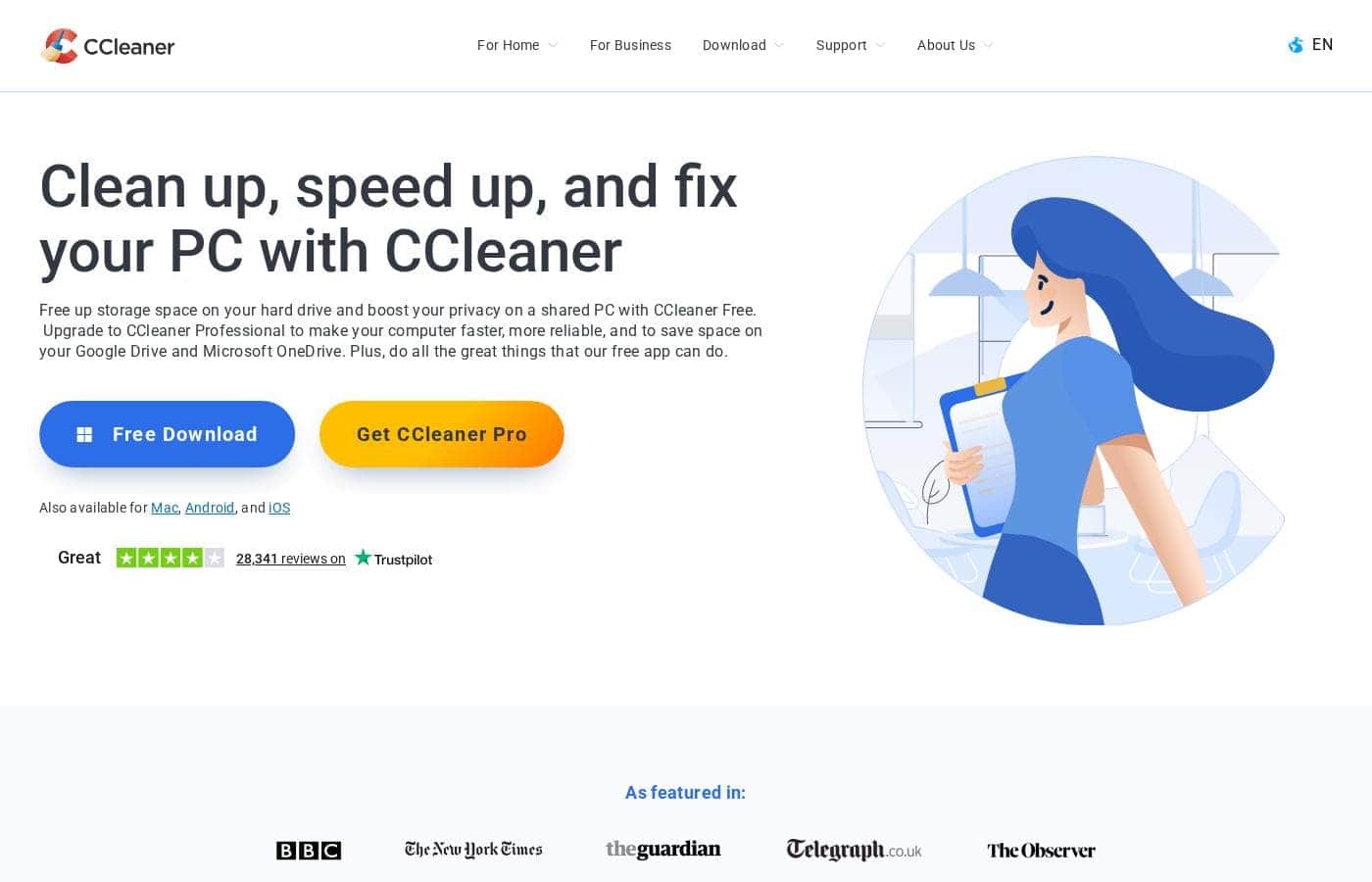
CCleaner 홈페이지 스크린샷

At a glance

Quick overview for CCleaner: rating, pricing summary, key features, and highlights.

Ciroapp 리뷰

4.7
Essential, proven tool for PC optimization.

We find CCleaner lives up to its long-standing reputation for reliable performance optimization and efficiency. The blend of comprehensive cleaning, driver updates, and privacy tools offers clear, tangible value at multiple price points. Overall, this is a highly effective utility we recommend for maintaining system health on both new and older machines.

장점

  • Pro:High reliability and efficiency for long-term system maintenance.
  • Pro:Simple, user-friendly interface makes routine maintenance easy for all users.
  • Pro:Free plan provides sufficient functionality for basic cleaning tasks.
  • Pro:Paid plans offer multi-utility bundles including Recuva Pro and Kamo.

단점

  • Con:Some users report that the free version frequently promotes paid upgrades.
  • Con:Isolated reports exist of faulty driver updates causing system instability.
  • Con:The latest design (CCleaner 7) is considered overly complex by some advanced users.
환불 보장
Yes — 30 일
범위: $0–$64.95/yearFree plan, Yearly subscription
This section is a summary. Detailed sections about features, use cases, pricing, and reviews follow below.

CCleaner 리뷰, 가격, 기능, 장단점

Are you constantly dealing with a slow, frustrating computer experience? Sluggish performance wastes valuable time. Before you blame old hardware, consider that performance can be improved.

✨ CCleaner helps address this core frustration by making your computer both faster and more secure. It’s an easy path back to reliability.

CCleaner은(는) 무엇인가요?

CCleaner is a practical, essential utility designed for anyone seeking a smoother digital life. It works behind the scenes to optimize key areas of your system. This tool focuses specifically on the two most critical aspects of your PC: speed and security.

Choosing CCleaner means choosing reliability and enhanced protection for your valuable data. ✅

CCleaner 주요 기능

🚀 System Health and Performance Optimization

CCleaner is designed to make your computer significantly faster and more secure. It provides a simple path back to system reliability. The Performance Optimizer helps you reclaim lost speed, resulting in increased responsiveness instantly. This core feature ensures smoother operations, eliminating that frustrating, sluggish feeling from your computer.

Keeping your PC healthy is simple with the integrated Health Check feature. It offers both a basic and a complete assessment of your system’s status. This check guides you through necessary improvements and maintenance steps. Running these checks regularly maintains stable, long-term operational performance.

✨ Automated and Background Cleaning

Your digital life is instantly improved when maintenance happens automatically. CCleaner offers essential standard cleaning functions to keep clutter manageable. For continuous performance, advanced plans include automatic background cleaning.

These automated processes work seamlessly while you use your PC. They remove unnecessary data and perform tracker removal in the background. This means you do not have to conduct manual optimization constantly to keep your system running reliably.

✨ Driver Management and Stability

Outdated drivers are a primary source of instability and poor component performance. The specialized Driver Updater tool addresses this issue directly. It helps ensure that your system’s hardware components function correctly and reliably.

Using the Driver Updater means avoiding common performance issues and crashes. Since this feature ensures components have the latest necessary files, it maintains reliable system stability. You'll worry less about compatibility problems.

✨ Comprehensive Disk and Application Control

Managing physical resources is key to a fast PC experience. CCleaner provides utilities to help you take control of your storage and installed software. Finding out where large files are hiding is easy with the Disk Analyzer.

If you need to declutter, the Uninstaller tool removes applications thoroughly. This integrated control helps you free up vital disk space quickly. It ensures that unused programs are completely gone, which improves overall system efficiency.

🛡️ Advanced Privacy and Security Protection

CCleaner helps enhance your computer's overall security posture. All users benefit from standard privacy protection features built into the core tool. This ensures better safeguarding of your personal data during regular computer use.

For maximum defense, specialized utilities provide extra layers of privacy protection. Kamo, for example, is a powerful tool dedicated to safeguarding you against online tracking. This active defense gives you confidence knowing your system protection is vastly improved.

✨ System Recovery and Insight Tools

Sometimes, recovery and deep insight are necessary for system maintenance. CCleaner provides utilities to help you understand and manage unexpected issues. The powerful utility Recuva Pro is available to help recover files that were accidentally deleted. It gives you a chance to restore important data you thought was lost forever.

Speccy Pro provides crucial system knowledge by letting you inspect and monitor hardware information. This utility gives you deep insight into how your PC’s components are currently performing.

✨ Cloud Service Integration and Support

CCleaner extends its cleaning capabilities beyond your local hard drive. Certain plans offer cloud cleaning functionality for major popular services. This includes optimization for both Google Drive and Microsoft OneDrive. You can manage stored data in the cloud with the same ease as local files.

If you need assistance, various support levels are available. Users can access Priority customer support to get questions answered quickly. Advanced plans even include 24/7 premium technical support.

사용 사례

🚀 When Your Computer Starts Getting Sluggish

Are you wasting valuable time waiting for applications to load? If your computer feels frustratingly slow, you likely need optimization. CCleaner helps address this core frustration by targeting performance issues directly.

The tool delivers immediate benefits like quicker startups and increased responsiveness. Using the Performance Optimizer eliminates that sluggish feeling, ensuring smoother operations instead. Before blaming old hardware, optimizing is an easy path back to reliability.

🛡️ Maintaining Hands-Off System Health

You do not always have time for complex manual maintenance and cleaning tasks. Paid subscriptions provide essential tools to work behind the scenes automatically. This capability achieves long-term stability without requiring complex intervention.

Automatic background cleaning and tracker removal happen constantly. You will feel more confident knowing your system protection is improved 24/7.

🧹 Taking Control of Disk Space and Clutter

It is easy for unused files and old programs to clutter your system over time. This takes up critical storage space and slows performance. CCleaner targets these areas to free up necessary resources.

First, use the Disk Analyzer to clearly see which files are consuming the most disk space. Then, utilize the Uninstaller tool to quickly remove programs you no longer need. This ensures you only keep what is essential.

🔒 Enhancing Privacy and Stopping Online Tracking

Worrying about lurking threats and digital footprints is common today. CCleaner helps enhance your overall security posture starting with standard privacy protection. This core feature is available immediately and boosts reliability.

For maximum peace of mind, the Premium Bundle includes Kamo. This specialized utility works to stop online tracking. It allows you to browse the internet with improved protection and reduced concern about data gathering.

💾 Recovering Critical Deleted Files

Accidents happen, and sometimes an important file is deleted too soon. If you subscribe to the Premium Bundle, you have a crucial safety net included. You gain access to the specialized utility Recuva Pro.

This technology is designed to help you get back files that were prematurely removed from your system. It is invaluable whenever you need file recovery support for your valuable data.

⚙️ Troubleshooting and Updating System Drivers

Outdated or incompatible drivers can lead to crashes and erratic performance. The Driver Updater, available in paid plans, helps you eliminate these issues. It quickly checks your system for missing or old drivers that need attention.

Simply run the updater to bring your hardware up to date. This simple step helps ensure smoother operations and increased stability across your entire computer.

CCleaner 가격 개요

가격 범위
$0–$64.95/year
가격 유형
Free plan, Yearly subscription
환불 보장
예 — 30 일

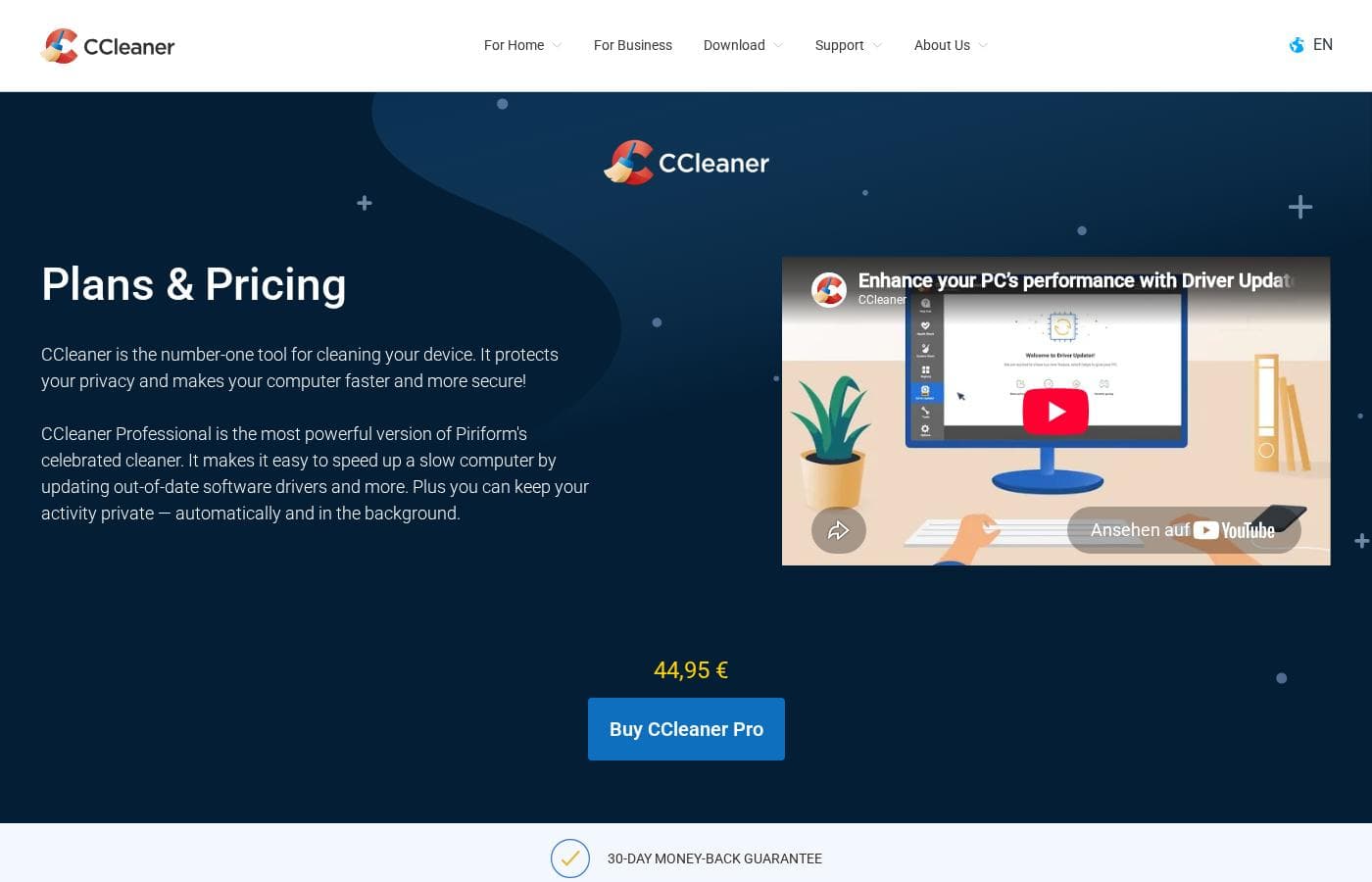
CCleaner offers four cleaning and optimization plans, including a Free option for essential tasks. Paid subscriptions are billed annually and range from $44.95 to $64.95, depending on the tools and number of devices you need to cover.

요금제 및 가격

Free

연간0
Not explicitly stated
  • Standard privacy protection
  • Standard cleaning
  • Basic Health Check

Pro with Driver Updater

연간44.95
Up to 1 device (Inferred)
  • Complete Health Check
  • Performance Optimizer
  • Driver Updater
  • Automatic background cleaning and tracker removal
  • Priority customer support

Pro Plus with Driver Updater (up to 3 devices)

연간64.95
Up to 3 devices
  • Disk Analyzer and Uninstaller
  • Cloud cleaning for Google Drive and Microsoft OneDrive
  • 24/7 premium technical support
  • All Pro features

Premium Bundle with Driver Updater (up to 5 devices)

연간64.95
Up to 5 devices
  • Recuva Pro (Get back deleted files)
  • Speccy Pro (Inspect & monitor system info)
  • Kamo (Stop online tracking & protects privacy)
  • All Pro Plus features

CCleaner costs between $0 and $64.95 per year with four plans: Free ($0), Pro with Driver Updater at $44.95, Pro Plus with Driver Updater at $64.95, and Premium Bundle at $64.95.

You can see below how the different plans compare based on their included features and support limits.

Free

Price: Not explicitly stated (Implied $0) Websites Supported: Not explicitly stated (Implied 1 device) Best For: Users needing basic cleaning and standard privacy protection. Refund Policy: Not applicable Other Features: Standard privacy protection, Standard cleaning, Basic Health Check

This plan is perfect if you just need the essentials. It lets you test out CCleaner's basic functionality.

Pro with Driver Updater

Price: $44.95 per year (Was USD 0) Websites Supported: Not explicitly stated Best For: Individuals wanting comprehensive security, performance optimization, and background cleaning. Refund Policy: 30-day money-back guarantee Other Features: Driver Updater, Complete Health Check, Performance Optimizer, Priority customer support, Automatic background cleaning and tracker removal

If you want your computer to run faster without manual effort, the Pro plan is a great choice. It includes powerful automated cleaning tools and priority support compared to the Free version.

Pro Plus with Driver Updater (up to 3 devices)

Price: $64.95 per year (Was USD 0) Websites Supported: Up to 3 devices Best For: Users with multiple computers who need advanced tools like uninstallers and 24/7 technical help. Refund Policy: 30-day money-back guarantee Other Features: Disk Analyzer, Uninstaller, 24/7 premium technical support, All Pro features included

This is a good solution for small families or individuals managing several devices. You get the benefit of more tools and round-the-clock technical support for up to three computers.

Premium Bundle with Driver Updater (up to 5 devices)

Price: $64.95 per year (Discounted from $89.95) Websites Supported: Up to 5 devices Best For: Power users who require maximum privacy protection and file recovery tools for several devices. Refund Policy: 30-day money-back guarantee Other Features: Recuva Pro (deleted file recovery), Speccy Pro (hardware monitoring), Kamo (online tracking protection), Cloud cleaning for Google Drive and Microsoft OneDrive

The Premium Bundle offers the best value for extensive digital protection. You get all of CCleaner's features, plus three extra utilities to recover files, check system hardware, and stop online tracking on up to five devices. ✨

There is a Free plan available if you wish to start with basic functionality. All paid subscriptions include a 30-day money-back guarantee. This guarantee lets you try the more powerful features risk-free.

사용자 리뷰

CCleaner maintains an excellent standing on Trustpilot, earning a 4.5-star rating based on over 26,000 customer reviews. Users consistently praise the software for its user-friendliness, efficiency, and proven reliability in keeping computers running smoothly and quickly.

Many reviewers highlight its comprehensive cleaning capabilities, including removing unnecessary junk files, managing startup processes, and easily updating drivers and software. This feature set is often cited as valuable for maintaining long-term PC health and performance, dramatically reducing the need for external tech support visits.

Customers appreciate the accessibility of the free version and feel the paid plans offer good value, especially considering the long-standing performance of the utility. However, the sentiment around pricing is occasionally mixed; some users report that the free version frequently attempts to push the paid subscription.

While there have been isolated reports of specific driver updates causing minor system issues, and some advanced users find the latest interface (CCleaner 7) slightly complex, the overall consensus remains strongly positive. 👍

다른 곳에서 사용자들이 말하는 것

Andrew T.
· Trustpilot
5.0 / 5

CCleaner keeps my computer clean and fast, and I am very satisfied with its incredible performance. It is a great tool for home, work computers, and mobile devices. CCleaner is definitely at the top of the market.

Michael K.
· Trustpilot
5.0 / 5

Personally, I'm useless maintaining my computer, but CCleaner simply makes the process so much easier. I do a scan at least once a week and am very happy with the results. All the tools I need are in one place.

아직 리뷰가 없습니다.

리뷰 작성

CCleaner에 대한 리뷰 작성
0/100자
0/2000자

CCleaner을(를) 사용해야 하는 이유는?

Why wait for constant slowdowns or worry about lurking threats? CCleaner provides immediate benefits focused on core system health. Choosing this tool means focusing on efficiency and peace of mind.

CCleaner helps you achieve better performance and protection with these outcomes:

  • 🚀 Reclaim lost speed: Experience faster startups and increased responsiveness.
  • Enjoy smoother operations, eliminating that frustrating, sluggish feeling.
  • Enhance your computer's overall security posture.
  • Feel more confident knowing your system protection is improved. 🛡️
  • Maintain long-term stability without complex maintenance steps.

CCleaner으로 워크플로우를 혁신할 준비가 되셨나요?

CCleaner 대안 도구

PC Cleaner 카테고리의 다른 도구

자주 묻는 질문

Does CCleaner offer a free trial for the paid Pro versions?

CCleaner does not provide a traditional free trial for its paid features. However, you can download and use the free version indefinitely to test basic cleaning and privacy protection features before upgrading.

How flexible is the refund policy for paid subscriptions?

All paid annual subscriptions are covered by a 30-day money-back guarantee. If you are not satisfied, you can request a full refund within this 30-day period.

Is the pricing structure based on usage or the number of devices I own?

CCleaner uses an annual subscription model based on device count. The Pro Plus plan covers up to 3 devices, and the Premium Bundle is designed to cover up to 5 devices.

Which paid plans include 24/7 technical support?

Only the higher-tiered options, Pro Plus and the Premium Bundle, include 24/7 premium technical support. The standard Pro plan provides Priority customer support instead.

Does CCleaner integrate with any cloud storage platforms?

Yes, if you purchase the Pro Plus or Premium Bundle plan, you gain access to cloud cleaning functionality. This feature works specifically with Google Drive and Microsoft OneDrive.

What is the key benefit of choosing the Premium Bundle over Pro Plus for the same price?

The two plans cost the same annual price, but the Premium Bundle offers superior value. It bundles three additional utilities: Recuva Pro for file recovery, Speccy Pro for monitoring system info, and Kamo for advanced online tracking protection.

How does the software actively protect my privacy in the background?

Paid versions include features that work automatically to maintain your privacy. These tools include prompt removal of internet trackers and automatic background cleaning to protect your browsing history.

Are there any tools for recovering files I accidentally deleted?

Yes, but this feature is only included in the top-tier Premium Bundle. This plan gives you access to Recuva Pro, which is a specialized utility designed to recover deleted files.

Are CCleaner subscriptions billed monthly?

No, all pricing details displayed for CCleaner Pro, Pro Plus, and the Premium Bundle are based on annual subscription payments.

Is it possible to cancel my subscription renewal easily?

Cancellation procedures are not explicitly stated on the official site’s pricing page. You should generally check your user account portal or contact their support team for details about managing subscription renewals.

Does the software support multiple languages or regions?

Information regarding international language support or region-specific availability is not explicitly stated on the official site. You may need to check the help center for specifics on localization.

How many devices can I cover with just the standard Pro plan?

The standard Pro plan is intended for single users and generally covers one device. You will need to upgrade to Pro Plus to cover up to three devices.

CCleaner을(를) 사용해볼 준비가 되셨나요? 공식 사이트 또는 가격을 확인하세요.