完全な翻訳は近日公開 — 製品詳細は英語、ナビゲーションは日本語で表示しています。
Passpack

Passpack レビュー

Enterprise-grade security for your team's credentials, without the enterprise complexity.

Passpackは月額$1 (≈ ¥157)から · 2プラン · 2026年10月23日に価格を確認

著者 Ciroapp Editorial Team · 更新日 2026年5月15日

追加費用なしでコミッションが発生する場合があります

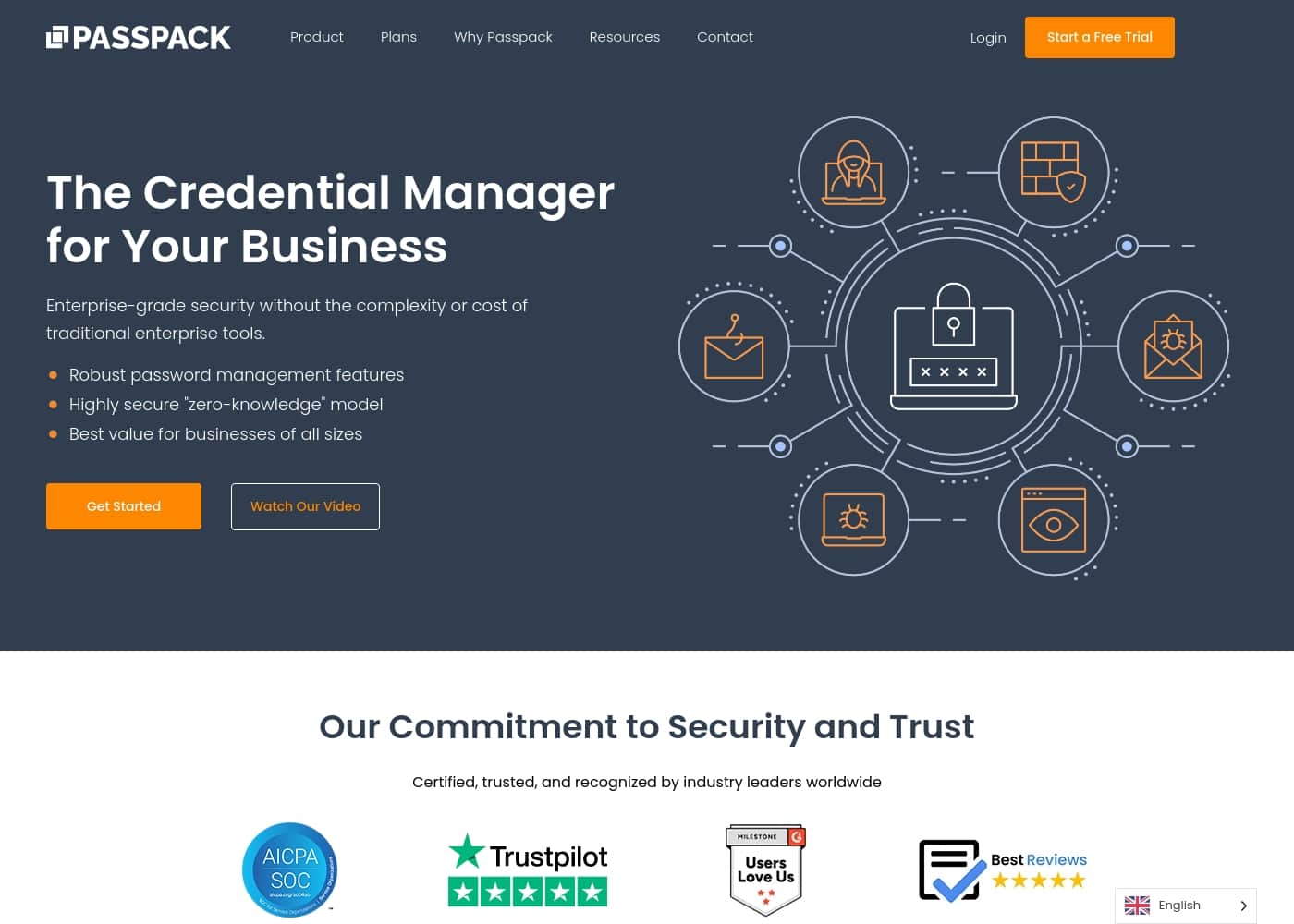
Passpackのホームページスクリーンショット

概要

Passpackの評価、価格概要、主な機能、注目ポイントをすばやく確認できます。
料金確認日 2026年10月23日

Ciroappスコア

4.2/ 5

Secure, simple team password sharing.

We see Passpack as a strong, cost-effective choice for teams needing a secure, collaborative password manager. It offers robust zero-knowledge encryption and compliance features like SOC 2. Overall, it's an excellent option for small to mid-sized businesses focused on security and ease of use.

長所

  • Transparent per-user pricing starting at $1.50/month.
  • Generous 28-day free trial with no credit card required.
  • Strong zero-knowledge, end-to-end encryption model.

短所

  • Teams and Business plans require annual billing by default.
  • Monthly billing option is only available on the Business tier.
  • Customer support responsiveness may vary based on user reports.
最適
  • Small to medium businesses (SMBs) needing secure team password sharing.
  • Companies requiring compliance with GDPR, CCPA, or SOC 2 standards.
  • Teams looking for a balance of robust security and ease of collaboration.
無料トライアル
Yes — 28 日間
このセクションは概要です。機能、ユースケース、価格、レビューの詳細は下に続きます。

Passpackとは?

Sharing passwords across teams often feels like a necessary security risk. Teams juggle access across tools and roles, making control and visibility difficult. Passpack tackles this by providing a secure, collaborative credential manager designed for business use.

It focuses on keeping credentials encrypted while making team collaboration effortless and compliant. 💡

Passpack is a business-oriented credential management platform. It helps teams of all sizes store, share, and manage passwords and secrets securely. Built on a zero-knowledge security model, it ensures that only the user holds the key to their data.

It's designed for organizations needing both strong security and team collaboration. ✨

Passpackを選ぶべきですか?

プラン比較や公式サイトへ進む前に確認したい購入判断のポイントです。

選ぶべき人

  • Teams that need to share credentials securely across multiple users and platforms.
  • Businesses where **effortless collaboration** and a **frictionless security culture** are priorities.
  • Administrators seeking **total control** with audit logs and advanced security features like SSO (on Business plan).
  • Companies of all sizes, from small teams to large enterprises, looking for **scalable solutions**.

避けるべき人

  • Individuals seeking a purely personal, free password manager.
  • Teams with a strict preference for monthly-only billing (annual is required for Teams & Business plans).
  • Those needing immediate custom integrations without contacting sales (Enterprise plan).
  • Users who require extremely granular detail on all features upfront without exploring plans or documentation.

購入前の次のステップ

  1. 1Visit the Passpack website and review the **Teams, Business, and Enterprise plan** details to see which fits your size and needs.
  2. 2Note that annual payment is the default for Teams and Business plans; check if the monthly option (Business only) is available for your preferred tier.
  3. 3Sign up for the **28-day free trial** to test core features with your team. No credit card is needed to start.
  4. 4Use the trial to confirm integration with your existing platforms and test the collaborative workflow.
  5. 5If you have complex enterprise needs, **schedule a custom quote** to discuss dedicated support and custom integrations.

使いやすさ

The platform emphasizes **ease-of-use** and **effortless collaboration** as key benefits. Testimonials from users highlight that it is "very easy to use." Setup appears straightforward, with a 28-day free trial and no credit card required to start.

Passpack 主な機能

🔒 Zero-Knowledge Security & Encryption

Passpack is built on a zero-knowledge security model. This means your packing key never leaves your device. Passpack can't see your data, and neither can anyone else.

It uses end-to-end encryption for all stored credentials, secrets, and keys. You maintain complete privacy and control over your sensitive information.

✨ Effortless Team Collaboration

The platform is designed to make secure credential sharing smooth and simple for teams. You can create unlimited teams of users and share passwords with encrypted accounts for every user. This replaces risky methods like spreadsheets.

The goal is to build a frictionless security culture where teams stay productive.

✨ Admin Control & Audit Logs

Administrators get total control over credentials. They can manage user permissions and access across the team. Exportable event logs provide critical insights into who accessed what and when.

This transparency supports internal policies, audits, and compliance needs. On the Business plan, advanced multi-administrator support is included.

✅ Compliance & Trust Certifications

Passpack helps you meet important regulatory requirements. It is compliant with SOC 2 Type II, GDPR, and CCPA standards. For healthcare organizations, this supports HIPAA-compliant storage.

The platform is trusted by over 300,000 active users and has been in business for more than 12 years with a 99.9% uptime SLA.

✨ Scalable Plans & Integration

Passpack offers flexible pricing that scales from small teams to large enterprises. The Business plan adds Single Sign-On (SSO) authentication and API integration. For complex needs, the Enterprise plan provides a dedicated account manager, onboarding assistance, and custom integrations.

You can start with a 28-day free trial to test everything.

使用例

🎯 Marketing Agency: Sharing Campaign Access Securely

Your agency manages social media and ad accounts for multiple clients. You can't email passwords back and forth, but you need your team to log in and work. With Passpack, you store each client's credentials once.

Then, you create a shared team and grant access with just a few clicks. Everyone on the team gets what they need, and you can see who accessed what. If a team member leaves, you revoke their access instantly, keeping everything secure without slowing down the campaign.

🔧 IT Services Firm: Managing Client Password Vaults

You're an MSP responsible for the systems of several small businesses. Each client has unique passwords for servers, portals, and software. Keeping these organized and secure is a huge headache.

Passpack lets you create a separate, encrypted vault for each client. You can share specific credentials with your technicians or the client's team as needed. Exportable activity logs give you a clear record for compliance and audits, proving that access is tightly controlled.

🚀 Growing Startup: From Founders to First Hires

Your startup is growing fast. What used to be two founders sharing a few logins is now a team of ten who all need access to GitHub, AWS, and the marketing stack. Passpack's Teams plan gives you a secure, affordable place to centralize this.

You can organize passwords with labels, add notes, and share them securely across unlimited devices. It's a simple way to build good security habits from the start without a complex IT setup.

✅ Compliance-Driven Industry: Meeting SOC 2 & GDPR

Your company handles sensitive data and must prove you're following security policies. Passpack is SOC 2 Type II, GDPR, and CCPA compliant. This built-in compliance framework helps you meet important regulatory requirements.

The zero-knowledge encryption means your data is private, and administrators have full control with audit logs. You can confidently show auditors that credential management is handled according to strict standards.

🛡️ Problem: Risky Spreadsheets → Approach: Centralized Vault → Outcome: Control & Peace of Mind

Problem: Your team keeps a shared spreadsheet with all the company logins. It's a security nightmare—you can't see who has access or when it was last changed.

Approach: You implement Passpack. Every password is moved into an encrypted vault. You create teams for different departments and grant role-based access.

Outcome: You delete the spreadsheet. Now, access is logged, permissions are clear, and you can remove an employee's access with one click. Your security posture improves immediately.

👤 Onboarding a New Team Member

A new hire starts on Monday. Instead of scrambling to find which passwords they need and sending them insecurely, you add them to the appropriate Passpack teams. They instantly get secure access to the credentials required for their role.

When they need a password you haven't shared yet, they can request it, and you approve it directly in the platform. Onboarding becomes smooth and secure.

Passpackの料金

最安$1/月≈ ¥157

  • ベンダーの料金ページより(2026年10月23日に確認)
  • 2プラン

2026年10月23日に次のページで価格を確認: Passpackの料金ページ

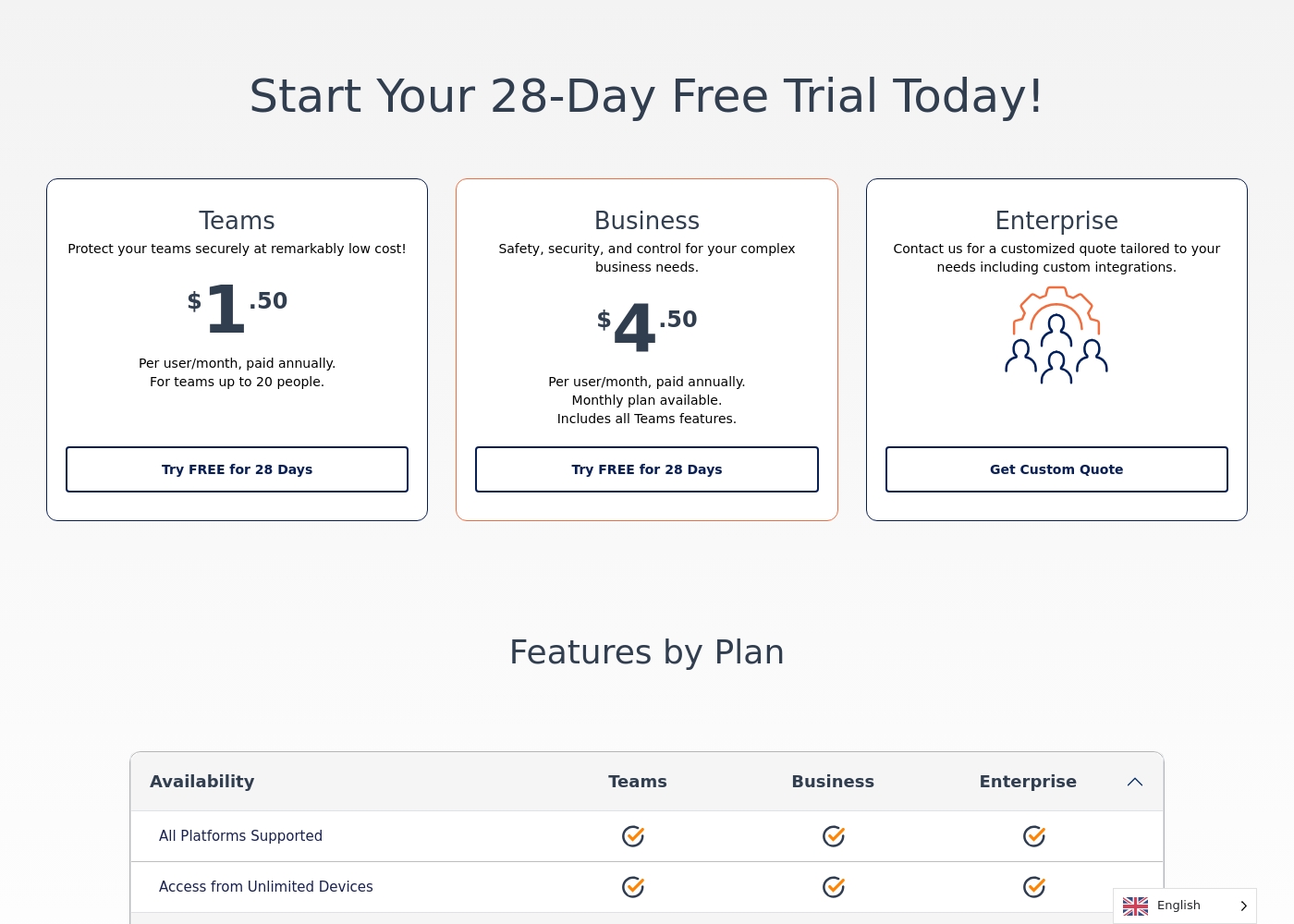
Passpackの料金ページのスクリーンショット料金ページのスクリーンショットを見る
プラン月払い年払い含まれる機能
Teams
1ユーザーあたり
$1/月
≈ ¥157
—
per user
Business
1ユーザーあたり
$4/月
≈ ¥627
—
per user

2026年10月23日のECB参照レートで換算しています。ベンダーの現地価格は異なる場合があります。

価格の推移

2026年10月1日から価格を追跡中。まだ価格変更はありません。

価格タイプ: Free trial, Monthly subscription, Yearly subscription, Per seat pricing

料金に関する補足

Passpack offers transparent per-user pricing starting at $1.50 per month when paid annually. Plans are designed for secure team collaboration and scaled security needs with a generous 28-day free trial.

Passpack costs between $1.50 and $4.50 per user/month with 3 plans: Teams at $1.50, Business at $4.50, and Enterprise at a custom quote.

Take a look at the specific features included with each tier to find your match.

Teams

Price: $1.50 per user/month, paid annually

Best For: Small groups of up to 20 people

Other Features: Unlimited password storage, 2FA, encrypted sharing, and access from unlimited devices.

This plan is great for small families or startups that need professional-grade security without a heavy price tag. You can organize passwords effectively with labels and shared notes while keeping your budget intact.

Business

Price: $4.50 per user/month, paid annually

Best For: Growing companies requiring SSO and administrative control

Other Features: Single Sign-On (SSO), API integration, advanced activity reporting, and multi-administrator support.

If your organization needs to manage user permissions strictly or integrate with existing tech stacks, choose this tier. It offers powerful tools like IP-based login history and the ability to reset team member accounts easily.

Enterprise

Price: Custom Quote

Best For: Large organizations with complex integration needs

Other Features: Dedicated account manager, onboarding assistance, custom integrations, and active directory support.

Large enterprises should opt for this plan to receive white-glove service and specialized onboarding help. It’s designed to handle high-volume needs while ensuring your dedicated manager is always available to assist.

You can start with a 28-day free trial which requires no credit card. This allows you to explore every feature risk-free before making a commitment. You can also cancel your plan at any time.

コスト計算ツール

チームでPasspackを使う場合の費用を試算します。

支払い方法
月額
$5≈ ¥784
年額
$60≈ ¥9,408

Teamsはユーザー単位の料金です:価格 × 5ユーザー。 公開されている定価に基づく概算です(税・アドオン・割引は含みません)。

2026年10月23日のECB参照レートで換算しています。ベンダーの現地価格は異なる場合があります。

Passpackを安く使う方法

  • 支払う前に28日間の無料トライアルを利用しましょう。
  • 一部のプランはユーザー単位の料金です。実際に使う人数分だけ支払いましょう。
無料トライアルを始める

Passpackの価格が変わったらメールで通知

ベンダーの料金ページで価格の変更を検出したときに1通のメールを送ります。ニュースレターやセール情報はありません。ワンクリックで解除できます。

ユーザーレビュー

We found Passpack's external review sentiment to be mixed. On Trustpilot, users praise its intuitive interface and strong security, highlighting ease of use for teams.

💡 However, some report slow customer support response times and occasional login/access issues. Capterra data was unavailable for our analysis.

Overall, the recurring themes suggest Passpack delivers on its core promise of secure team sharing, but support responsiveness can be inconsistent for some users.

公開レビューの要約: Trustpilot, Capterra

まだレビューがありません。

レビューを書く

Passpackのレビューを書く
0/100文字
0/2000文字

Passpackを使う理由は?

If your team struggles with secure password sharing or needs to meet compliance standards, Passpack offers a strong balance of security, collaboration, and cost-effectiveness. Here’s why it stands out:

  • Strong Security Foundation: It uses a zero-knowledge model and end-to-end encryption, meaning your data is private even from Passpack. This is a core trust element for businesses. 🔒
  • Built for Team Collaboration: The platform is engineered to make sharing credentials within teams smooth and secure, moving beyond risky spreadsheets or informal methods.
  • Compliance-Ready: Passpack holds SOC 2 Type II, GDPR, and CCPA certifications, helping you meet important regulatory requirements for data protection. ✅
  • Transparent & Auditable: Administrators get exportable event logs for critical insights and total control over credential access. This supports internal policies and audits.
  • Proven & Supported: With over 12 years in business and a 99.9% uptime SLA, it provides reliability. 24/7 expert support is also available to help keep you protected.

Passpack の代替ツール

パスワード管理ツールカテゴリの他のツール

パスワード管理ツールの全ツールを見る
RoboForm

RoboForm

Password manager4.1/5

ゼロノーレッジ パスワード管理。無料プランも満足いく機能

NordPass

NordPass

Password manager4.1/5

パスワードとパスキー、チーム認証情報を含む暗号化保管庫

Passpack よくある質問

Passpackの料金はいくらですか?

Passpackの最も安い有料プラン「Teams」は月額$1 (≈ ¥157)です。 有料プランは月額$1から$4までです。 2026年10月23日にベンダーの料金ページで価格を確認しました。

Passpackに無料プランはありますか?

いいえ。Passpackに無料プランの記載はなく、最も安い有料プランは月額$1 (≈ ¥157)からです。

Passpackに無料トライアルや返金保証はありますか?

Passpackには28日間の無料トライアルがあります。

Passpackの価格は最近変わりましたか?

いいえ。2026年10月1日に追跡を始めて以来、価格の変更は検出されていません。

What integrations does Passpack support?

API integration is available on the Business and Enterprise plans. Single Sign-On (SSO) is included on these tiers as well. The Teams plan does not include API access or SSO.

How is my data secured?

Passpack uses a zero-knowledge, end-to-end encryption model. This means your data is encrypted on your device before it reaches our servers. We cannot access your passwords or secrets.

Are there any limits on passwords or users?

All paid plans include unlimited password storage. The Teams plan is limited to 20 users. The Business plan supports an unlimited number of users.

How does billing work? Can I pay monthly?

The Teams and Business plans are priced per user and require annual billing by default. The Business plan also offers a monthly billing option. Enterprise pricing is custom.

How do I migrate my passwords from another tool?

Passpack supports importing passwords. You can also export your data from Passpack. Specific import formats are available in the app.

What kind of support can I expect?

All paid plans include 24/7 expert support. The Business and Enterprise plans offer 'Rapid Response' customer support. Enterprise customers get a dedicated account manager.

Which languages and regions are supported?

The website and pricing are displayed in English. The app supports use from any region. Please confirm specific language support within the application during your trial.

Can I cancel my subscription?

Yes, you can cancel your plan at any time. There is no money-back guarantee mentioned on the site, but you can cancel before your next billing cycle.

Who is Passpack best suited for?

It's ideal for small to large businesses needing secure team credential sharing. It's great for companies requiring compliance with standards like SOC 2, GDPR, and CCPA.

Passpackを試してみる準備はできましたか?公式サイトまたは価格をご覧ください。

Passpackの担当者ですか? この掲載を申請する · バッジを入手