Traduction complète bientôt — détails produit en anglais, navigation localisée.
WP Umbrella

Avis sur WP Umbrella

Every WordPress site you maintain, managed from one dashboard.

Par Ciroapp Editorial Team · Mis à jour 16 sept. 2026

Commission possible sans coût supplémentaire

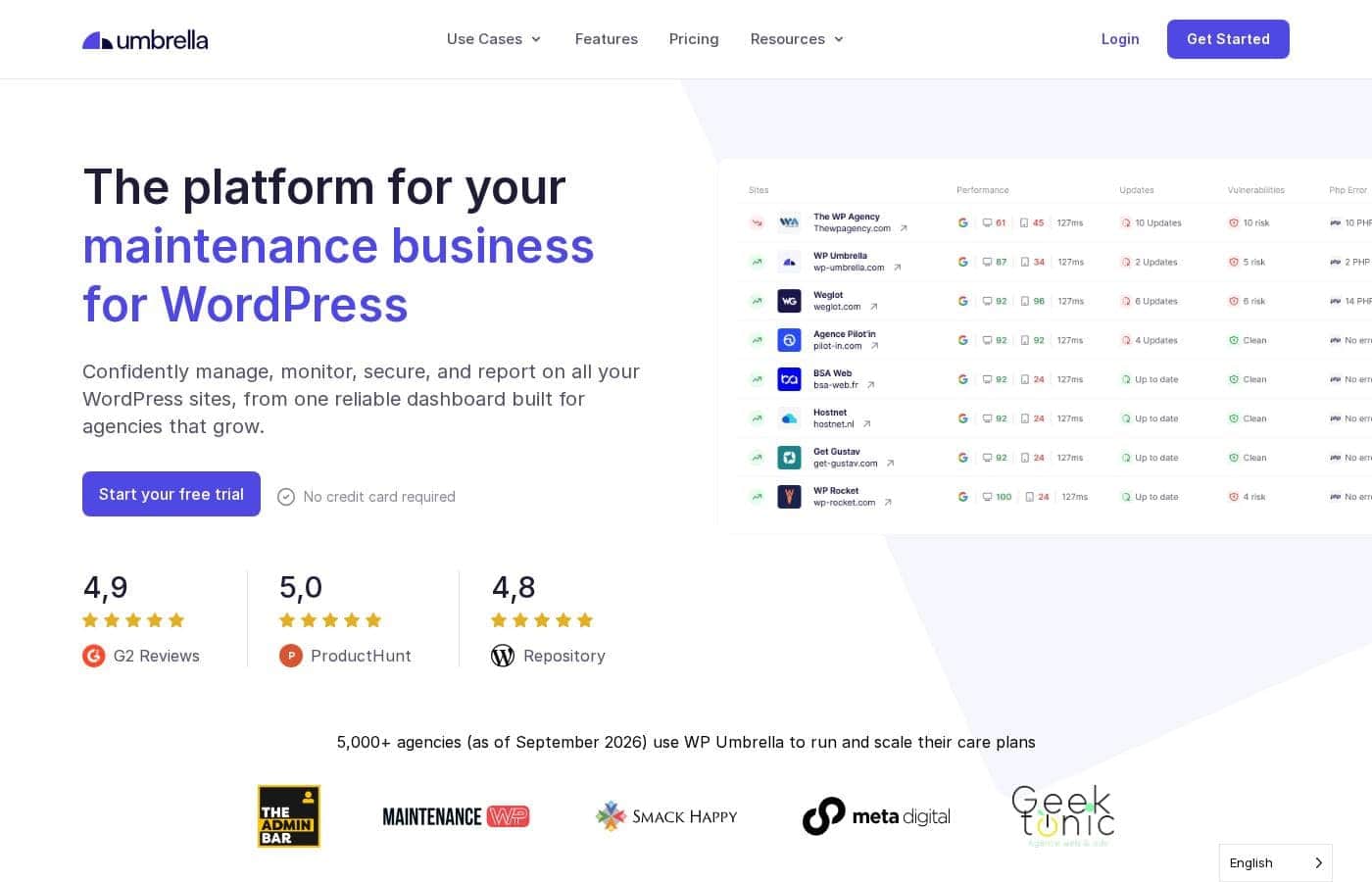
Capture d'écran de la page d'accueil WP Umbrella

En bref

Vue rapide de WP Umbrella : note, résumé des tarifs, fonctionnalités clés et points forts.
Page du fournisseur consultée le 12 oct. 2026

Score Ciroapp

4.2/ 5

WP Umbrella bundles bulk updates, automated backups, uptime and PageSpeed monitoring, and white-labeled client reports into one WordPress-only dashboard. It's genuinely useful for agencies and freelancers juggling many sites, though pricing scales with your roster and it won't touch non-WordPress platforms. Overall, it's a solid pick for multi-site WordPress maintenance, especially if you bill retainers.

Avantages

  • Avantages:True bulk updates let you patch plugins, themes, and core across dozens of sites from one dashboard instead of logging into each admin
  • Avantages:Automated backups are paired with updates, so a failed update has a restore point rather than turning into a live-site emergency
  • Avantages:Uptime monitoring and Google PageSpeed tracking surface offline or slow sites before clients report them

Inconvénients

  • Inconvénients:It is WordPress-only, so teams that also maintain Shopify, Wix, or custom-built sites will still need separate tooling for the rest of their stack
  • Inconvénients:Pricing scales with the number of connected sites and usage, so costs grow as your client roster does — worth modeling before standardizing on it
  • Inconvénients:For owners of one or two sites, a full multi-site management platform adds setup and process overhead that outweighs the convenience
Idéal pour
  • WordPress agencies maintaining 10 or more client sites from a shared dashboard
  • Freelancers selling recurring WordPress maintenance retainers who need proof-of-work reporting
  • In-house teams responsible for several company WordPress properties
Cette section est un résumé. Les sections détaillées sur les fonctionnalités, les cas d'usage, les tarifs et les avis suivent plus bas.

Qu’est-ce que WP Umbrella ?

WP Umbrella is a WordPress management platform aimed at agencies and freelancers who keep dozens of client sites running. It centralizes bulk updates, automated backups, security alerts, uptime monitoring, and Google PageSpeed tracking in one dashboard, and it produces white-labeled reports you can hand to clients. For anyone billing maintenance hours, the pitch is simple: fewer logins, fewer missed patches, and documented proof of the work you do.

WP Umbrella is a cloud-based WordPress maintenance and monitoring tool. After connecting the sites you manage, you can apply plugin, theme, and core updates in bulk, run automated backups, and watch security, uptime, and performance metrics from a single dashboard. Reports are customizable and white-labeled, so the output carries your agency's brand rather than a third-party logo.

It sits in the WordPress maintenance service category and is built specifically for WordPress, not other platforms.
Faut-il choisir WP Umbrella ?

Repères rapides avant de comparer les plans ou de visiter le site.

Choisissez-le si

  • WordPress agencies maintaining 10 or more client sites from a shared dashboard
  • Freelancers selling recurring WordPress maintenance retainers who need proof-of-work reporting
  • In-house teams responsible for several company WordPress properties
  • Service providers who want white-labeled reports to make monthly maintenance visible to clients

Évitez-le si

  • Owners of a single WordPress site, where a multi-site management dashboard adds more overhead than value
  • Teams managing mixed stacks that include non-WordPress platforms like Shopify or custom apps
  • Buyers looking for hosting or content management rather than maintenance, monitoring, and reporting tooling

Étapes avant achat

  1. 1Create an account on wp-umbrella.com and start with the free plan or free trial to test the dashboard against your current workflow
  2. 2Connect the WordPress sites you manage so updates, backups, and monitoring can run from the central dashboard
  3. 3Configure update, backup, and security alert settings per site or in bulk, then enable uptime and Google PageSpeed monitoring
  4. 4Set up a white-labeled report template and schedule your first client report before your next billing cycle

WP Umbrella Fonctionnalités clés

✨ Centralized Multi-Site Dashboard

WP Umbrella's core premise is one dashboard for dozens of WordPress installs. Instead of logging into each site's admin, you see the update status, backup status, and overall health of every connected site in a single view. For agencies juggling a large client roster, this alone removes a significant amount of routine tab-switching.

✨ Bulk Updates and Automated Backups

Plugin, theme, and core updates can be applied in bulk across your whole site roster rather than one site at a time. Updates are backed by automated backups, so if an update breaks something, you have a restore point instead of debugging a live client site. This pairing of fast updates with rollback safety is the tool's main risk-reduction mechanism.

✨ Security Monitoring and Alerts

The platform runs security checks and sends alerts so vulnerabilities and problems surface in your dashboard rather than arriving as complaints from clients. Because checks run continuously across all connected sites, a risky plugin or configuration issue is flagged wherever it appears in your roster. That turns security from a per-site chore into a monitored, centralized process.

✨ Uptime and Performance Tracking

WP Umbrella monitors uptime so you know when a site goes offline, often before the client notices. It also integrates Google PageSpeed data, letting you track performance trends over time. Together these give you objective numbers to act on, and to share in client reports.

✨ White-Labeled Client Reporting

Reports are customizable and fully white-labeled, so the documentation of updates, backups, and monitoring you send clients carries your agency's branding. This is particularly valuable for maintenance retainers, where clients need visible evidence of monthly work to justify the recurring fee. It converts invisible backend upkeep into a concrete deliverable.

Cas d’usage

💡 WordPress Agencies with Large Client Rosters

An agency responsible for 20, 50, or 100+ WordPress sites cannot sustain per-site logins for updates and checks. WP Umbrella lets the team apply bulk updates, watch security alerts, and confirm backups from one place, which is what makes a high-volume maintenance practice operationally realistic.

💡 Freelancers Selling Maintenance Retainers

A freelancer billing monthly maintenance needs to keep sites current and prove the value of the fee. Automated updates and backups handle the work, while white-labeled reports provide the monthly deliverable that justifies the retainer and reduces client churn.

💡 In-House Teams with Multiple Properties

Companies running several WordPress properties, such as regional sites, campaign microsites, or blogs, can use the dashboard to keep every property updated and monitored without assigning staff to manual per-site checks. Uptime and PageSpeed monitoring provide early warning when a property degrades.

💡 Proactive Client Communication

When a client site goes down or slows down, response time matters. Uptime and performance alerts let a service provider act — and inform the client — before the client discovers the problem themselves, which protects the relationship and the provider's reputation.

Tarifs WP Umbrella

Prix pas encore vérifiés — consultez le site de l'éditeur.

la page tarifs de WP Umbrella

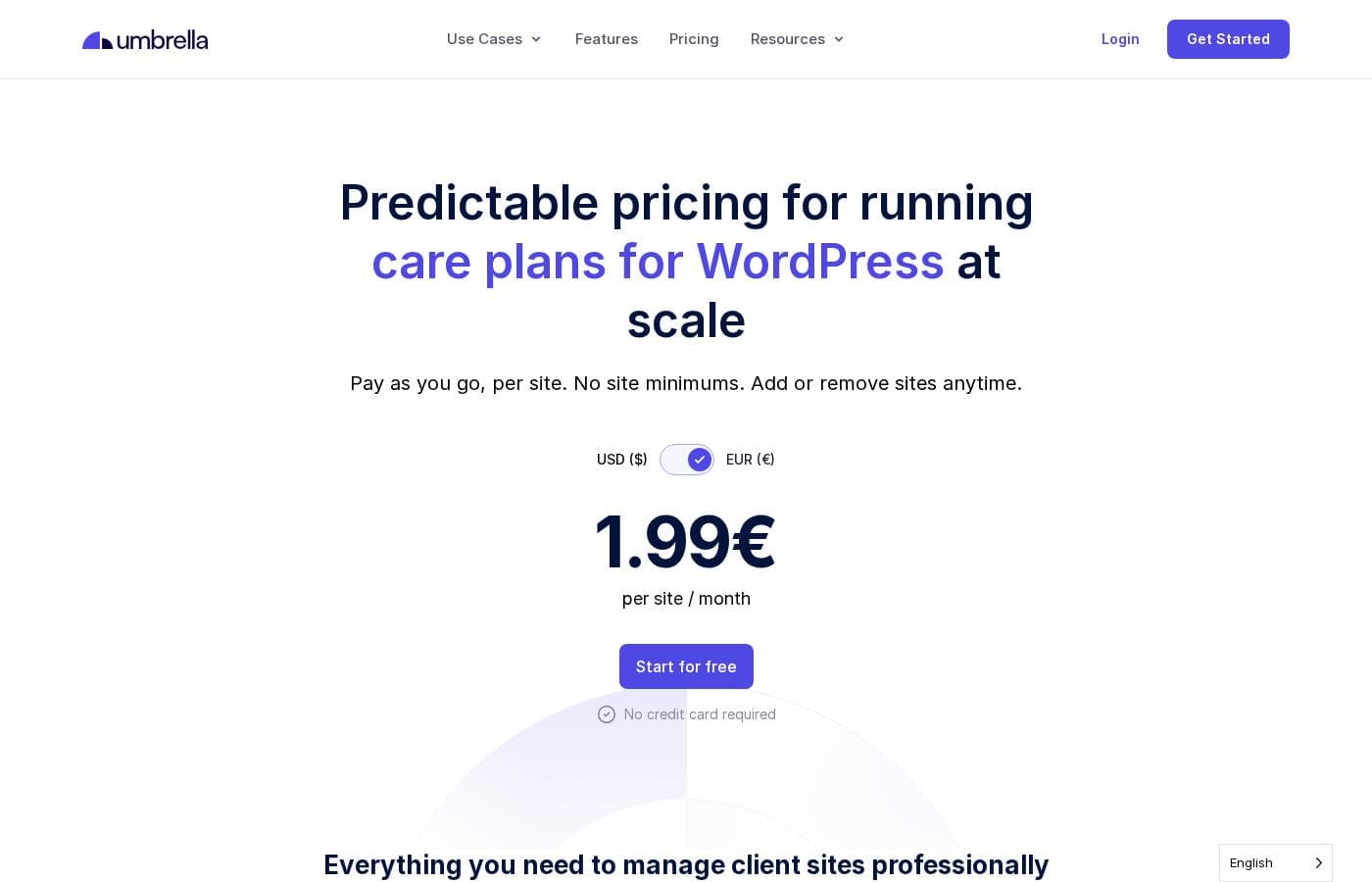
Capture d'écran de la page tarifs de WP UmbrellaVoir la capture de la page tarifs

Historique des prix

Prix suivis depuis le 1 oct. 2026. Aucun changement détecté pour l'instant.

Types de tarification: Free plan, Free trial, Monthly subscription, Yearly subscription, Usage-based pricing

Notes sur les tarifs

WP Umbrella pricing: Plans from €0/month Billing options: Free plan, Free trial, Monthly subscription, Yearly subscription, Usage-based pricing

M’avertir quand WP Umbrella change de prix

Un e-mail quand nous détectons un changement sur la page tarifs de l’éditeur. Pas de newsletter, pas de promos. Désinscription en un clic.

Avis des utilisateurs

Aucun avis pour le moment.

Rédiger un avis

Rédiger un avis pour WP Umbrella
0/100 caractères
0/2000 caractères

Pourquoi utiliser WP Umbrella ?

Managing multiple WordPress sites by hand scales poorly: logging into each admin to run updates invites missed security patches, and a single bad plugin update can take a client site down without a recent backup to restore. WP Umbrella addresses both problems by batching updates across your entire roster and pairing them with automated backups for recovery.

Uptime and PageSpeed monitoring surface issues before clients notice them, while white-labeled reports turn routine maintenance into visible, billable deliverables.

Alternatives à WP Umbrella

Autres outils dans la catégorie Service de maintenance WordPress

Voir tous les outils Service de maintenance WordPress
BlogVault

BlogVault

Wordpress Maintenance Service4.1/5

La tranquillité d'esprit totale pour votre activité WordPress essentielle.

MainWP

MainWP

Wordpress Maintenance Service4/5

La Plateforme de Gestion WordPress Gratuite et Auto-Hébergée.

WP Buffs

WP Buffs

Wordpress Maintenance Service3.9/5

L'équipe de confiance pour une maintenance WordPress simple et fiable.

WP Umbrella : questions fréquentes

How much does WP Umbrella cost?

WP Umbrella offers a free plan and a free trial, so you can evaluate the tool before paying. Pricing scales with the size of the roster, so the entry cost is low and grows with the number of sites you manage.

Which websites does WP Umbrella support?

WP Umbrella is built specifically for self-hosted WordPress sites. It manages WordPress plugins, themes, backups, security checks, and performance monitoring — it does not manage sites built on other platforms such as Shopify, Wix, or custom applications. If your portfolio includes non-WordPress sites, you will need additional tools for those.

Can agencies brand the reports with their own logo?

Yes. Reports are customizable and white-labeled, so agencies and freelancers can present maintenance reports under their own brand rather than the vendor's. This matters for retainers, where clients want documented evidence of the updates, backups, and monitoring included in their monthly fee.

What happens if an update breaks a site?

Bulk updates run alongside automated backups, so if a plugin or theme update causes a problem you can restore the site to its pre-update state instead of debugging it live. Uptime monitoring also alerts you quickly if a site goes down after an update, shortening the window between failure and fix.

Prêt à essayer WP Umbrella ? Découvrez le site officiel ou les tarifs.

Vous êtes WP Umbrella ? Revendiquer cette fiche · Obtenir le badge