Traducción completa pronto — detalles del producto en inglés, navegación localizada.
Modge

Reseña de Modge

One desktop agent for time tracking, attendance, and profit visibility

Modge cuesta desde 2 US$ (≈ 1,83 €)/mes · 4 planes · precios revisados el 27 nov 2026

Por Equipo editorial de Ciroapp · Actualizado 17 sept 2026

Puede aplicarse una comisión sin coste adicional

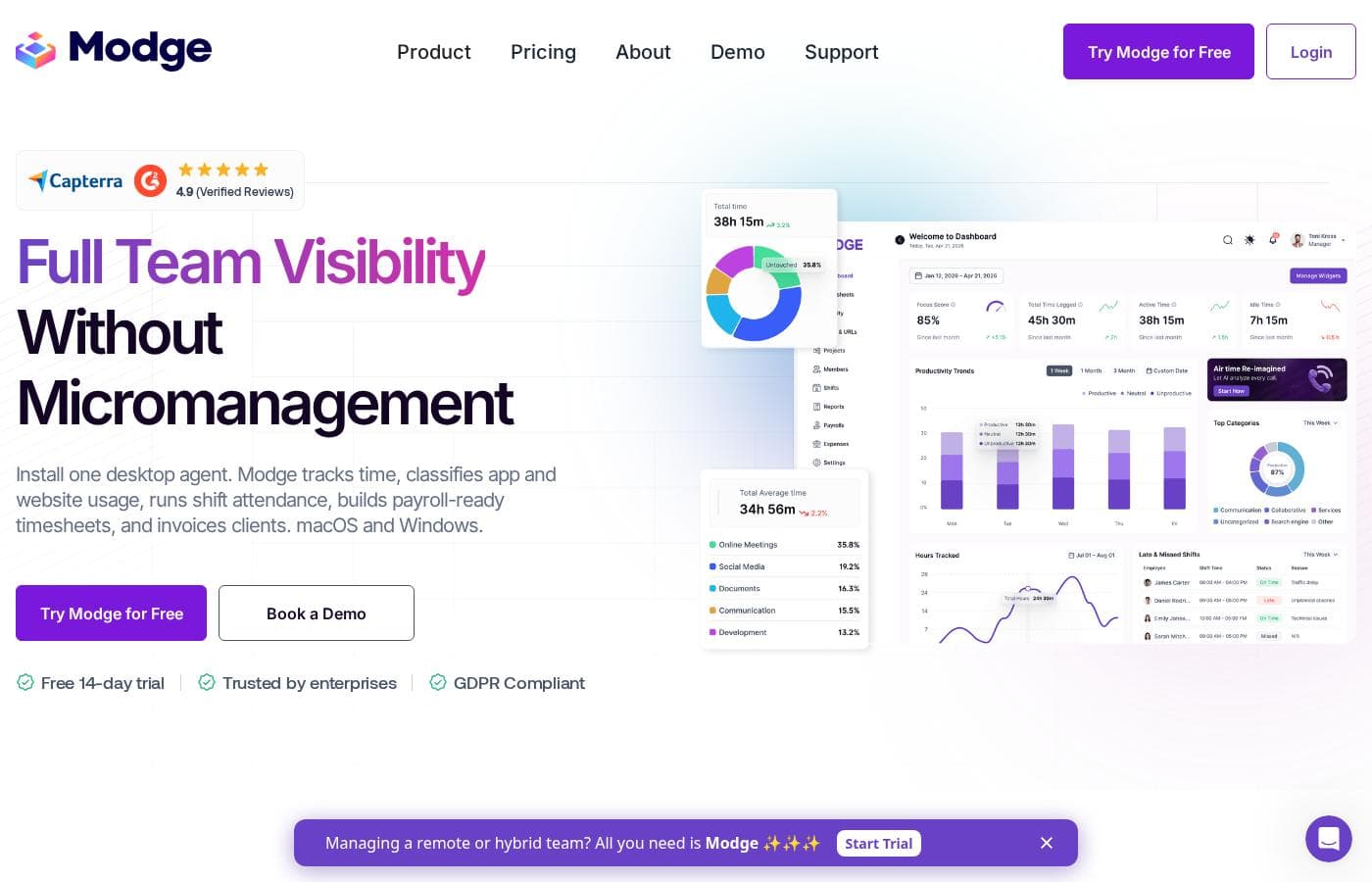
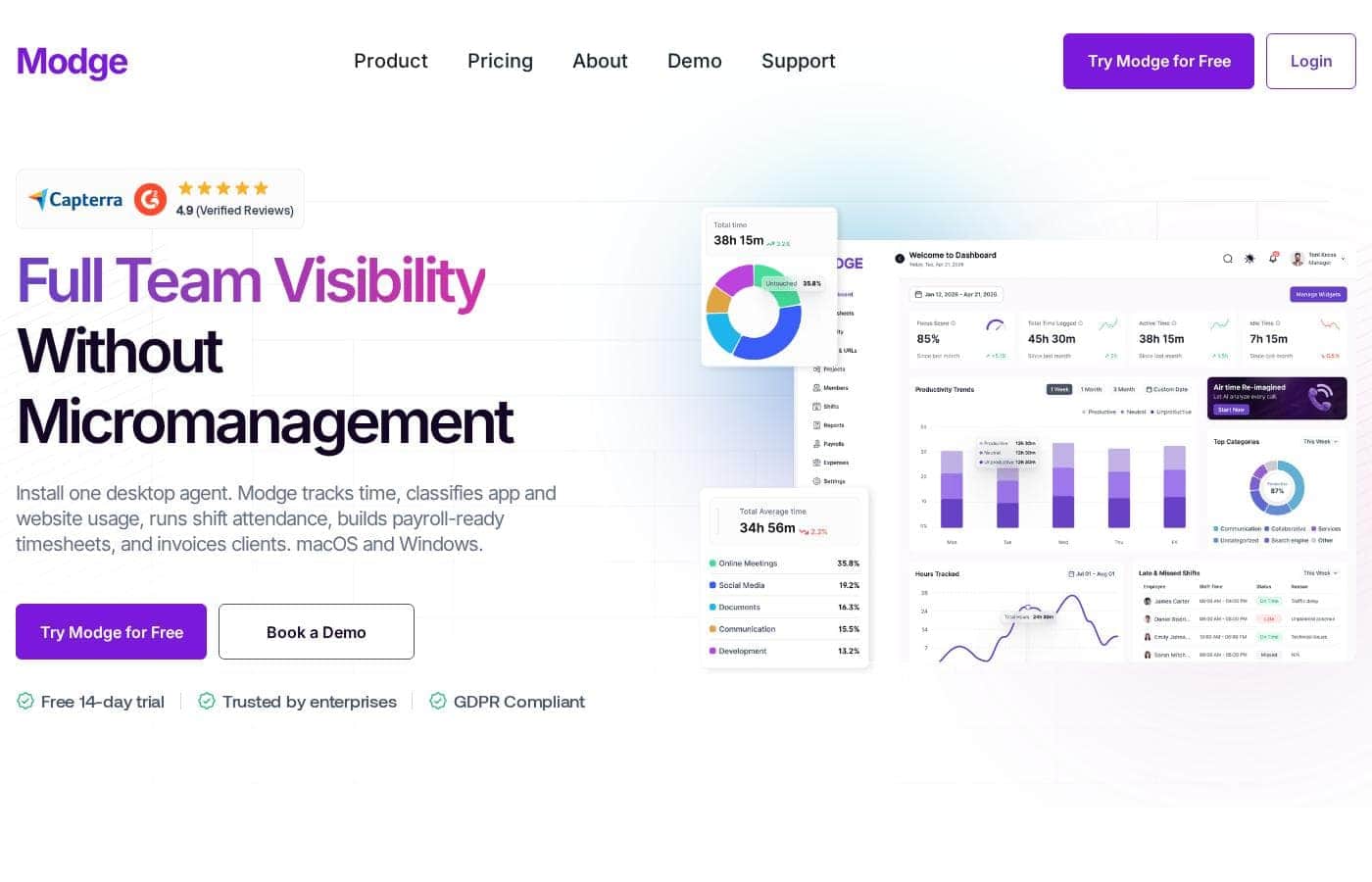
Captura de pantalla de la página de inicio de Modge

De un vistazo

Resumen rápido de Modge: valoración, precios, funciones clave y puntos destacados.
Precios verificados el 27 nov 2026

Puntuación Ciroapp

3.7/ 5

Modge packs automatic time tracking, app classification, scheduling, and profit-by-client reporting into one macOS and Windows agent, with privacy defaults that stand out, like no keystroke logging and blur-able screenshots. The catch is unpublished pricing and evidence that comes mostly from Modge itself. Overall, it's worth a trial if you're fine requesting a quote to see real costs.

Ventajas

  • One desktop agent handles the full chain — time capture, app classification, scheduling, attendance, leave, timesheets, and profitability reporting — so teams don't stitch together a timer, scheduler, and spreadsheet
  • Anomaly detection flags idle streaks of 15+ minutes, mouse-jiggler patterns, frequent app switching, and logins that don't match anyone's calendar before those hours reach a client invoice
  • Profitability is computed from tracked hours multiplied by your bill and pay rates, giving real margin per project, client, and person across five exportable report types (CSV or PDF)

Desventajas

  • Paid plan names and prices aren't published anywhere on the reviewed pages, so buyers can't budget or compare against alternatives without contacting sales
  • The desktop agent supports macOS and Windows only, excluding Linux, Chromebook, and mobile-only teams from coverage
  • There's no mention of a free-forever plan or a money-back guarantee, so the 14-day trial is the only risk-free evaluation window before committing
Ideal para
  • Remote and hybrid teams that need visibility across time zones
  • Agencies and BPOs billing clients by the hour and needing proof of work
  • Operations and HR teams consolidating attendance, leave, and payroll data
Prueba gratuita
Yes — 14 días
Esta sección es un resumen. Más abajo encontrarás detalles sobre funciones, casos de uso, precios y reseñas.

¿Qué es Modge?

Chasing timesheets, guessing who's working, and rebuilding attendance by hand wears managers down. Modge puts time tracking, shift attendance, and productivity insight into one desktop agent for macOS and Windows. You get payroll-ready timesheets, automatic app classification, and optional screenshots — without chasing anyone.

Modge is time tracking and workforce monitoring software built around one desktop agent for macOS and Windows. The agent records work sessions, classifies app and website usage, builds timesheets, scores shift attendance, and calculates project profitability. It's designed for remote and hybrid teams, agencies and BPOs, tech companies, HR and operations, and enterprises.

The site says more than 1,000 teams use it, and a 14-day free trial needs no credit card.

¿Deberías elegir Modge?

Guía rápida de compra antes de comparar planes o visitar el sitio.

Elígelo si

  • Teams on macOS or Windows that can install a lightweight desktop agent
  • Managers who want payroll-ready timesheets without manual entry or roll calls
  • Client-facing firms that want an audit trail behind every invoice
  • Organizations with compliance needs like GDPR, HIPAA, or SOC 2
  • Leaders who want burnout and time-theft signals before they become costly

Evítalo si

  • Teams on Linux, Chromebooks, or mobile-only workflows — the agent covers macOS and Windows only
  • Workplaces where any desktop monitoring would face employee resistance, even with privacy controls in place
  • Freelancers who just want a simple standalone timer without attendance or workforce management

Siguientes pasos antes de comprar

  1. 1Start the free 14-day trial — Modge advertises full access with no credit card required
  2. 2Confirm every teammate's device runs macOS or Windows before rolling out the agent
  3. 3Agree on your screenshot and classification policy with employees before install, since these settings shape trust
  4. 4Set up your bill and pay rates early so profitability reports are meaningful from week one

Facilidad de uso

Setup signals look strong. Modge says the agent installs in about two minutes on macOS or Windows, usually without admin rights, and that teams see useful insight within 48 hours. Timesheet approvals take one click, and reports export as CSV or PDF. This is based on the vendor's claims and high verified ratings (around 4.9 on several review platforms) — not hands-on testing.

Modge Funciones clave

⏱️ Timesheets that write themselves

Nobody loves chasing timesheets. Modge's desktop agent records each session — start, end, project, and active apps — with no timer to remember. Sessions roll into weekly or biweekly timesheets your team submits and managers approve in one click.

Payroll exports follow, so pay runs start from real tracked hours.

✨ App tracking without the labeling work

The agent classifies every app and website as productive, neutral, or unproductive automatically. You set one company-wide rule, then override per job title. Figma counts as productive for designers and neutral for QA — your call.

It's handy when different roles genuinely use different tools.

✨ Scheduling, attendance, and leave on one thread

Build your schedule once and Modge compares it against tracked sessions automatically:

  • Weekly, biweekly, or one-time shift patterns, per person or whole team
  • Attendance scored per shift, with grace windows you control
  • Approved paid leave inserts its hours into the matching timesheet

✨ Spot problems before they get expensive

The live dashboard shows who's working, on what, and how productive each session is right now. Modge also flags idle streaks of 15 minutes or more, frequent app switching, mouse-jiggler patterns, and logins that don't match anyone's calendar. Burnout signals, like long streaks without breaks, surface early too.

📊 See exactly what's profitable

Modge multiplies tracked time by your bill rates and pay rates, so you see real margin per project, client, and person. Five report types cover tracked hours, schedule adherence, app usage, manual time, and profitability. Every one exports as CSV or PDF in a single click.

Casos de uso

💼 Bill clients with proof

Track hours, apps, and optional screenshots behind every invoice. Tracked hours multiply by your bill and pay rates to show real margin per client and project. Expected outcome: an audit trail that turns "trust us" into "here's the data." > Tip: Set bill and pay rates in week one.

⏱️ Skip the timesheet chase

The desktop agent logs start, end, project, and apps automatically. Employees submit, you approve in one click, and payroll exports follow. Approved leave hours land in the right pay period on their own.

Expected outcome: payroll-ready timesheets without roll calls.

🌍 See remote work clearly

Managers running distributed teams see who's working now, on which project, and how productive the session is — without hovering over anyone. Async approvals and time-zoned activity were built for this. Expected outcome: fewer status meetings and no more guessing.

🚩 Catch problems early

Modge flags idle streaks, frequent app switching, mouse-jigglers, and logins that don't match anyone's calendar. Burnout signals — long streaks, weeks without leave — surface before resignations do. Expected outcome: conversations you have early, not invoices you dispute later.

Precios de Modge

Desde2 US$/mes≈ 1,83 €

  • Según la página de precios del proveedor, comprobado el 27 nov 2026
  • 4 planes

Precios revisados el 27 nov 2026 en la página de precios de Modge

Captura de la página de precios de ModgeVer captura de la página de precios
PlanPago mensualPago anualIncluye
Basic
por usuario
5 US$/mes
≈ 4,56 €
—
per user
Pro
por usuario
7 US$/mes
≈ 6,39 €
—
per user
More Screenshots
por usuario
2 US$/mes
≈ 1,83 €
—
per user
Extended Data Retention
por usuario
2 US$/mes
≈ 1,83 €
—
per user

Convertido al tipo de referencia del BCE del 27 nov 2026; el proveedor puede cobrar un precio local distinto.

Historial de precios

Seguimos los precios desde el 1 oct 2026. Aún no hay cambios.

Tipos de precios: Free trial

Notas sobre precios

Modge offers a free 14-day trial with full platform access and no credit card required. Paid plan prices aren't listed on the website, so exact rates should be confirmed with Modge directly.

Modge gives every new team a free 14-day trial with full platform access and no credit card required.

Detailed plan pricing isn't published on the site, so here's what we can confirm about getting started and what you'd be paying for.

Free 14-Day Trial

Price: Free for 14 days Best For: Any team that wants to test the full platform before paying Other Features:

  • Full access to every Modge feature for 14 days
  • No credit card required to sign up
  • Desktop agent installs in about two minutes on macOS or Windows

This isn't a stripped-down demo. You get the whole toolkit: automatic time tracking, app and website classification, shift scheduling, attendance scoring, payroll-ready timesheets, and optional screenshots. Modge says most teams hit their first useful insight within the first week, so two weeks is enough to judge fit.

That makes the trial the natural entry point for everyone — solo founders, agencies, and enterprise IT teams alike. You can run it with a small group before deciding whether to roll it out company-wide. If you're comparing workforce monitoring tools, it's the lowest-risk way to build your shortlist.

What the platform includes

Modge doesn't list plan names or prices on its website. It does spell out the product in detail:

  • Productivity dashboards with scores, hours logged, and leaderboards
  • App and URL tracking labeled productive, neutral, or unproductive
  • Weekly or biweekly timesheets with one-click manager approval
  • Shift scheduling, automatic attendance, and leave management
  • Profitability reports by project, client, and person
  • Five report types, exportable as CSV or PDF

Because exact tiers and rates aren't shown, confirm current pricing and any seat or usage limits with Modge before committing — especially if you're weighing an annual agreement. 📋

The clearest cost fact on the site is the trial itself: 14 days, full access, no card needed. There's no mention of a free-forever plan or a money-back guarantee, so the trial is your no-risk window to evaluate. Modge is GDPR compliant and certified to ISO 9001, HIPAA, PCI DSS, and SOC 2 Type II — useful reassurance if pricing talks turn into a longer contract.

Calculadora de coste

Calcula cuánto cuesta Modge para tu equipo.

Facturación
Al mes
25 US$≈ 22,82 €
Al año
300 US$≈ 273,80 €

Basic se cobra por usuario: precio × 5 puestos. Estimación con precios de lista publicados, sin impuestos, complementos ni descuentos.

Convertido al tipo de referencia del BCE del 27 nov 2026; el proveedor puede cobrar un precio local distinto.

Cómo pagar menos por Modge

  • Usa la prueba gratuita de 14 días antes de pagar.
  • Algunos planes se cobran por usuario: paga solo los puestos que realmente se usan.
Empezar prueba gratuita

Avísame cuando Modge cambie de precio

Un correo cuando detectemos un cambio en la página de precios del proveedor. Sin boletín ni ofertas. Baja con un clic.

Reseñas de usuarios

Aún no hay reseñas.

Escribir una reseña

Escribir una reseña para Modge
0/100 caracteres
0/2000 caracteres

¿Por qué usar Modge?

Most teams juggle a timer, a scheduler, and a spreadsheet to answer one question: who did what, and what did it cost? Modge runs that whole loop from a single install — and it lets you verify everything free for 14 days.

  • Time records itself. Sessions capture start, end, project, and active apps automatically, then roll into weekly or biweekly timesheets managers approve in one click, with payroll exports ready.
  • Classification is hands-off. Apps and websites are labeled productive, neutral, or unproductive automatically — with per-role overrides, since Figma isn't the same for designers and QA.
  • Red flags surface early. Idle streaks, frequent app switching, mouse jigglers, and logins that don't match anyone's calendar get flagged before they land on a client invoice.
  • Profit becomes visible. Tracked hours multiplied by your bill and pay rates show real margin per project, client, and person, and every report exports as CSV or PDF in one click.
  • Privacy is built in, not bolted on. No keystroke logging, screenshots off by default with blur options, plus ISO 9001, HIPAA, PCI DSS, and SOC 2 Type II certifications.
  • Onboarding is fast on paper. Modge claims a two-minute install and first insights within 48 hours — and the trial costs nothing to check that claim.

Alternativas a Modge

Otras herramientas en la categoría Supervisión de empleados

Ver todas las herramientas de Supervisión de empleados
Timedoctor

Timedoctor

Employee monitoring3.9/5

Análisis de la Fuerza Laboral Diseñado para Equipos Distribuidos

MoniVisor

MoniVisor

Employee monitoring3.8/5

Mira lo que ocurre en los ordenadores de los que respondes, en directo y desde un único panel en la nube.

Preguntas frecuentes sobre Modge

¿Cuánto cuesta Modge?

El plan de pago más barato de Modge, More Screenshots, cuesta 2 US$ (≈ 1,83 €) al mes. Los planes de pago van de 2 US$ a 7 US$ al mes. Precios revisados el 27 nov 2026 en la página de precios del proveedor.

¿Modge tiene un plan gratuito?

No. Modge no muestra un plan gratuito; el plan de pago más barato empieza en 2 US$ (≈ 1,83 €) al mes.

¿Modge ofrece una prueba gratuita o garantía de devolución?

Modge ofrece una prueba gratuita de 14 días.

¿Ha cambiado el precio de Modge recientemente?

No. No hemos detectado cambios de precio desde que empezamos a seguirlo el 1 oct 2026.

How does Modge protect our data?

Your data gets AES-256 encryption at rest and TLS 1.3 in transit. Row-level security means people only see what their role allows, and Modge runs annual penetration tests plus third-party security audits.

Can we control screenshots without going all-or-nothing?

Yes. You enable screenshots per team or per person, set a capture interval that fits your policy, and apply blur at the organization or individual level. They're optional, never always-on.

What if someone needs to log hours by hand?

Modge includes a manual time report. Every hand-entered hour comes with a full audit trail and reason codes, so each entry stays traceable and easy for a manager to review.

Do employees need admin rights to install it?

Usually not. You send teammates a download link, and most setups install without admin rights. The agent is up on macOS or Windows in about two minutes, capturing from the first session.

¿Listo para probar Modge? Consulta el sitio oficial o los precios.

¿Eres Modge? Reclama esta ficha · Obtén la insignia