Vollständige Übersetzung folgt — Produktdetails auf Englisch, lokalisierte Navigation.
RoboForm

RoboForm review

Zero-knowledge password management with a free plan that actually holds up. Paid tiers add multi-device sync, breach monitoring, and secure sharing for under $4 a month billed annually.

RoboForm kostet ab 2,49 $ (≈ 2,23 €)/Monat · 3 Tarife · Kostenloser Tarif verfügbar · Preise geprüft am 12. Okt. 2026

Von Ciroapp Editorial Team · Aktualisiert 16. Sept. 2026

Provision möglich, ohne zusätzliche Kosten

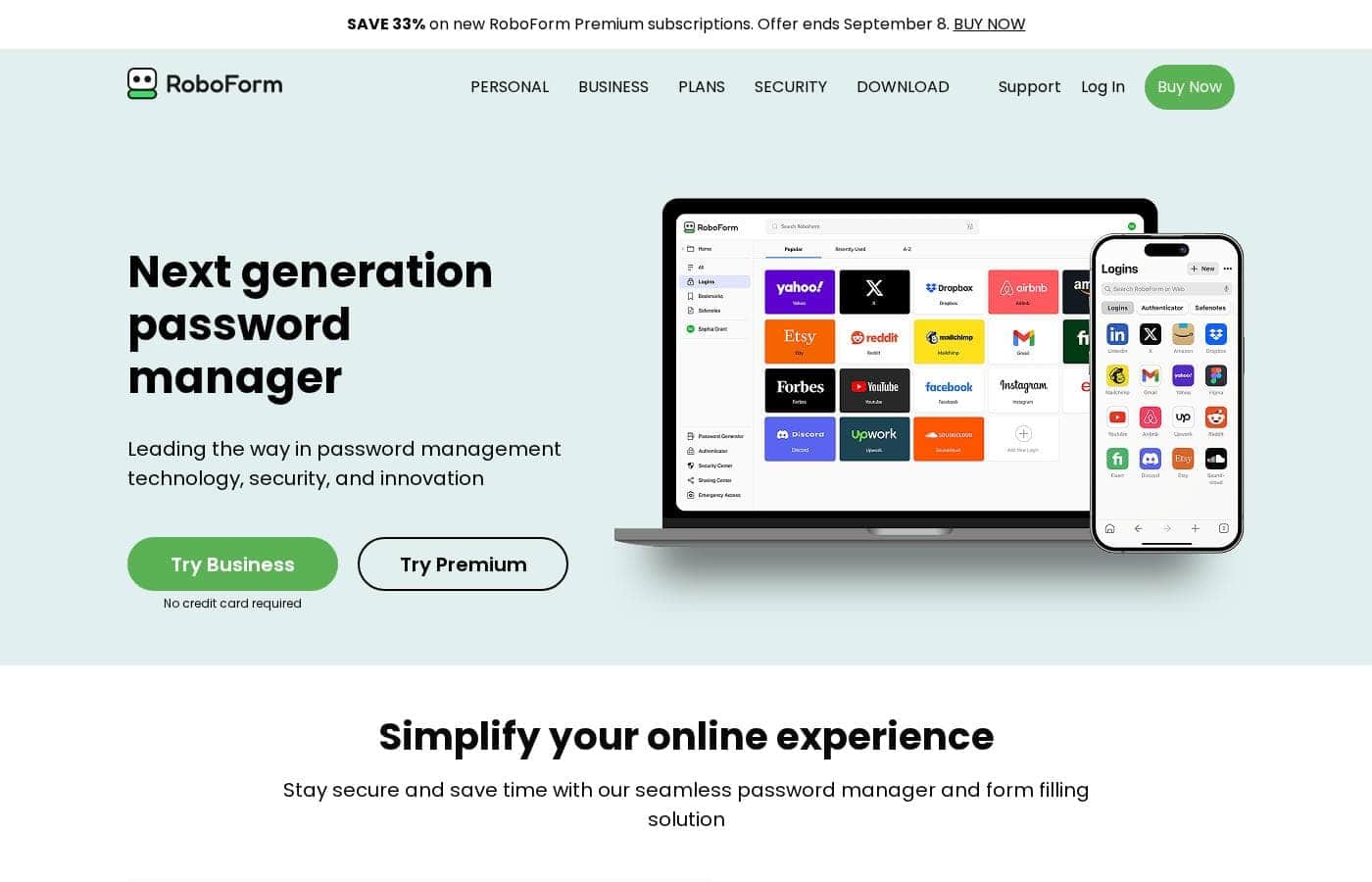
RoboForm Homepage-Screenshot

Auf einen Blick

Kurzüberblick zu RoboForm: Bewertung, Preisübersicht, wichtige Funktionen und Highlights.
Preise geprüft am 12. Okt. 2026

Ciroapp-Score

4.1/ 5

RoboForm pairs zero-knowledge AES 256 encryption with a free plan that stores unlimited passwords on one device, complete with 2FA and breach scanning. Multi-device sync, secure sharing, and breach monitoring require Premium, and renewal rates run roughly 50% above the discounted first year. Overall, it's a solid pick for one-device users and budget-minded households.

Vorteile

  • Vorteile:The free plan is a real product, not a crippled trial — unlimited passwords, one-click login, password generator, secure cloud backup, compromised password scanning, a built-in TOTP authenticator, and advanced 2FA — all on one device, indefinitely.
  • Vorteile:Zero-knowledge architecture with AES 256 encryption and PBKDF2 SHA256, plus unusually broad 2FA support including passkeys, trusted devices, hardware security keys, email, SMS, and authenticator apps.
  • Vorteile:Passwordless unlock via face, fingerprint, or device PIN, and one-click logins that extend beyond browsers to Windows applications and incognito/private modes.

Nachteile

  • Nachteile:The free plan is locked to a single device — no sync, no web access, and no secure sharing unless you upgrade to Premium.
  • Nachteile:There's no time-limited trial of paid features; evaluating Premium or Family means purchasing and relying on the 30-day money-back guarantee.
  • Nachteile:Discounted first-year pricing applies only to new users — Premium renews at $29.88/yr and Family at $47.75/yr, roughly 50% above the intro rates.
Am besten für
  • Budget-conscious users who work mainly from one computer or phone and want a genuinely free, full-featured vault instead of a crippled trial.
  • Households of up to five people who want everyone on Premium features — sync, shared folders, emergency access — under a single bill.
  • Security-focused users who want passkey and hardware-key 2FA, passwordless unlock, and on-device zero-knowledge encryption they fully control.
Geld‑zurück‑Garantie
Yes — 30 Tage
Dieser Abschnitt ist eine Zusammenfassung. Details zu Funktionen, Anwendungsfällen, Preisen und Bewertungen folgen weiter unten.

Was ist RoboForm?

RoboForm is a password manager built around one job: keeping every login you use online in a vault that only you can open. It generates strong, unique passwords for new accounts, then fills them in automatically so you stop typing credentials altogether. Encryption happens on your device under a zero-knowledge model, so RoboForm's servers never see your Master Password or your data.

With a genuinely functional free tier and paid plans starting at $2.49 per month billed annually, it covers individuals and families alike.

RoboForm stores and manages your online passwords in an encrypted vault accessible only to you. It captures credentials as you create them, generates robust unique passwords on demand, and auto-fills logins and long web forms with one click across browsers and even Windows applications. Security rests on AES 256 encryption with PBKDF2 SHA256, hardened further by advanced 2FA options such as passkeys, hardware security keys, and a built-in TOTP authenticator.

You keep total control over your data, with optional local-only mode if you'd rather not rely on cloud sync.

Sollten Sie RoboForm wählen?

Kurze Kaufhilfe, bevor Sie Pläne vergleichen oder zur Website wechseln.

Wählen Sie es, wenn

  • Budget-conscious users who work mainly from one computer or phone and want a genuinely free, full-featured vault instead of a crippled trial.
  • Households of up to five people who want everyone on Premium features — sync, shared folders, emergency access — under a single bill.
  • Security-focused users who want passkey and hardware-key 2FA, passwordless unlock, and on-device zero-knowledge encryption they fully control.
  • Anyone migrating from browser saving or an older password manager, since imports from browsers, major managers, or CSV take just minutes.

Überspringen Sie es, wenn

  • Users who need passwords synced across multiple devices on a $0 budget — the free tier is strictly single-device.
  • People who insist on test-driving premium features before paying; there's no time-limited trial, only the 30-day money-back guarantee.
  • Buyers sensitive to renewal pricing, since the discounted first year for Premium ($19.90) and Family ($31.95) jumps significantly at renewal for existing subscribers.
  • Teams and organizations needing business controls, which require RoboForm's separate Business plan rather than these personal tiers.

Nächste Schritte vor dem Kauf

  1. 1Create a free RoboForm account and choose a strong Master Password — it's the only key to your vault, and since RoboForm is zero-knowledge, it cannot recover it for you.
  2. 2Import your existing logins from your browser, a previous password manager, or a CSV file using the step-by-step guides in the help center; setup typically takes minutes.
  3. 3Run the password audit and compromised-password scan to surface weak, reused, or breached credentials, then use the generator to replace the worst offenders first.
  4. 4If you need multi-device sync or breach monitoring, start Premium at the new-user rate of $19.90 for the first year, knowing the 30-day money-back guarantee covers you if it doesn't fit.

RoboForm Wichtige Funktionen

⚡ One-Click Logins and Form Filling

Stop typing your passwords. RoboForm logs you in to websites and fills online forms with a single click, and it captures new passwords automatically as you create them. It works across your devices and browsers, including incognito and private modes, and can even log in to Windows applications.

Use it daily to save time and stay protected.

✨ Strong Passwords, Made Automatic

Weak and reused passwords are easy targets. RoboForm's generator creates strong, unique passwords for every site, then saves them to your vault automatically. A built-in audit tool flags weak, duplicate, or compromised passwords so you know which ones to fix.

Set it up once, and every new account starts on solid ground.

🔒 Zero-Knowledge Security You Control

Your vault stays private because only you hold the key. RoboForm uses AES 256 encryption with PBKDF2 SHA256, and all encryption happens on your device. RoboForm never sees your Master Password or your data.

You can harden account access further with 2FA, including:

✨ Breach Alerts and Secure Sharing

Breaches happen, and RoboForm helps you respond. Data Breach Monitoring scans up to five email addresses, alerts you if your data is exposed, and suggests ways to secure your accounts. You can also share logins with trusted contacts through secure sharing, shared folders, and Emergency Access, so sensitive data stays protected.

Anwendungsfälle

⚡ Everyday logins, minus the typing

You're juggling dozens of accounts. RoboForm captures passwords as you log in, then fills them with one click. It completes long online forms too, so sign-ups and checkouts take seconds.

Expected outcome: faster logins and no more forgotten passwords.

🔐 Stronger passwords, less guesswork

Reused passwords put accounts at risk. RoboForm's generator creates strong, unique passwords for every site and saves them automatically. Compromised password scans warn you early if credentials leak.

Expected outcome: every account gets its own tough-to-crack password.

Tip: run a scan right after importing old logins.

👪 Safe sharing for households

Families share plenty of logins. Secure sharing passes credentials to trusted contacts — no texting passwords. The Family plan covers five people on one bill, and emergency access helps if someone's locked out.

Expected outcome: everyone gets the logins they need, safely.

🛡️ Lock down your account

Turn on advanced 2FA with passkeys, hardware keys, or an authenticator app. Then unlock your vault with your face, fingerprint, or device PIN. Premium adds breach monitoring for up to five emails.

Expected outcome: a leaked password alone can't open your vault.

RoboForm Preise

Ab2,49 $/Monat≈ 2,23 €

  • 3 Tarife
  • Kostenloser Tarif verfügbar

Preise geprüft am 12. Okt. 2026 auf der Preisseite von RoboForm

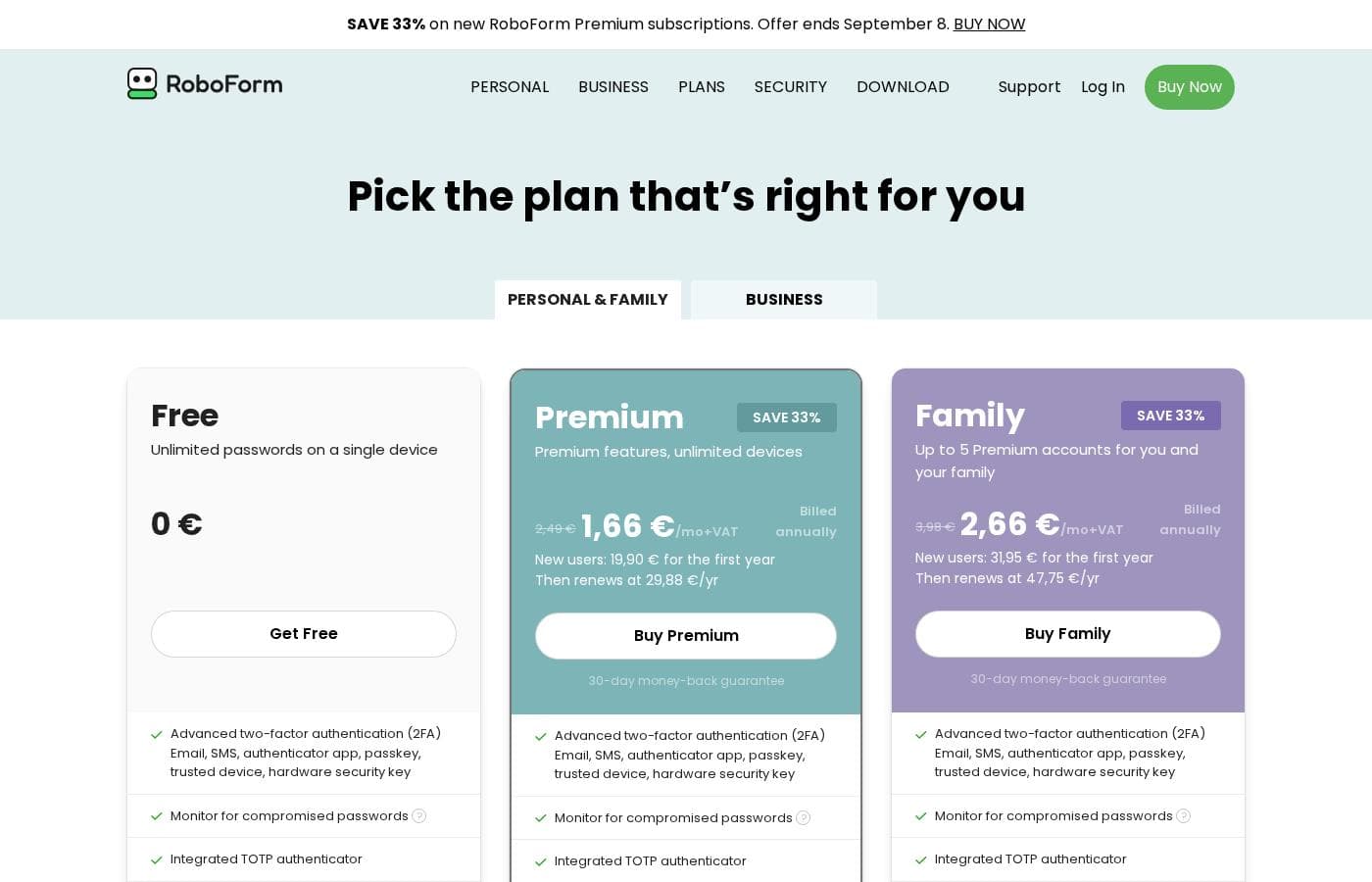
Screenshot der Preisseite von RoboFormScreenshot der Preisseite ansehen
TarifMonatlichJährlichEnthalten
Free
Kostenlos
Kostenlos
Access on a single device only
  • Unlimited passwords on a single device
  • One-click login and form filling
  • Password generator
  • Secure cloud backup
  • Compromised password scan
  • +3
Premium
Einführungsangebot 19,90 $/Jahr; Listenpreis angezeigt
$2.49/mo billed annually
2,49 $/Monat
≈ 2,23 €
29,88 $ pro Jahr
Billed annually; discounted first-year price applies to new users only
  • Everything in Free
  • Access on all devices
  • Web access
  • Secure shared folders
  • Emergency access
  • +3
Family
Einführungsangebot 31,95 $/Jahr; Listenpreis angezeigt
$3.98/mo billed annually
3,98 $/Monat
≈ 3,56 €
47,75 $ pro Jahr
Billed annually; discounted first-year price applies to new users only
  • 5 Premium accounts
  • Unified billing
  • Access on all devices
  • Web access
  • Secure shared folders
  • +4

Umgerechnet zum EZB-Referenzkurs vom 13. Okt. 2026; der Anbieter kann einen anderen lokalen Preis verlangen.

Preisverlauf

Preise werden seit 9. Okt. 2026 beobachtet. Bisher keine Preisänderung erkannt.

Preistypen: Free plan, Yearly subscription

Hinweise zu den Preisen

RoboForm offers three personal plans: Free at $0, Premium at $2.49/mo billed annually, and Family at $3.98/mo billed annually. New users pay a discounted first year ($19.90 for Premium, $31.95 for Family), and every plan includes unlimited password storage with AES 256 encryption.

RoboForm costs between $0 and $3.98 per month, billed annually, with three personal plans: Free at $0, Premium at $2.49/mo, and Family at $3.98/mo.

Every plan shares the same security core, so your choice really comes down to devices, sharing, and support. All tiers include unlimited password storage, AES 256 encryption, and a password audit tool. You also get form filling, offline access, passkey management, and export/import.

Free

Price: $0 Other Features: Unlimited passwords on a single device, one-click login, password generator, secure cloud backup, compromised password scan, built-in TOTP authenticator, passwordless unlock, advanced 2FA

Free is a real plan, not a stripped-down demo. It stores unlimited passwords on one device and still includes strong extras like 2FA and breach scanning. If you mostly work from a single computer or phone, this could be all you need. Just double-check that single-device access fits your routine before you settle.

Premium

Price: $1.66/mo billed annually for the first year ($19.90), then $2.49/mo ($29.88/yr) Refund Policy: 30-day money-back guarantee Other Features: Everything in Free, access on all devices, web access, secure shared folders, emergency access, data breach monitoring for 5 emails, local only mode, priority 24/7 support

Premium is the pick for most individuals. It syncs your vault across every device and adds browser-based web access. You also get data breach monitoring for up to five email addresses, plus emergency access for people you trust. New users pay $19.90 for year one, and it renews at $29.88 per year.

Family

Price: $2.66/mo billed annually for the first year ($31.95), then $3.98/mo ($47.75/yr) Refund Policy: 30-day money-back guarantee Other Features: 5 Premium accounts, unified billing, access on all devices, web access, secure shared folders, emergency access, data breach monitoring, local only mode, priority 24/7 support

Family wraps five Premium accounts into one subscription with a single bill. At $47.75 per year after year one, it costs far less than five separate Premium plans. It's a smart fit for households that want everyone covered without juggling multiple payments 👍

RoboForm also sells a separate Business plan for teams, and the site lists educational and military discounts. If you'd rather test things first, the Free plan costs nothing, and both paid tiers include a 30-day money-back guarantee.
Kostenrechner

Berechnen Sie, was RoboForm für Ihr Team kostet.

Abrechnung

Für Premium ist für diesen Abrechnungszeitraum kein Preis veröffentlicht.

Premium hat einen Pauschalpreis: Die Anzahl der Plätze ändert die Summe nicht. Schätzung auf Basis veröffentlichter Listenpreise, ohne Steuern, Add-ons und Rabatte.

So zahlen Sie weniger für RoboForm

  • Mit dem kostenlosen Tarif starten und erst beim Erreichen der Limits upgraden.
  • 30 Tage Geld-zurück-Garantie, falls es nicht passt.
RoboForm besuchen

Benachrichtigen, wenn sich der Preis von RoboForm ändert

Eine E-Mail, wenn wir eine Änderung auf der Preisseite des Anbieters erkennen. Kein Newsletter, keine Angebote. Abmeldung mit einem Klick.

Nutzerbewertungen

Noch keine Bewertungen.

Bewertung schreiben

Bewertung für RoboForm schreiben
0/100 Zeichen
0/2000 Zeichen

Warum RoboForm nutzen?

Weak and reused passwords are the easiest way into your accounts, and RoboForm attacks that problem directly: its generator gives every site its own tough credential, and a built-in audit flags weak, duplicate, or compromised entries. You save real time daily through one-click logins and automated form filling for sign-ups and checkouts.

Data Breach Monitoring (on paid plans) watches up to five email addresses and warns you when your data appears in an exposure. And because the free plan includes unlimited password storage, 2FA, and breach scanning on one device, you can adopt it without spending anything.

Alternativen zu RoboForm

Weitere Tools in der Kategorie Passwort-Manager

Alle Passwort-Manager-Tools ansehen
NordPass

NordPass

Password manager4.1/5

NordPass is a leading credential management solution trusted by over 10,000 businesses globally. It is built to face the challenges modern IT and security professionals encounter every day. This system offers a secure, centralized place for managing passwords, passkeys, credit cards, and documents. Whether you need protection for your company’s assets or your own personal data, NordPass makes it easy and safe. It focuses on providing cost-effective security that simplifies employee workflows and streamlines access.

Proton Pass

Proton Pass

Password manager4/5

Sichern Sie Ihr digitales Leben mit Zero-Knowledge Ende-zu-Ende-Verschlüsselung.

Norton Password Manager

Norton Password Manager

Password manager3.7/5

Sichere Einfachheit für Ihr digitales Leben.

RoboForm FAQ

Was kostet RoboForm?

Der günstigste kostenpflichtige Tarif von RoboForm, Premium, kostet 2,49 $ (≈ 2,23 €) pro Monat. Die kostenpflichtigen Tarife liegen zwischen 2,49 $ und 3,98 $ pro Monat. Preise am 12. Okt. 2026 auf der Preisseite des Anbieters geprüft.

Hat RoboForm einen kostenlosen Tarif?

Ja. RoboForm hat einen kostenlosen Tarif (Free); kostenpflichtige Tarife beginnen bei 2,49 $ (≈ 2,23 €) pro Monat.

Bietet RoboForm eine kostenlose Testphase oder eine Geld-zurück-Garantie?

Es gibt eine 30-tägige Geld-zurück-Garantie.

Hat sich der Preis von RoboForm kürzlich geändert?

Nein. Seit Beginn der Beobachtung am 9. Okt. 2026 haben wir keine Preisänderung erkannt.

Can I move my passwords from another manager to RoboForm?

Yes. RoboForm imports from every browser and major password manager, or from a CSV file. Setup takes just minutes, so switching over is usually painless. The help center has step-by-step guides.

How does RoboForm protect my data?

Your vault uses AES 256 encryption with PBKDF2 SHA256. It's zero-knowledge: all encryption happens on your device, and your Master Password is never sent to RoboForm's servers. Only you can unlock your data.

What support can I expect on each plan?

Free includes 24/7 email support. Premium and Family add priority 24/7 email support, plus live chat and phone support Monday through Friday. Business customers also get a dedicated account manager.

Bereit, RoboForm auszuprobieren? Besuchen Sie die offizielle Website oder sehen Sie sich die Preise an.

Sind Sie RoboForm? Eintrag beanspruchen · Badge holen