Vollständige Übersetzung folgt — Produktdetails auf Englisch, lokalisierte Navigation.
DottedSign

DottedSign review

Streamline document signing with secure, automated workflows for teams.

Von Ciroapp-Redaktion · Aktualisiert 17. Sept. 2026
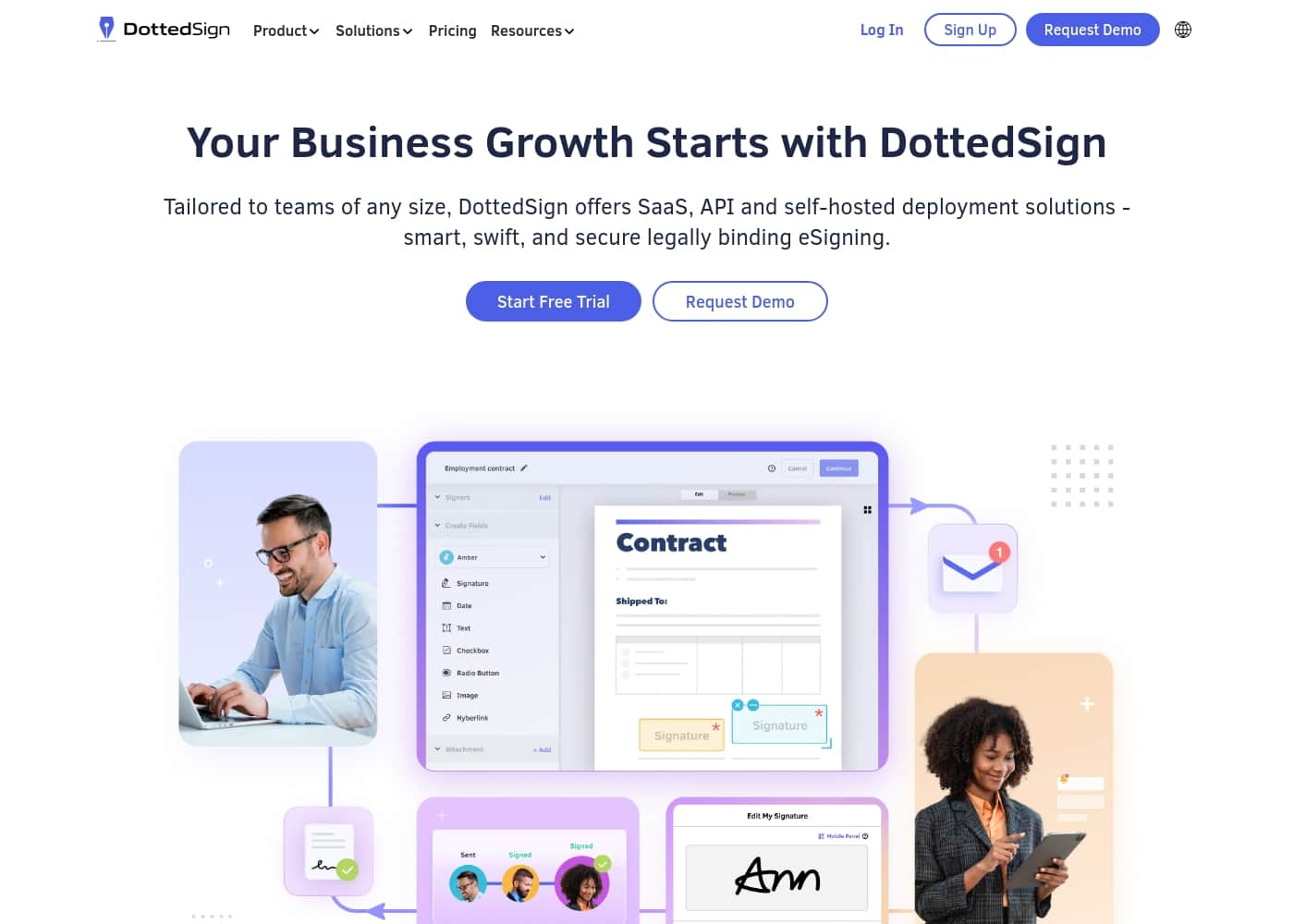
DottedSign Homepage-Screenshot

Auf einen Blick

Kurzüberblick zu DottedSign: Bewertung, Preisübersicht, wichtige Funktionen und Highlights.
Anbieterseite geprüft am 22. Okt. 2026

Ciroapp-Score

3.8/ 5

Solid e-sign tool for teams.

DottedSign provides a secure, cloud-based e-signature platform with strong integrations and automated workflows. Overall, we found it to be a capable tool for streamlining document signing, especially for teams needing reusable templates and permission controls. Its custom pricing and deployment options make it flexible, though the lack of public reviews limits our full assessment.

Vorteile

  • Seamless integrations with tools like Google Drive, Gmail, and Salesforce.
  • Automated workflows with real-time signer tracking and notifications.
  • Reusable templates for NDAs and proposals save time.

Nachteile

  • Pricing is custom and usage-based, which may require a demo.
  • Limited public review data to verify support responsiveness.
  • No money-back guarantee mentioned in the pricing info.
Am besten für
  • Sales teams that send contracts regularly and want real-time signer tracking plus reusable templates for proposals and agreements
  • HR departments handling recurring onboarding paperwork like employment contracts and NDAs who need templates and centralized task management
  • Enterprises and developers that need to embed e-signatures into internal CRM, ERP, or HRM systems via a developer-friendly API included in the Business Plan
Kostenlose Testphase
Yes
Dieser Abschnitt ist eine Zusammenfassung. Details zu Funktionen, Anwendungsfällen, Preisen und Bewertungen folgen weiter unten.

Was ist DottedSign?

Dealing with slow, paper-based signing processes can stall your deals and frustrate everyone involved. DottedSign tackles this by offering secure, automated e-signatures that work anywhere, on any device. It helps you move documents forward faster, whether you're working remotely or face-to-face with clients.

✨

DottedSign is a flexible cloud-based eSignature solution designed for individuals and teams. It's for anyone who needs to create, send, and sign documents securely. The platform standardizes document signing with real-time tracking and an intuitive interface for swift onboarding.

It's a tool to elevate your everyday workflow. 💡

Sollten Sie DottedSign wählen?

Kurze Kaufhilfe, bevor Sie Pläne vergleichen oder zur Website wechseln.

Wählen Sie es, wenn

  • Sales teams that send contracts regularly and want real-time signer tracking plus reusable templates for proposals and agreements
  • HR departments handling recurring onboarding paperwork like employment contracts and NDAs who need templates and centralized task management
  • Enterprises and developers that need to embed e-signatures into internal CRM, ERP, or HRM systems via a developer-friendly API included in the Business Plan
  • Organizations with strict data-security requirements that want AATL-authorized digital certificates, audit trails, or the option to self-host on their own server
  • Growing teams starting from around 100 signature tasks per year that want usage-based pricing instead of fixed seats

Überspringen Sie es, wenn

  • Individuals or very small businesses with only a handful of signatures per year, since custom usage-based pricing and a sales conversation may be more overhead than a simple flat-rate plan
  • Buyers who need transparent published pricing up front, as plans are quoted based on annual signature task volume and require contacting the vendor
  • Teams that require a money-back guarantee, since none is mentioned in the available pricing information
  • Buyers who need a large body of independent public reviews to validate support responsiveness before committing, since verified review data is limited

Nächste Schritte vor dem Kauf

  1. 1Estimate your annual signature task volume (e.g., number of contracts, NDAs, or onboarding packages you send per year) so you can request an accurate quote, since pricing scales from around 100 tasks per year
  2. 2Start with the free trial available on the subscription plans to test reusable templates, real-time tracking, and the admin console with a real document before committing
  3. 3Decide between the Business Plan (API access, self-hosted deployment, CRM/ERP/HRM integrations) and the Signature Task Plans (team templates and permission control) based on whether you need developer integration or team workflow features
  4. 4Contact DottedSign support to confirm license limits, deployment details, and cancellation terms, since these specifics are not published and pricing is custom
  5. 5If you plan to integrate, map out which systems (Salesforce, Google Drive, Gmail, Microsoft Teams, Zapier, or your own app via API) need to connect, and verify those integrations work in your trial before purchase

DottedSign Wichtige Funktionen

✨ Connect Seamlessly with Your Favorite Tools

DottedSign integrates directly with platforms you already use, so you can start signing right away. Connect to Google Drive, Gmail, Salesforce, Microsoft Teams, and Zapier. This lets you manage documents without switching apps, saving you time and reducing friction in your daily workflow.

It’s a simple way to fit electronic signatures into your existing processes, making collaboration feel natural.

✨ Sign Anywhere, on Any Device

Whether you're working remotely or meeting a client in person, DottedSign lets you create and capture signatures anytime. The platform works across devices, so you're never tied to a desk. This flexibility means you can move documents forward quickly, no matter where you or your signers are.

It removes the delays of traditional paper-based signing.

✨ Automated Workflows Keep Deals Moving

DottedSign automates the tracking and notification process, so you don't have to chase signatures manually. You get real-time updates on signer status and automatic system notifications. This automation helps you move deals forward faster.

You can focus on the next step instead of following up on paperwork. It turns a slow process into a streamlined one.

✨ Save Time with Reusable Templates

Create sign-ready templates from your standard documents, like NDAs, employee agreements, or proposals. Once set up, you can use these templates for repetitive tasks, which saves you significant time. Instead of preparing the same document from scratch each time, you simply reuse a template.

This feature is ideal for teams that handle many similar agreements.

✨ Centralized Team Management and Control

The admin console gives you a single place to manage document control for your entire team. You can set up unified task management, so everyone stays on the same page. With permission control, you define document access levels using default or custom roles.

This keeps collaboration secure and organized, especially as your team grows.

✨ Trustworthy Security with Every Signature

DottedSign builds trust with advanced security features. It uses AATL authorized digital certificates and provides transparent audit trails for every signed document. These measures ensure that each signature is secure and verifiable.

This is crucial for maintaining compliance and protecting sensitive information during the signing process.

✨ Flexible Deployment Options for Your Needs

You can choose how you deploy DottedSign based on your security preferences. The platform offers a flexible cloud-based solution for ease of use. For the utmost in data security, you can also deploy it on your own dedicated server.

This choice lets you customize eSignature workflows tailored to your business needs and control your data location.

✨ Developer-Friendly eSignature API

For businesses that need deeper integration, DottedSign provides a powerful and developer-friendly eSignature API. This API is designed to streamline document signing processes within your own systems. You can initiate, manage, and eSign documents on your platform efficiently.

The API is included in the Business Plan at no extra cost, making it accessible for scaling integrations.

Anwendungsfälle

💰 Sales Team Closing Deals Faster

Imagine your sales team needs to send a contract to a client for signature. Instead of emailing a PDF and waiting days, they use DottedSign. They upload the document, add the client's email, and send it in seconds. The client signs on their phone from anywhere. The salesperson gets a real-time notification when it's done. No more chasing signatures or manually following up. Deals move forward faster, and everyone saves time.

Tip: Set up reusable templates for your most common sales agreements to make this process even quicker.

👥 HR Onboarding New Employees

New hire paperwork can be a headache for HR. With DottedSign, you can create templates for employment contracts, NDAs, and benefits forms. When a new employee joins, you send them a single package to sign. They can complete it on their laptop or phone. You track their progress in real-time. The signed documents are stored securely with a clear audit trail.

Expected outcome: A faster, paperless onboarding process that reduces administrative work and ensures compliance.

⚖️ Legal Team Managing Contracts

Legal teams often handle sensitive contracts that need secure, trackable signatures. DottedSign provides AATL-authorized digital certificates and transparent audit trails. This builds trust with clients and partners. You can also set permission controls to ensure only the right people can view or sign a document. For firms with strict data requirements, a self-hosted deployment option is available.

Approach: Upload a contract, assign signers with specific roles, and let the system notify them automatically. The audit trail captures every action for compliance.

🌐 Remote Team Collaboration on Proposals

Your team works remotely and needs to finalize a proposal. Instead of passing documents back and forth, you use DottedSign. You create a template for your standard proposal. Each team member can add their section and send it to the client for a signature. Everyone sees the status in real-time. The client signs on their tablet during a video call. The process is smooth and keeps everyone on the same page.

  • Problem: Slow feedback loops and version control issues.
  • Solution: Use DottedSign's templates and real-time tracking.
  • Outcome: Faster turnaround and a professional client experience.

🏭 Manufacturing Supply Chain Documents

Manufacturers deal with many documents like purchase orders, quality agreements, and shipping forms. DottedSign helps streamline this. You can create templates for these recurring documents. Send them to suppliers or partners for a quick signature. Track who has signed and who hasn't. This reduces delays in the distribution cycle.

Tip: Integrate DottedSign with your existing tools like Google Drive or Salesforce to keep your workflow seamless.

🛠️ Developer Integrating eSignatures into Apps

Developers can use the DottedSign API to add e-signatures directly into their own apps or platforms. This is great for companies that want to embed signing into their CRM, ERP, or HRM systems. The API is designed to be developer-friendly. You can initiate and manage documents within your system. This allows for a fully customized signing experience.

Expected outcome: A seamless, branded signing process that fits right into your existing tools without extra steps.

DottedSign Preise

  • 2 Tarife

Preise noch nicht geprüft — siehe Anbieterseite.

der Preisseite von DottedSign

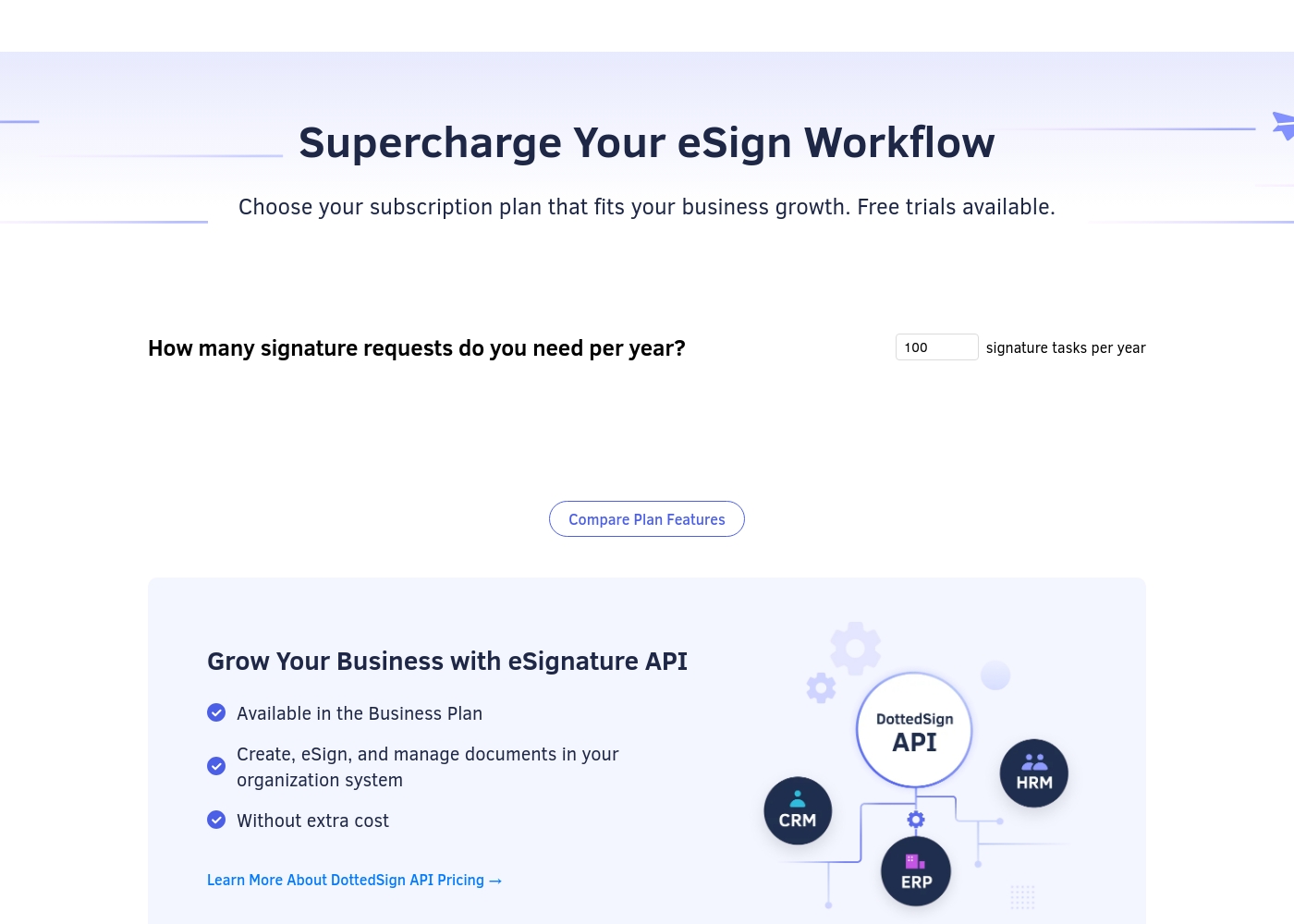
Screenshot der Preisseite von DottedSignScreenshot der Preisseite ansehen
TarifMonatlichJährlichEnthalten
Business Plan
Siehe Anbieterseite
Siehe Anbieterseite
Includes developer-friendly API at no extra cost
  • Developer-friendly DottedSign API included
  • AATL authorized digital certificates
  • Transparent audit trails
  • Self-hosted deployment options
  • Integrations with CRM, ERP, and HRM
Signature Task Plans
Siehe Anbieterseite
Siehe Anbieterseite
Starts at 100 signature tasks per year
  • Scales from 100 signature tasks per year
  • Reusable templates for NDAs and employee agreements
  • Admin console for team management
  • Permission control with default or custom roles

Preisverlauf

Preise werden seit 1. Okt. 2026 beobachtet. Bisher keine Preisänderung erkannt.

Preisspanne: Custom pricing

Preistypen: Free trial, Yearly subscription, Usage-based pricing

Hinweise zu den Preisen

DottedSign offers flexible subscription plans tailored to your team's signature task requirements. Every tier is built to scale with your business signing needs, featuring options for standard templates and eSignature API integration.

DottedSign offers customizable subscription plans based on your annual signature tasks, featuring a Business Plan that includes API access at no extra cost. Take a look at the options below to find the correct setup for your team's signature workflow. ### Business Plan Best For: Enterprises and developers needing to integrate secure e-signing into their company databases.

Other Features: Developer-friendly DottedSign API included, creation and management of documents in your system, AATL authorized digital certificates, transparent audit trails, self-hosted deployment options. This package is perfect if you need high-level security and total control over your documents. It allows you to run signing processes directly within your internal tools like Salesforce, Gmail, Microsoft Teams, and Zapier.

You can even choose a self-hosted deployment to store everything on your dedicated servers. We suggest that you confirm your license limits and deployment details with their support team before choosing this option. ### Signature Task Plans Best For: Teams wanting to track documents and standardize their daily agreements.

Other Features: Plans that scale from 100 signature tasks per year, reusable templates for NDAs and employee agreements, real-time signer tracking, permission control with default or custom roles. This plan helps growing teams collaborate easily. With the admin console, you can centralize task control and set custom roles for each team member.

Reusable templates save time on recurring forms like sales proposals or onboarding agreements. It is highly approachable and keeps your signing cycle moving forward automatically. DottedSign offers helpful free trials so you can experience their e-signature tools firsthand before making a purchase.

It is the easiest way to test templates and see how the team management tools work for your business.

So zahlen Sie weniger für DottedSign

  • Eine kostenlose Testphase ist verfügbar: vor dem Kauf testen.
Kostenlos testen

Benachrichtigen, wenn sich der Preis von DottedSign ändert

Eine E-Mail, wenn wir eine Änderung auf der Preisseite des Anbieters erkennen. Kein Newsletter, keine Angebote. Abmeldung mit einem Klick.

Nutzerbewertungen

Since the Capterra page is blocked by a security verification, we couldn't access specific user reviews. However, based on the product's features, we can see it offers a solid, feature-rich e-signature solution.

📝 Users on similar platforms often praise ease of use, reliable integrations, and strong security. The platform's focus on automated workflows and team management suggests it's built for efficiency.

Pricing appears custom and usage-based, which can be a pro for scalability but might require a demo for clarity. We expect users to appreciate the reusable templates and real-time tracking, though the lack of public reviews means we can't confirm specific recurring themes like support responsiveness or onboarding simplicity.

Zusammengefasst aus öffentlichen Bewertungen auf Capterra

Noch keine Bewertungen.

Bewertung schreiben

Bewertung für DottedSign schreiben
0/100 Zeichen
0/2000 Zeichen

Warum DottedSign nutzen?

Ready to ditch the paperwork and close deals faster? DottedSign provides a robust set of tools to standardize and secure your signing process.

  • Seamless Integrations: Connects directly with tools you already use, like Google Drive, Gmail, Salesforce, and Microsoft Teams, to fit right into your current workflow.
  • Automated Workflows: Automatically track signer status in real-time and receive system notifications, so you can move deals forward without manual follow-ups.
  • Reusable Templates: Create sign-ready templates from standard documents like NDAs and proposals, saving you significant time on repetitive tasks.
  • Team & Permission Control: A centralized admin console manages document control for your entire team, with customizable access levels for secure collaboration.
  • Advanced Security: Builds trust with AATL-authorized digital certificates and transparent audit trails for every single signed document.
  • Flexible Deployment: Choose the cloud for ease or deploy on your own dedicated server for the utmost in data security. ✅

Alternativen zu DottedSign

Weitere Tools in der Kategorie E-Signatur

Alle E-Signatur-Tools ansehen
QuickSigner

QuickSigner

eSignature4.1/5

Rechtsgültige E-Signaturen für KMUs — ISO 27001-zertifiziert, AATL-versiegelt und ohne Enterprise-Overhead bepreist.

Alohi

Alohi

eSignature3.9/5

Alohi gibt Teams und Unternehmen ein sicheres Schweizer Ökosystem für Dokumenten-Workflows.

AirSlate

AirSlate

eSignature3.8/5

Automatisieren Sie Ihr Dokumentenmanagement mit intelligenter Software.

PandaDoc

PandaDoc

eSignature3.7/5

Die unverzichtbare Lösung zur Erstellung, Verwaltung und Abschließung aller Vereinbarungen.

Blueink

Blueink

eSignature3.6/5

Kosteneffiziente E-Signaturen mit unschlagbarem Support und Preis.

Günstigste E-Signatur-Software für 1 bis 25 Nutzer

DottedSign FAQ

What integrations does DottedSign work with?

It connects with popular tools like Google Drive, Gmail, Salesforce, Microsoft Teams, and Zapier. This lets you add e-signatures directly into your existing workflow.

Is my data secure with DottedSign?

Yes. It uses AATL-authorized digital certificates and maintains transparent audit trails for every signed document. You can also choose a self-hosted deployment on your own server for extra control.

How is the pricing structured?

Pricing is custom and based on your annual signature task volume, starting around 100 tasks per year. There are no fixed monthly or annual prices listed.

Is there a free trial?

Yes, free trials are available for the subscription plans. This lets you explore the platform and its features before you commit.

What's the difference between the Business Plan and Signature Task Plans?

The Business Plan is for enterprises and developers needing API access. Signature Task Plans are for teams that want to track documents and use reusable templates for daily agreements.

Does the Business Plan include API access at an extra cost?

No. The developer-friendly DottedSign API is included in the Business Plan at no extra cost.

Can I try the platform before buying?

DottedSign offers free trials so you can test its e-signature tools firsthand. It's the best way to see how templates and team management work for you.

Is there a money-back guarantee?

You should confirm this in the terms before purchase.

What kind of support can I expect?

While specific response times or SLAs aren't detailed, user feedback suggests the support team is responsive when contacted.

Who is DottedSign best for?

It's ideal for teams and enterprises that need to standardize document signing, manage permissions, and integrate with tools like Salesforce or ERP systems.

Can I deploy DottedSign on my own server?

Yes, a self-hosted deployment option is available for enhanced data security. You should confirm deployment details with their support team.

What languages and regions does DottedSign support?

It's best to check their official site or contact support for details.

How do I cancel my subscription?

Cancellation details aren't explicitly provided in the given information. You should review the terms or contact support for the exact process.

What are the limits for signature tasks?

Signature task plans start at 100 tasks per year. The exact limits for higher tiers are part of the custom pricing and should be confirmed with DottedSign.

Bereit, DottedSign auszuprobieren? Besuchen Sie die offizielle Website oder sehen Sie sich die Preise an.

Sind Sie DottedSign? Eintrag beanspruchen · Badge holen