ClickTime vs Shiftie
ClickTime and Shiftie both track time, but they're built for very different teams. ClickTime is a financial and resource planning powerhouse for agencies and consultancies. Shiftie is a simple, affordable scheduling tool for hourly teams in hospitality and retail. Here's how to pick the right one for you.
Best for: Agencies and consultancies needing project profitability tracking, IT and architecture firms with complex resource planning needs
Best for: Hospitality, leisure, and retail businesses, Small to medium UK businesses with hourly staff
Strategische Zeit- und Finanzkontrolle
Wir fanden, dass ClickTime leistungsstarke Werkzeuge zur Minimierung manueller Fehler und zur Erzielung finanzieller Klarheit bietet. Die klaren gestaffelten Pläne beginnen erschwinglich und skalieren bis hin zu robusten Ressourcen- und Projektbudgetierungsfunktionen. Insgesamt handelt es sich um eine hochgradig strategische Plattform, die routinemäßige Zeiterfassung in entscheidende Geschäftsintelligenz umwandelt, die für skalierende Organisationen geeignet ist.
Vorteile
- Skaliert effektiv von grundlegenden Starter- ($12) bis hin zu umfassenden Premier-Stufen.
- Bietet starke Finanzberichterstattung und Projektkostenanalyse.
- Automatisierte Erinnerungen und Synchronisierungsfunktionen reduzieren manuelle Eingabefehler.
- Fortschrittliches Ressourcenmanagement und Kapazitätsplanung sind in Premier enthalten.
Nachteile
- Weit verbreitete, aktuelle positive Benutzerbestätigungen sind derzeit rar.
- Die Spesenverfolgung erfordert ein zusätzliches monatliches Add-on von 4 $ pro Benutzer.
- Top-Funktionen wie Ressourcenmanagement sind den höheren Plänen vorbehalten.
Simple, effective staff scheduling.
We found Shiftie to be a straightforward and focused platform for employee scheduling and time tracking. It clearly solves core administrative headaches for teams in sectors like hospitality. Overall, it's a solid, no-fuss tool that delivers on its promise to simplify workforce management.
Vorteile
- Clear, per-user pricing with no hidden fees.
- Generous 28-day free trial without needing card details.
- Intuitive drag-and-drop scheduling with conflict detection.
- Automatic timesheet generation simplifies payroll.
Nachteile
- Limited external user reviews make social proof difficult to assess.
- May lack advanced features for very large, complex organizations.
- Integrations and deeper reporting capabilities are not detailed.
- Support is UK-based, which could affect time zones for other regions.
ÜberClickTime
ClickTime ist eine leistungsstarke Plattform für umfassendes Zeit- und Ressourcenmanagement. Sie wurde entwickelt, um Ihnen tiefe Einblicke zu geben, wie Ihr Team seine Bandbreite nutzt. Dieses System verfolgt Mitarbeiterstunden, Projektfristen und Budgetziele nahtlos. Durch die Nutzung von ClickTime erhalten Sie wertvolle Informationen über Projektkosten und die allgemeine Rentabilität. Es ist das Werkzeug, das Ihnen hilft, Ihre Planungs- und Finanzprognosen zu vereinheitlichen. 💡
ÜberShiftie
Shiftie is a modern, all-in-one platform for scheduling employees and managing time & attendance. It’s built for managers and teams in sectors like hospitality, leisure, and retail who want to ditch outdated systems. Think of it as your digital rota, timesheet generator, and team hub combined. 👥
Highlights
Funktionsvergleich
Funktionsübersicht
Wir heben die Hauptunterschiede hervor und wählen einen Gewinner für jede Funktion.
User Interface & Ease of Use
ClickTime is a complex, powerful platform for financial planning. Shiftie is a simple, intuitive tool for daily scheduling.
**ClickTime** is built for deep analysis. Its interface packs financial reporting, project budgets, and resource planning. This complexity makes it incredibly powerful, but it can have a steeper learning curve for new users. **Shiftie** focuses on simplicity. Its drag-and-drop calendar and clear visuals make shift planning fast. The interface is designed for managers who need to act quickly, not just analyze data. **Key Difference:** ClickTime's strength is its depth for strategic planning. Shiftie's strength is its speed and simplicity for day-to-day operations. **Real-World Impact:** A marketing agency might spend 30 minutes in ClickTime to plan a project's budget. A restaurant manager might schedule the entire week's shifts in Shiftie in 10 minutes.
Scheduling & Shift Management
ClickTime doesn't do shift scheduling. Shiftie is built entirely around it with templates and conflict detection.
**ClickTime** tracks time against projects and budgets. It doesn't offer shift scheduling or rota planning. Its focus is on billable hours and resource allocation. **Shiftie** excels here. It offers intuitive drag-and-drop scheduling, shift templates, and open shifts for volunteering. It also includes real-time conflict detection and easy shift swaps. **Key Difference:** This is a complete mismatch. If you need to schedule hourly employees for specific shifts, ClickTime isn't the tool. **Real-World Impact:** A hotel front desk manager can use Shiftie to quickly create a week's rota and handle a last-minute sick call. ClickTime wouldn't help with that specific task.
Financial Forecasting & Budgeting
ClickTime offers robust project budgeting and cost forecasting. Shiftie tracks labor costs but lacks deep financial tools.
**ClickTime** provides Project Budgeting to monitor profits, costs, and billings in real-time. You can forecast workforce costs and analyze historical billing to prevent budget overruns. **Shiftie** shows live labor cost estimates as you build a schedule. It helps you avoid overstaffing but doesn't offer advanced financial forecasting or project-level budget tracking. **Key Difference:** ClickTime is a financial planning tool. Shiftie is a cost-awareness tool. **Real-World Impact:** An IT consulting firm could use ClickTime to forecast a 6-month project's profitability. A retail store can use Shiftie to ensure they don't overspend on weekly staff hours.
Resource & Capacity Planning
ClickTime provides strategic capacity planning for resource allocation. Shiftie doesn't offer this feature.
**ClickTime** offers Real-Time Resource Management and multi-month capacity planning. You can see employee availability, utilization, and future workload to staff projects intelligently. **Shiftie** focuses on shift coverage and attendance. It doesn't provide long-term resource forecasting or utilization analysis across a workforce. **Key Difference:** ClickTime helps you plan for the future. Shiftie helps you manage the present. **Real-World Impact:** An architecture firm can use ClickTime to see which designers are available for a new project in Q3. A cinema can use Shiftie to staff the holiday season but can't forecast next year's needs.
Time Tracking & Timesheets
Both tools automate timesheets, but ClickTime's is project-focused, while Shiftie's is shift-focused.
**ClickTime** uses automated reminders and calendar sync to ensure accurate timesheets. It tracks time against projects and clients with approval workflows. **Shiftie** generates timesheets automatically from phone clock-ins (with optional GPS). It's simple, digital, and designed for payroll approval. **Key Difference:** ClickTime's timesheets are for billing and project costs. Shiftie's timesheets are for payroll and attendance. **Real-World Impact:** A freelance consultant uses ClickTime to bill a client for 40 hours of work. A cafe manager uses Shiftie to calculate wages for a 30-hour week.
Integrations & Ecosystem
ClickTime offers a robust API and Zapier integrations. Shiftie has minimal, unspecified integrations.
**ClickTime** features an award-winning REST API, Zapier integrations, and payroll export. It's built to connect with accounting, ERP, and other mission-critical systems. **Shiftie** mentions an integration with DigiTickets in a testimonial but doesn't list others. It doesn't detail API or Zapier capabilities. **Key Difference:** ClickTime is built for integration into a larger tech stack. Shiftie is more of a standalone tool. **Real-World Impact:** A tech company can sync ClickTime data with its project management tool. A small business using Shiftie may have to manually export data.
Mobile Experience
Both offer mobile access, but Shiftie's mobile-first design for clocking in and viewing shifts is more central to its use.
**ClickTime** has a mobile app for logging time and expenses. It's a key feature for remote workers or those on the go. **Shiftie** is designed for mobile use. Employees use the app to clock in/out, see their shifts, and request changes. It's built for frontline workers. **Key Difference:** ClickTime's mobile is an extension for time tracking. Shiftie's mobile is the primary interface for the team. **Real-World Impact:** A construction worker uses ClickTime to log hours on a job site. A barista uses Shiftie to clock in and see their schedule for the week.
Security & Compliance
ClickTime provides enterprise-grade security certifications. Shiftie's security details are not specified.
**ClickTime** is SOC 2 compliant, SAS 70 Type II certified, GDPR and CCPA compliant, with a 99.99% uptime guarantee. Enterprise plans include Okta/Azure AD SSO. **Shiftie** mentions secure document storage but doesn't detail specific certifications or protocols. **Key Difference:** ClickTime offers transparent, audited security. Shiftie's security posture is unclear from the data. **Real-World Impact:** A government contractor can trust ClickTime for compliance. A small business using Shiftie may need to ask the vendor directly about security.
Customer Support
ClickTime offers standard support channels. Shiftie provides dedicated, 7-day-a-week UK-based support.
**ClickTime** includes Phone, Email, and Support Center access across all plans. Professional onboarding is available for a quote. **Shiftie** offers unlimited 7-day support from 08:00 to 20:00 UK time. Users praise the support team's responsiveness in testimonials. **Key Difference:** Shiftie's support is explicitly 7-day-a-week and appears more hands-on based on reviews. **Real-World Impact:** A UK restaurant manager can get help from Shiftie on a Saturday afternoon. A US-based agency might find ClickTime's support hours more aligned.
Pricing & Value
ClickTime is a premium, tiered product for larger teams. Shiftie is an affordable, flat-rate tool for small teams.
**ClickTime** pricing ranges from $12 to $31/user/month (annual). It scales with plan features, from basic tracking to full resource management. **Shiftie** pricing is £2.75 per active employee per month. It's a single, all-inclusive plan with no feature tiers. **Key Difference:** ClickTime offers more features at a higher cost. Shiftie offers a simple, predictable price. **Real-World Impact:** A 20-person agency might pay $240-$620/month for ClickTime. A 20-person cafe might pay ~£55/month for Shiftie.
Scalability
ClickTime scales with plan tiers and user limits. Shiftie scales by simply adding more active employees.
**ClickTime** scales through plans: Starter (25 users), Team/Premier (200 users), and Enterprise (custom). You upgrade plans as needs grow. **Shiftie** scales by charging per active employee. There are no mentioned limits on users, schedules, or locations. **Key Difference:** ClickTime's scaling involves plan upgrades. Shiftie's scaling is purely cost-based. **Real-World Impact:** A growing 50-person agency would need to move to ClickTime's Team or Premier plan. A 50-person retail chain just pays for 50 employees in Shiftie.
ClickTime kostet zwischen 12 $ und 27 $ pro Benutzer und Monat (jährlich abgerechnet) mit vier Plänen: Starter für 12 $, Team für 15 $, Premier für 27 $ und Enterprise (individuelle Preisgestaltung).
Hier ist ein genauerer Blick darauf, was jeder Plan bietet.
Starter
Preis: 12 $ pro Benutzer und Monat (jährlich abgerechnet) / 15 $ pro Benutzer und Monat (monatlich abgerechnet) Vom Web unterstützte Seiten: Nicht explizit angegeben Ideal für: Kleine Teams, die eine grundlegende Zeiterfassung benötigen Rückerstattungsrichtlinie: Nicht explizit angegeben Weitere Funktionen: Einfache Zeiterfassung, über 70 Berichte, E-Mail-Erinnerungen, Zugriff auf die mobile App, grundlegende Abrechnungssätze
- Einfache Zeiterfassung
- Über 70 vorgefertigte Berichte
- E-Mail-Erinnerungen
- Mobile App
- Tägliche, wöchentliche und zweiwöchentliche Arbeitszeittabellen
- Alles in Starter
- Genehmigungs-Workflows
- Erweiterte Abrechnungssätze
- Abwesenheitsmanagement
- Mitarbeiterkosten
- Alles in Team
- Projektbudgetierung
- Ressourcenmanagement
- Berichtsstudio
- Benutzerdefinierte Felder
- Konfiguration zur Erfüllung einzigartiger Geschäftsanforderungen
- Benutzerdefinierte Integrationen
- Professionelle Dienstleistungen
- Okta, OneLogin, Azure AD SSO
- SCIM-Benutzerbereitstellung (Angebot)
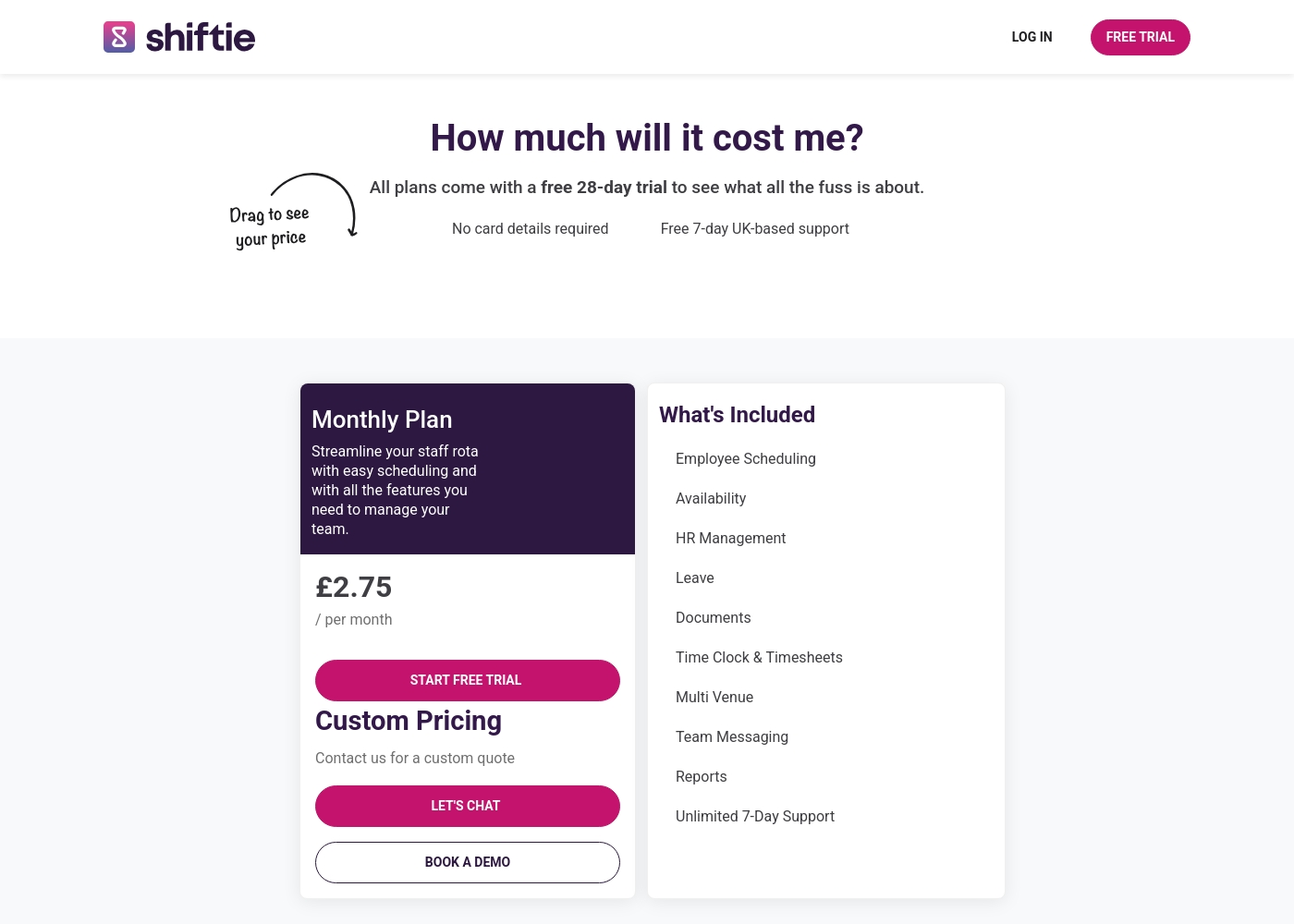
Shiftie pricing: Shiftie keeps things simple with a monthly plan starting at £2.75 per employee. You'll get full access to all scheduling and HR features with no upfront card details required for your trial period.
To help your team hit the ground running, we offer a generous 28-day free trial along with seven-day UK-based support to answer any questions you might have. It's built to be flexible, so you're only billed for the active users on your account each month.
Plus, you can cancel at any time directly through your billing settings if your needs change. This approach ensures your costs scale naturally as your team grows or shrinks, keeping your budget predictable and your admin time low.
Pricing Head-to-Head
Nutzerbewertungen
Die Bewertungsdaten für ClickTime sind derzeit auf den wichtigsten Plattformen noch spärlich. Auf Trustpilot (mit nur 2 Bewertungen) beträgt die Durchschnittsbewertung 2,9 Sterne, aber das öffentlich verfügbare Feedback deutet darauf hin, dass Benutzer die Software als brauchbar empfinden („I like this software quite a bit.“). Uns fehlen genügend detaillierte Einreichungen sowohl von Trustpilot als auch von Capterra, um eindeutige wiederkehrende Themen der Benutzer hinsichtlich spezifischer Leistungsaspekte festzustellen. Daher können wir weder die Reaktionsfähigkeit des Kundensupports, den Wert der Preisstufen, die Komplexität des Onboardings noch die Zuverlässigkeit der Integrationen abschließend beurteilen.
Normalerweise heben unabhängige Bewertungen Trends bei Genauigkeit, Zuverlässigkeit und Benutzerfreundlichkeit hervor, aber diese spiegeln sich nicht in den wenigen vorliegenden Einreichungen wider. Basierend rein auf der Produktbeschreibung scheint ClickTime in spezialisierten Bereichen wie Finanzprognosen und komplexer Projektbudgetierung stark zu sein. Nutzerbestätigungen für diese erweiterten Funktionen liegen jedoch derzeit überhaupt nicht vor. Potenzielle Benutzer sollten die 14-tägige kostenlose Testversion nutzen, um die Effizienz und die Funktionen der Plattform direkt zu bewerten. 🤔
Wir hatten Probleme mit falschen Arbeitszeittabellen, bis wir ClickTime einführten. Die mobile App macht die Zeiterfassung einfach und schnell, auch wenn Mitarbeiter unterwegs sind. Es ist eine große Verbesserung unseres Arbeitsablaufs.
We couldn't access any external user reviews for Shiftie on Trustpilot or Capterra during our research. The Capterra page returned a security error, and Trustpilot had no available data. Without this external feedback, our assessment is based solely on the product's features and the company's own presentation. We encourage you to try the free trial to experience the software firsthand and gather your own user feedback.
We switched from spreadsheets and the difference is night and day. Shiftie has saved our management team at least a few hours every week on scheduling alone.
Unser Fazit
This is a clear split: ClickTime and Shiftie solve different problems for different people. **ClickTime's superpower** is financial clarity. It gives agencies and consultancies deep insight into project budgets, profitability, and resource utilization. You can forecast costs and plan capacity for months ahead. **Shiftie's superpower** is simple scheduling. It's a fast, affordable tool for managers in hospitality or retail to build rotas, track hours, and manage leave. No fuss, no complex plans. **The deciding factor** is your team's work. Do you bill clients by the hour and need to track project costs? Choose ClickTime. Do you schedule hourly employees for specific shifts? Choose Shiftie. **Final verdict:** If you're a growing agency with 10+ professional staff, **ClickTime** is the strategic choice. If you're a café, hotel, or retail store with 5-50 hourly workers, **Shiftie** is the smarter, simpler pick. Don't overcomplicate it—pick the tool that matches how your team actually works.
Häufig gestellte Fragen
Which is better for small teams: ClickTime or Shiftie?
For small teams with hourly staff, **Shiftie** is likely better. Its simple, per-employee pricing and scheduling focus fit small businesses. **ClickTime** is better for small professional services teams needing project budgeting.
Does ClickTime have shift scheduling like Shiftie?
No. **ClickTime** does not offer shift scheduling or rota planning. It focuses on time tracking, project budgets, and resource management for billable hours.
Is Shiftie worth the extra cost over ClickTime?
Shiftie isn't more expensive. Its pricing starts at £2.75/employee/month, while ClickTime starts at $12/user/month. The value depends on your needs: scheduling vs. financial forecasting.
Can I migrate from ClickTime to Shiftie easily?
It depends on your data. **ClickTime** supports historical data upload for onboarding. **Shiftie** doesn't detail migration from other tools. Contact Shiftie support to discuss options.
Which tool has better mobile apps for my team?
Both have mobile apps. **Shiftie's** app is central for clocking in/out and viewing shifts. **ClickTime's** app is for logging time and expenses on the go.
Does ClickTime integrate with my accounting software?
Yes, **ClickTime** has an award-winning REST API and Zapier integrations. It's built to connect with payroll, accounting, and other mission-critical systems.
Bereit zu wählen?
Beide Tools haben Stärken. Wähle passend zu deinem Bedarf.